- HR:+91-879-9184-787
- Sales:+91-908-163-7774


In web development, choosing the right programming language is crucial. TypeScript and JavaScript stand out as two prominent choices among the various options available. Both are widely used for developing web applications, but they possess distinct characteristics that appeal to different developers and projects. This detailed guide will discuss TypeScript vs JavaScript differences and understand its fundamentals. Whether you’re a seasoned developer or just starting your journey in programming, this comparison will provide valuable insights into these languages.
TypeScript, an extension of JavaScript developed by Microsoft, is a statically typed language that compiles to vanilla JavaScript. By incorporating static typing, TypeScript improves the development experience by identifying errors early in the development process and offering enhanced tooling support.
Static Typing: TypeScript enables developers to designate types for variables, function parameters, and return values, promoting better code quality and maintainability.
Object-Oriented Programming: TypeScript embraces conventional object-oriented programming principles like classes, interfaces, inheritance, and encapsulation, simplifying the creation of scalable and maintainable codebases.
Enhanced Tooling Support: With robust support from integrated development environments (IDEs) such as Visual Studio Code and advanced features like code navigation, intelligent code completion, and refactoring tools, TypeScript streamlines the development workflow.
ES6/ES7 Features Support: TypeScript includes support for the latest ECMAScript features, empowering web developers to utilize contemporary JavaScript syntax and features while ensuring compatibility with older versions.
Optional Parameters and Default Values: TypeScript lets developers specify optional and default values for function parameters, improving flexibility and code readability.
Generics: TypeScript introduces generics, enabling developers to write reusable and type-safe code by creating functions and data structures with various data types.
Decorators: TypeScript supports decorators, a feature influenced by the Decorator design pattern, enabling developers to attach metadata to classes, methods, and properties, unlocking powerful capabilities like dependency injection and aspect-oriented programming.
JavaScript, commonly known as the “web language,” is a high-level, interpreted programming language mainly utilized for client-side web development. It empowers the creation of dynamic and interactive web pages by enabling developers to manipulate the Document Object Model (DOM) and react to user interactions.
Dynamic Typing: Unlike TypeScript, JavaScript employs dynamic typing, where variable types are determined during runtime rather than compile time.
Prototypal Inheritance: JavaScript utilizes a prototypal inheritance model, wherein objects inherit properties and methods from prototype objects, facilitating code reuse and extensibility.
Functional Programming Abilities: JavaScript supports functional programming concepts like higher-order functions, anonymous functions, and closures, enabling developers to craft concise and expressive code.
Asynchronous Programming: With tools like Promises and async/await, JavaScript simplifies programming, empowering developers to execute non-blocking code and manage tasks efficiently.
DOM Manipulation: JavaScript enables dynamic DOM manipulation, allowing developers to create, modify, and remove HTML elements, attributes, and styles in response to user interactions.
This section will explore the advantages and disadvantages of TypeScript compared to JavaScript.
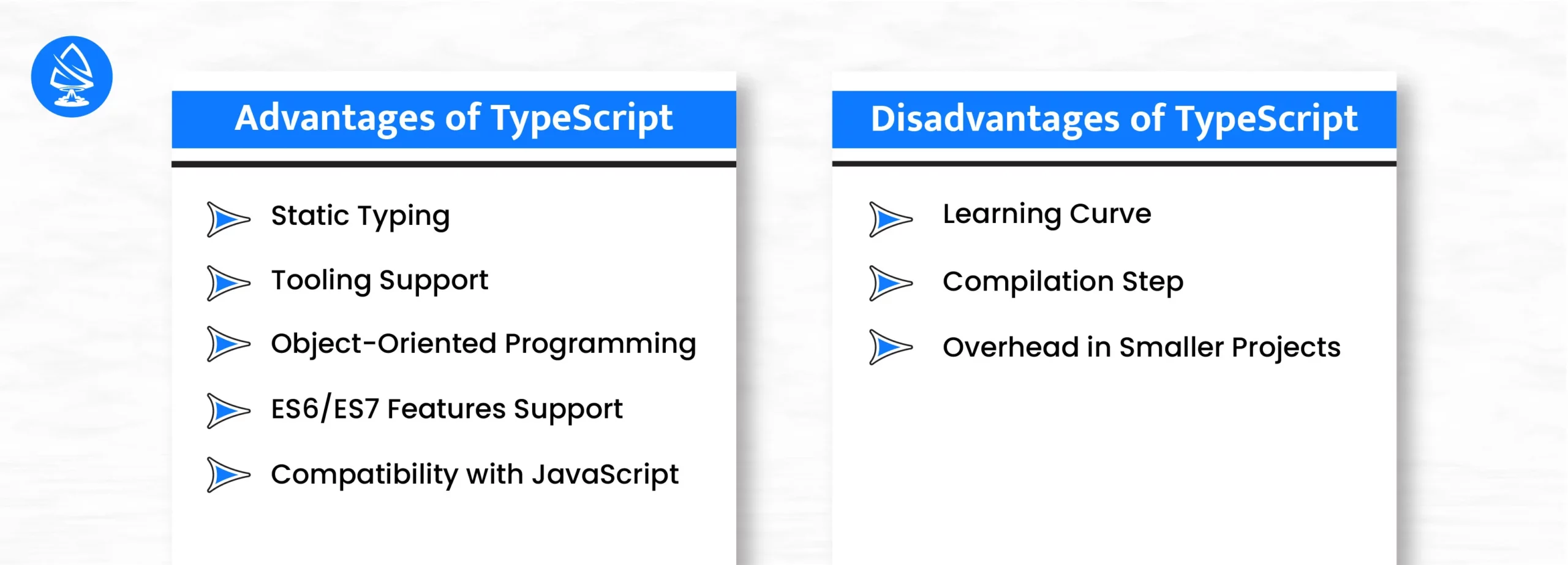
Static Typing: TypeScript’s static typing allows for early error detection, enhancing code quality and maintainability.
Tooling Support: TypeScript provides extensive tooling support, including features like code navigation, intelligent code completion, and refactoring tools, which can boost developer productivity.
Object-Oriented Programming: TypeScript’s support for object-oriented programming principles facilitates the development of scalable and maintainable codebases.
ES6/ES7 Features Support: TypeScript supports the latest ECMAScript features, enabling developers to utilize modern JavaScript syntax and functionalities.
Compatibility with JavaScript: TypeScript seamlessly integrates with existing JavaScript codebases, enabling smooth adoption and interoperability.
Learning Curve: TypeScript’s static typing introduces a learning curve, particularly for developers unfamiliar with static typing concepts.
Compilation Step: Unlike JavaScript, TypeScript requires a compilation step to convert TypeScript code to JavaScript, which adds complexity to the build process.
Overhead in Smaller Projects: In smaller projects where the benefits of static typing are less evident, the additional overhead of TypeScript may outweigh its advantages.
This section will discuss the advantages and disadvantages of using JavaScript.
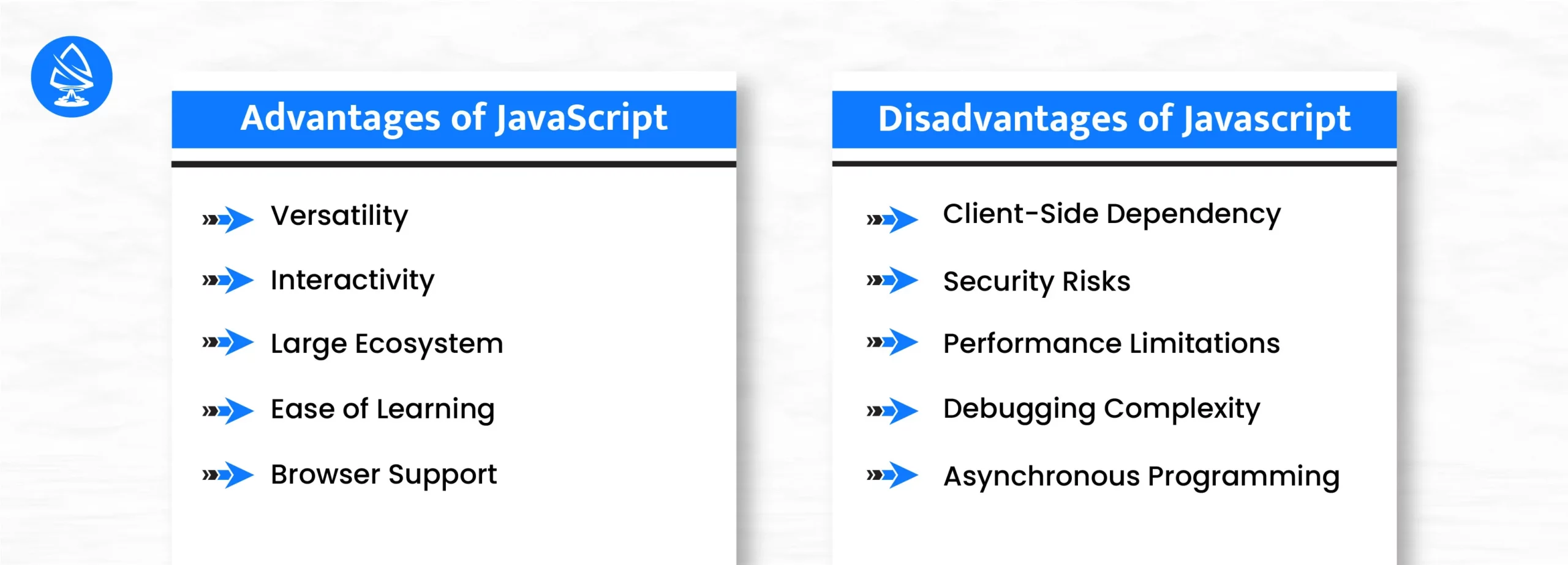
Versatility: JavaScript can be used for both client- and server-side development, making it a versatile language for building various applications.
Interactivity: JavaScript enables the creation of dynamic and interactive web pages, allowing for enhanced user experiences through features like form validation, animations, and interactive elements.
Large Ecosystem: JavaScript has a vast ecosystem with many libraries, frameworks, and tools available, making it easy for developers to find solutions for various development needs.
Ease of Learning: JavaScript has a relatively low entry barrier, with simple syntax and widespread resources for learning, making it accessible to beginners and experienced developers.
Browser Support: JavaScript is supported by all major web browsers, ensuring cross-browser compatibility for web applications.
Client-Side Dependency: Since JavaScript is executed on the client side, its functionality depends on the user’s browser and settings, which can lead to inconsistencies in behavior across different environments.
Security Risks: If not properly sanitized and validated, JavaScript code is exposed to clients, making it susceptible to security vulnerabilities such as cross-site scripting (XSS) attacks.
Performance Limitations: JavaScript’s single-threaded nature and interpreted execution can lead to performance bottlenecks, particularly in CPU-intensive or time-sensitive applications.
Debugging Complexity: Debugging JavaScript code, especially in large and complex applications, can be challenging due to the dynamic nature of the language and the lack of solid debugging tools compared to other languages.
Asynchronous Programming: While asynchronous programming in JavaScript allows for non-blocking I/O operations, it can also lead to complex code structures, making it difficult to manage and maintain asynchronous codebases.
Now that we’ve examined typescript vs. javascript examples, let’s delve deeper into the key differences between TypeScript and JavaScript.
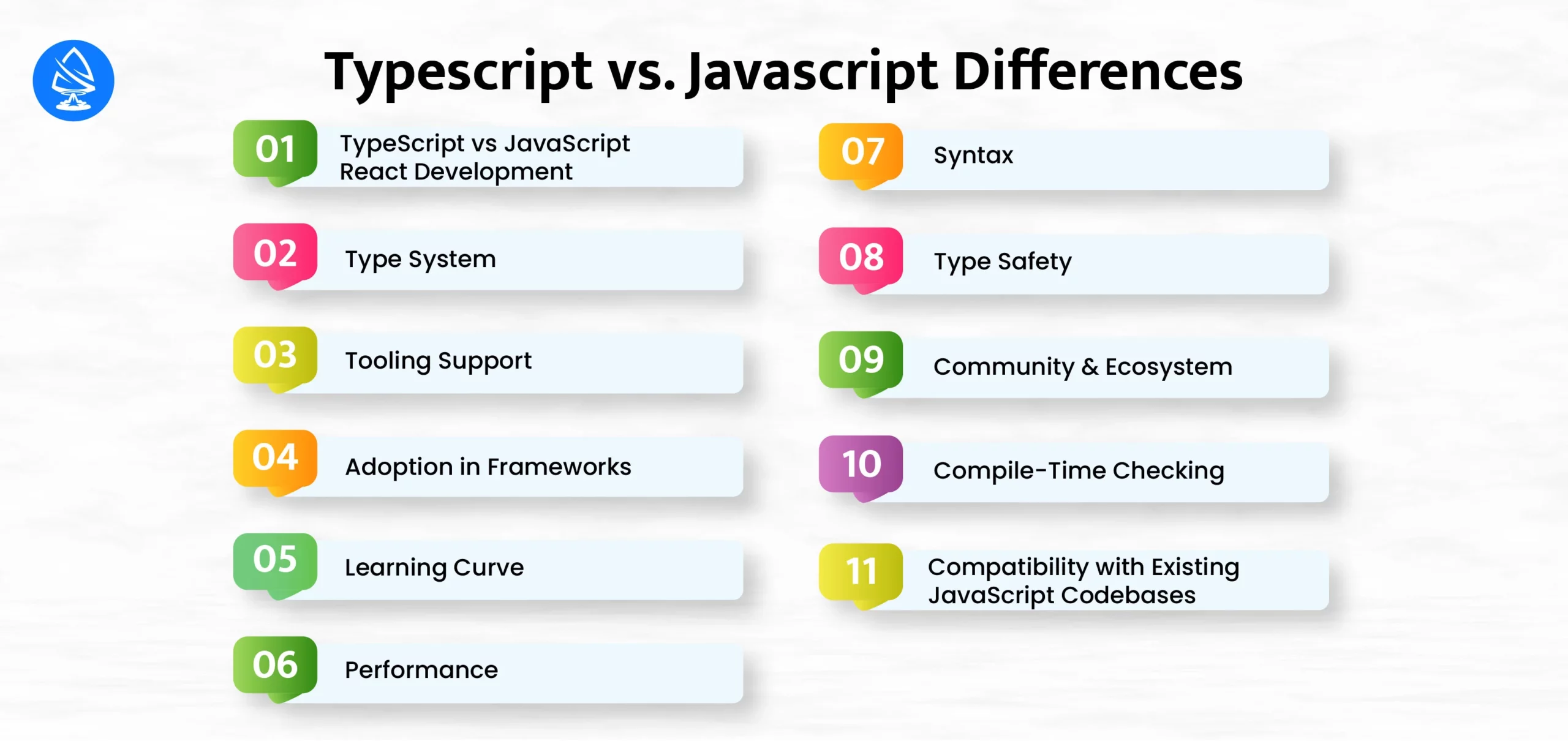
Regarding React development, both TypeScript and JavaScript are viable options. TypeScript’s static typing can provide additional benefits when working with React components, such as improved code maintainability, better IDE support, and enhanced developer productivity. TypeScript’s type system allows developers to catch common errors early in development, reducing bugs and improving overall code quality.
However, JavaScript remains the most commonly used language in the React ecosystem, with most React projects written in plain JavaScript. JavaScript’s dynamic typing and simplicity may appeal to developers looking for a lightweight solution or those already familiar with the language.
The most significant difference between TypeScript and JavaScript is their approach to typing. JavaScript is dynamically typed, meaning variables are not bound to a specific data type at compile-time. This flexibility can lead to runtime errors if types are not handled carefully.
In contrast, TypeScript introduces static typing, allowing developers to specify the types of variables, parameters, and return values. This helps catch type-related errors during development and improves code documentation and editor support.
The difference between Typescript and JS, TypeScript offers robust tooling support, including static analysis, code completion, and refactoring tools, due to its static typing feature. IDEs like Visual Studio Code provide excellent TypeScript integration, offering features like IntelliSense for code suggestions and type information.
While JavaScript also benefits from mature tooling ecosystems, TypeScript’s additional type information enhances developer productivity and code quality.
TypeScript has seen significant adoption in modern web development frameworks and libraries, including Angular, React, and Vue.js. Many large-scale projects leverage TypeScript to improve code maintainability and developer productivity.
While JavaScript remains the primary language for web development, TypeScript’s popularity continues to grow, particularly in enterprise-level applications and projects where type safety and scalability are critical.
For developers familiar with JavaScript, transitioning to TypeScript may require some adjustment due to its additional features and syntax. However, TypeScript’s gradual typing allows developers to adopt it incrementally, adding type annotations to existing JavaScript codebases.
While TypeScript introduces complexity compared to JavaScript’s simplicity, its code quality and maintainability benefits justify the learning curve for many developers and organizations.
While TypeScript adds an abstraction layer with its type system, it does not inherently improve runtime performance over JavaScript.
In most cases, the performance difference between TypeScript and JavaScript is negligible.
While TypeScript is a superset of JavaScript, it introduces additional syntax for type annotations, interfaces, generics, and other features not present in standard JavaScript. Depending on the developer’s perspective, this expanded syntax can be both a blessing and a curse.
In the difference between TypeScript and JS is that TypeScript’s syntax enhancements provide additional expressiveness and enable more robust code documentation.
TypeScript’s syntax can sometimes feel more verbose than JavaScript, especially when dealing with complex type definitions or function signatures. However, the benefits of static typing and enhanced tooling support often outweigh the syntactic overhead for many developers.
One of the primary advantages of TypeScript over JavaScript is its emphasis on type safety. By introducing static typing, TypeScript allows developers to catch type-related errors at compile time, preventing many common bugs and runtime issues.
JavaScript boasts a vast and vibrant ecosystem with countless libraries, frameworks, and resources available to developers. It has been the language of choice for web development for decades, resulting in a mature and well-established community.
TypeScript’s static type system enables powerful compile-time checking capabilities, allowing developers to detect and address errors early in development. This can lead to more robust and reliable code, as many common issues are caught before they have a chance to manifest at runtime.
One crucial consideration when choosing between TypeScript and JavaScript is compatibility with existing codebases. JavaScript has been the crucial tool of web development for decades, resulting in a vast ecosystem of libraries, frameworks, and existing projects written in JavaScript.
TypeScript’s status as a superset of JavaScript means it is fully compatible with existing JavaScript code. Developers can gradually introduce TypeScript into their projects, converting individual files or modules to TypeScript while preserving compatibility with the rest of the codebase.
The decision between TypeScript and JavaScript depends on several factors, including project requirements, team expertise, and development preferences. Here’s a summary to help you make an informed choice:
Artoon Solutions is the ideal option if you want to Hire Reactjs Developers for your project. With a team of seasoned and proficient developers, we provide adaptable hiring models tailored to your needs.
Our dependable React.js Development Company transforms your concepts into tangible solutions and crafts innovative, user-centric designs that resonate with your target audience.
Contact us today at +91-832-0329-068 for our specialized Reactjs Development Services, and allow our team to steer you toward success.
1. Which language is easier to learn, TypeScript or JavaScript?
JavaScript is generally easier to learn due to its simpler syntax and dynamic typing.
2. Can TypeScript code be used in a JavaScript project?
Yes, TypeScript code can be seamlessly integrated into a JavaScript project. Developers can gradually introduce TypeScript into existing JavaScript projects without a complete rewrite.
3. Does TypeScript offer better performance than JavaScript?
TypeScript itself does not inherently improve runtime performance over JavaScript. Both languages ultimately compile to JavaScript code, which the underlying JavaScript engine executes. However, TypeScript’s static typing can lead to more optimized code in specific scenarios, potentially improving performance.
4. Are there any limitations to using TypeScript over JavaScript?
While TypeScript offers many advantages, including static typing and enhanced tooling support, it does introduce additional complexity compared to JavaScript.
5. Which language is more commonly used in web development, TypeScript or JavaScript?
JavaScript remains the dominant language in web development due to its ubiquity and compatibility with all modern web browsers. However, TypeScript has gained significant traction recently, particularly in large-scale projects and frameworks like Angular and React. The choice between TypeScript and JavaScript ultimately depends on the specific requirements and preferences of the project and development team.

Artoon Solutions
Artoon Solutions is a technology company that specializes in providing a wide range of IT services, including web and mobile app development, game development, and web application development. They offer custom software solutions to clients across various industries and are known for their expertise in technologies such as React.js, Angular, Node.js, and others. The company focuses on delivering high-quality, innovative solutions tailored to meet the specific needs of their clients.
 For business inquiries only