- HR:+91-879-9184-787
- Sales:+91-908-163-7774


Architecture has always been a blend of art and engineering, a field where vision meets structure. But in 2026, artificial intelligence (AI) is pushing that blend further by adding intelligence to creativity. From real-time 3D rendering and generative building design to sustainable planning and construction automation, AI in architecture is transforming how firms plan, design, and build.
For startup founders, CTOs, and architectural firms across the U.S., adopting AI tools isn’t about replacing creativity; it’s about scaling it. The right AI implementation can reduce time to project approval, optimize resource allocation, minimize waste, and even improve user satisfaction through data-driven personalization.
This blog dives deep into the transformative impact of AI in architecture. We’ll cover emerging tools, how they work, cost considerations, key use cases, common pitfalls, and why partnering with the right AI app development company matters more than ever.
AI in architecture refers to the use of artificial intelligence technologies such as machine learning, generative design, and deep learning to enhance and automate various stages of architectural planning, design, visualization, and construction. Rather than replacing architects, AI augments their abilities by streamlining repetitive tasks, uncovering design possibilities, and analyzing complex data sets that would be time-consuming for humans to process manually.
In short, AI in architecture enables a shift from reactive design to proactive, data-driven creativity. It empowers architectural professionals to deliver smarter, faster, and more sustainable solutions while improving collaboration across design and construction teams.
You may also want to know a Generative AI Developer
U.S. architecture firms are rapidly integrating AI into their workflows not just as a tech novelty, but as a competitive necessity. With rising client expectations, complex building codes, sustainability demands, and increasing project scale, AI is proving indispensable in streamlining operations and delivering smarter, more innovative designs.
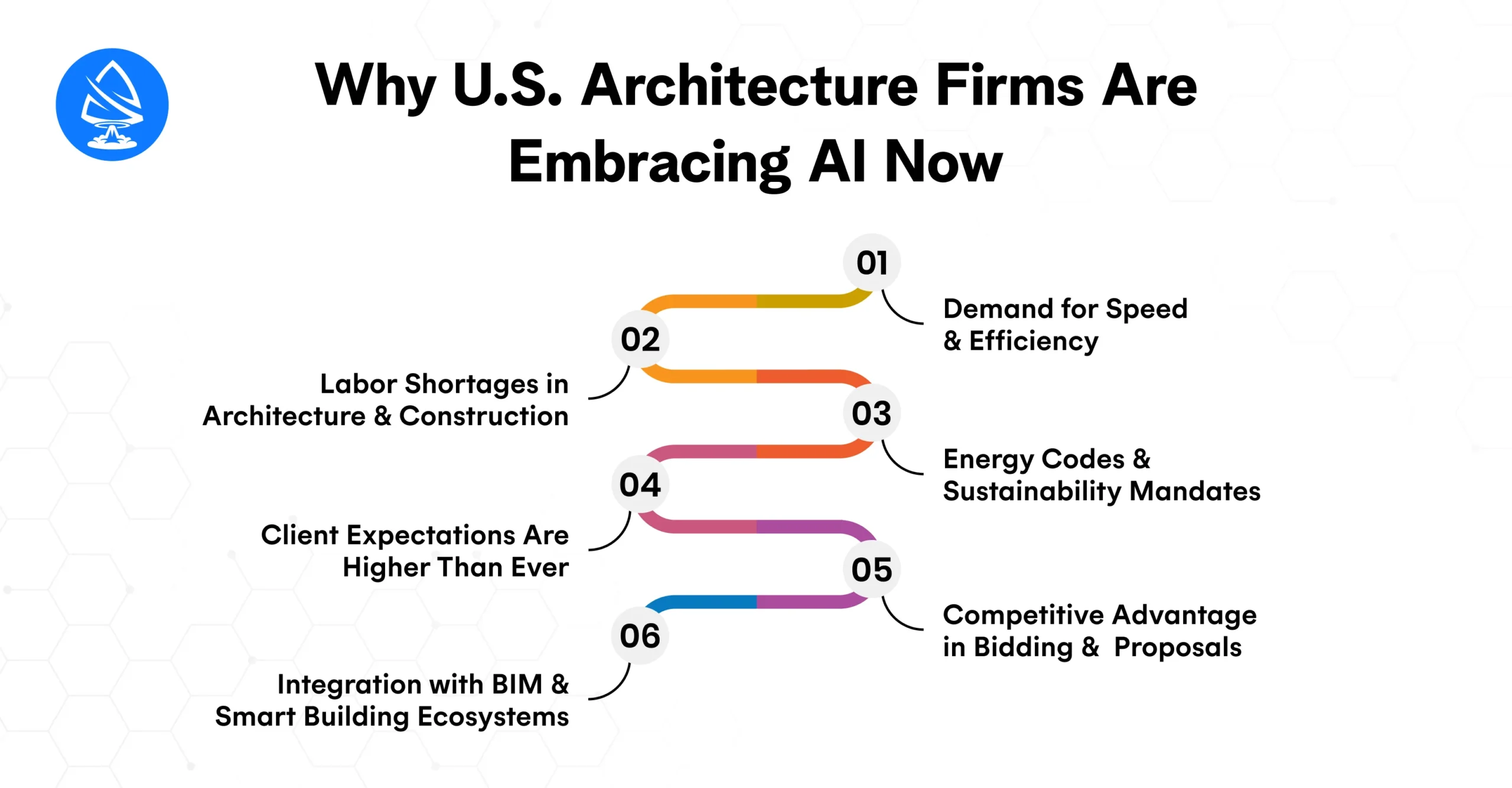
U.S.-based developers and clients are under pressure to accelerate time-to-market. AI-powered design automation tools reduce drafting time by up to 70%, allowing firms to iterate faster, present more concepts, and meet tight deadlines without sacrificing quality.
The American architecture and construction industries are facing talent shortages. AI helps bridge gaps by automating low-level design tasks, freeing up senior architects to focus on creativity, client relations, and code compliance.
States like California and New York are enforcing strict energy efficiency codes. AI-driven simulation tools allow firms to model energy consumption, daylighting, airflow, and material efficiency early in the design phase, making compliance easier and reducing late-stage redesigns.
Modern clients want immersive 3D walkthroughs, quick revisions, and data-backed design decisions. AI rendering tools and generative design platforms help U.S. firms stand out by offering interactive, high-fidelity outputs early in the design cycle.
Firms that use AI tools can respond to RFPs faster with more polished presentations, optimized plans, and cost-effective solutions. In a hyper-competitive U.S. real estate and construction market, that edge can secure million-dollar contracts.
As Building Information Modeling (BIM) becomes the U.S. industry standard, AI tools that plug into Revit, Rhino, or ArchiCAD enable smarter automation, real-time error detection, and better coordination with contractors and MEP teams.
In short, U.S. architecture firms aren’t just adopting AI to keep up; they’re using it to lead, differentiate, and deliver value at scale. The firms investing in AI today are shaping the future of architectural design across commercial, residential, and institutional sectors.
AI is revolutionizing architectural design by augmenting human creativity with data-driven intelligence. From early concept development to construction-ready outputs, AI tools are helping architects work faster, smarter, and more accurately without compromising artistic vision.
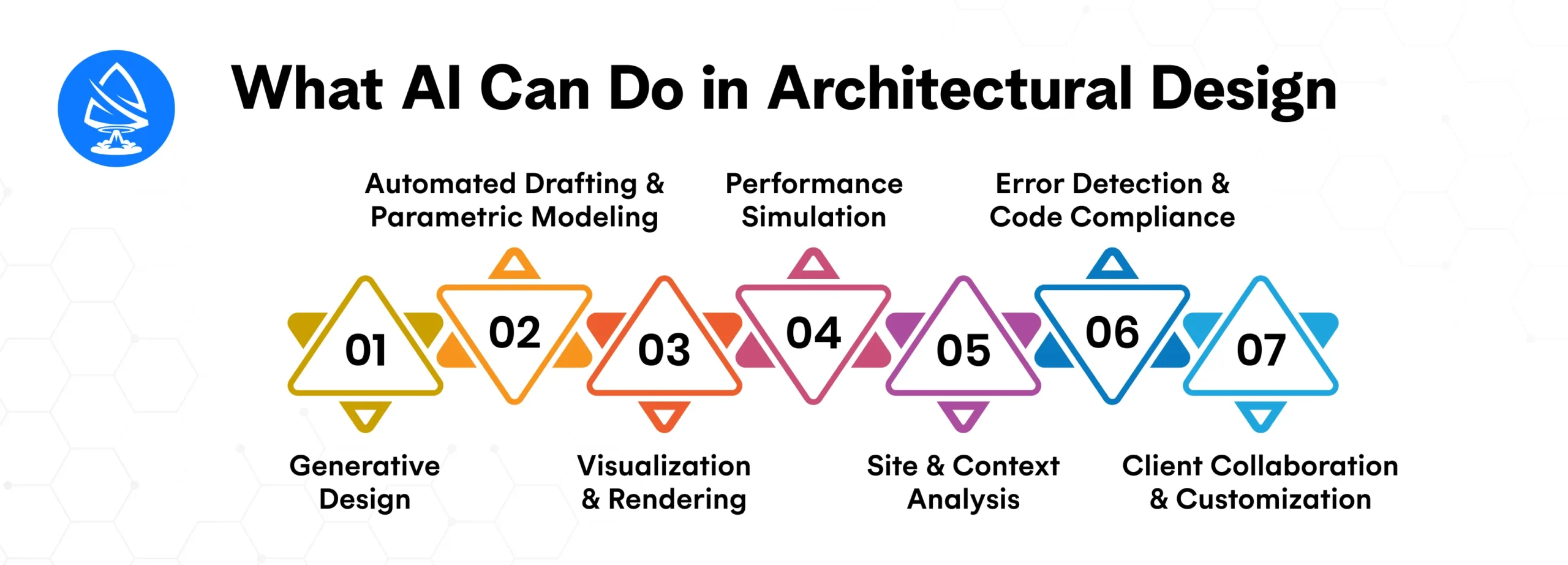
AI algorithms analyze parameters such as site constraints, building codes, lighting, material usage, and spatial flow to generate dozens or even hundreds of layout variations. Architects can explore more design options in less time, evaluating each one based on performance metrics.
Example: Autodesk’s generative design tools can produce optimized floor plans or structural frameworks based on goals like sustainability, cost, or occupant comfort.
AI can automate repetitive tasks like placing elements, annotating plans, or adjusting dimensions, reducing hours of manual drafting. When integrated with parametric design tools like Grasshopper or Dynamo, AI can also dynamically adjust models based on real-time inputs.
AI rendering engines can instantly convert rough sketches or 3D models into photorealistic images or walkthroughs. Tools like Lumion AI and NVIDIA Omniverse help firms present immersive, client-ready visualizations in minutes instead of days.
AI models can simulate airflow, lighting conditions, thermal behavior, and energy usage across design iterations. This empowers teams to evaluate design choices not just aesthetically, but also environmentally, aligning with U.S. sustainability codes and green building certifications.
Machine learning models can assess zoning laws, noise levels, sunlight exposure, traffic patterns, and demographic data for a given plot. This context-aware design approach helps urban planners and architects optimize projects before a single line is drawn.
AI systems can scan BIM models for structural errors, MEP conflicts, or code violations, flagging issues early in the design process. This minimizes change orders, rework, and compliance issues down the line.
With AI-powered configurators and chat interfaces, clients can interact with design variations in real time,e choosing layouts, finishes, or styles. This accelerates decision-making and strengthens stakeholder buy-in.
AI is transforming architecture by driving smarter, faster, and more cost-efficient workflows across the entire design and construction lifecycle. From pre-design to post-occupancy, AI-powered tools are helping firms deliver higher-quality outcomes at scale. Below are the most impactful real-world use cases for AI in architecture:
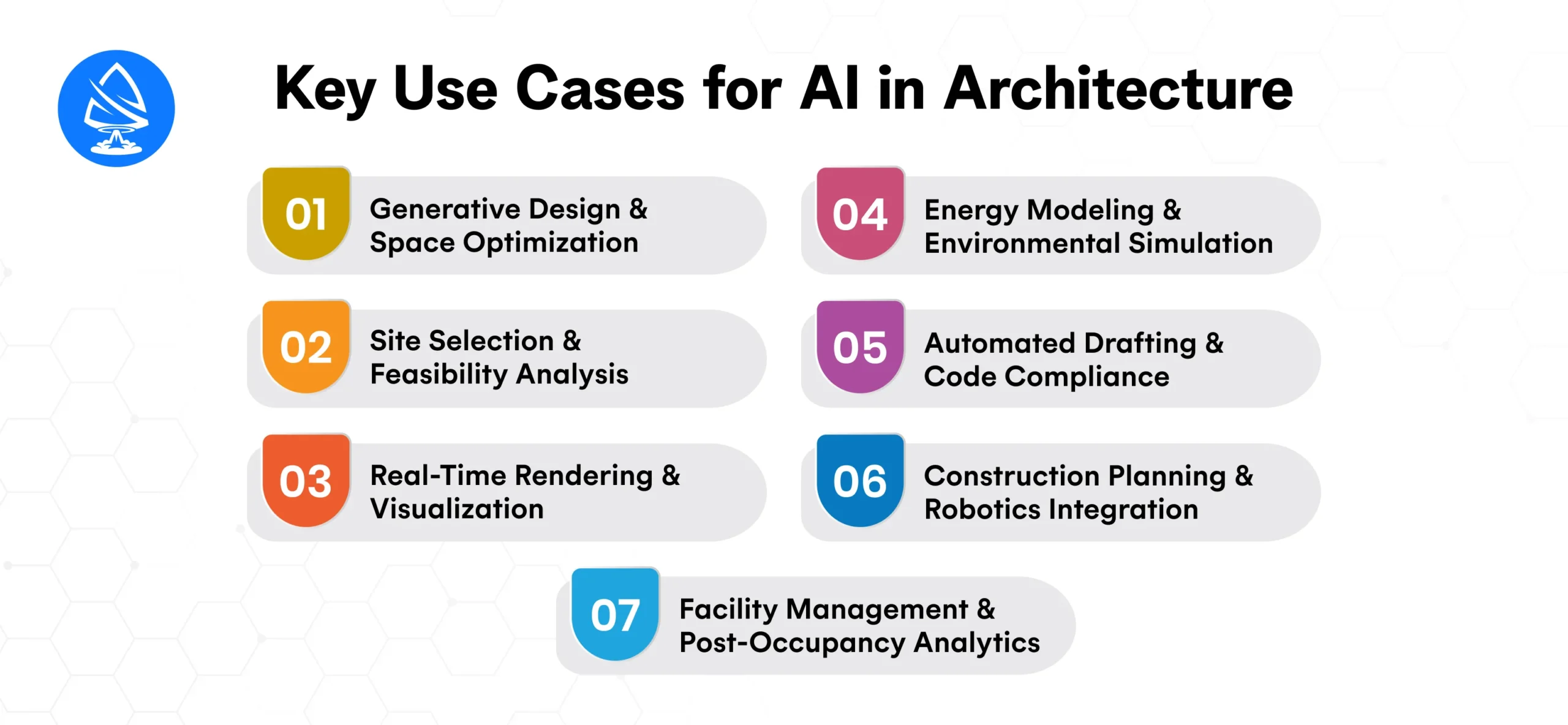
AI algorithms can automatically generate multiple design options based on specific constraints such as spatial dimensions, structural requirements, sustainability goals, and budget limits. This allows architects to test and refine ideas faster while optimizing for function and form.
Use Case: In commercial real estate, AI-generated layouts can balance employee density, airflow, and natural lighting for productivity and wellness.
AI models can analyze geospatial data, zoning laws, topography, environmental factors, and local demographics to identify ideal building locations and assess site feasibility.
Use Case: Urban planners use AI to simulate building placement and infrastructure impact before purchasing land or submitting proposals.
AI accelerates 3D rendering, converting BIM models or 2D sketches into immersive visualizations and virtual walkthroughs. This boosts client engagement and reduces time spent on manual rendering.
Use Case: Residential developers use AI rendering tools to present realistic interiors during pre-sales phases, improving conversion rates.
AI tools simulate how buildings will perform in different climates, sun paths, and occupancy loads. This enables early detection of inefficiencies and ensures compliance with LEED, WELL, and U.S. energy codes.
Use Case: Hospitals and schools leverage AI to model HVAC performance, lighting usage, and thermal comfort for long-term operational savings.
AI-integrated CAD/BIM tools can automate repetitive drafting tasks, detect design inconsistencies, and validate drawings against local building codes, especially valuable for U.S. jurisdictions with strict regulations.
Use Case: Architecture firms use AI plugins to streamline documentation for multifamily housing projects and avoid costly rework.
AI algorithms aid in construction sequencing, material planning, and clash detection. When integrated with robotic systems or drones, AI can even guide physical construction tasks or site inspections.
Use Case: Large infrastructure projects use AI to coordinate timelines between architects, engineers, and contractors, reducing delays and material waste.
After construction, AI sensors and analytics platforms can monitor building usage, maintenance needs, and environmental performance in real-time, enabling architects to iterate on designs based on actual data.
Use Case: Smart office buildings in the U.S. use AI to optimize space usage and energy consumption, contributing to both ESG goals and cost savings.
You may also want to know AI in Accounting and Auditing
AI integrates into architectural workflows by enhancing decision-making, automating time-intensive tasks, and generating intelligent design alternatives,s all while aligning with the architect’s vision and regulatory requirements. Here’s how it fits into key stages of the architectural lifecycle:
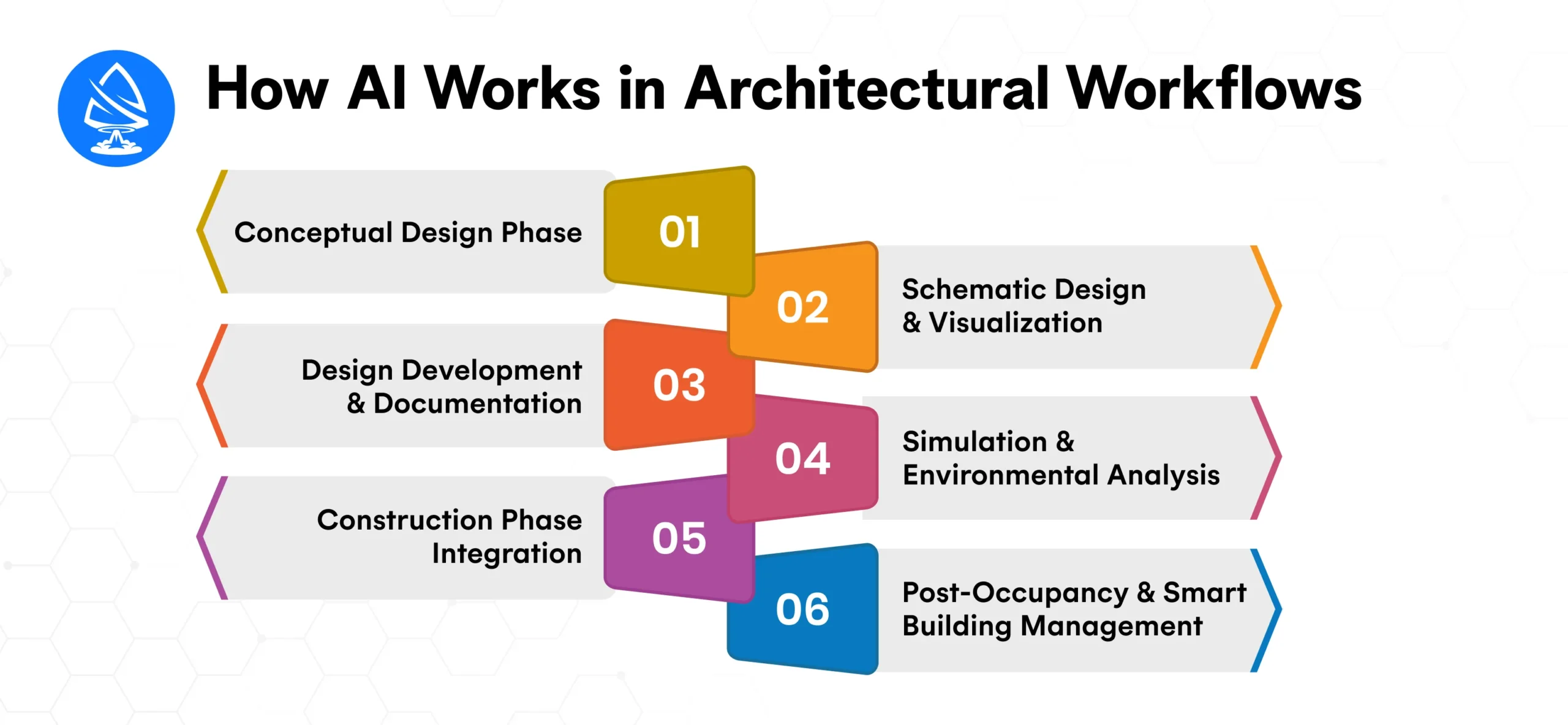
AI tools, especially those using generative design, help architects explore hundreds of spatial configurations based on input constraints like zoning codes, daylight exposure, budget, and user needs. These systems use reinforcement learning and neural networks to suggest optimal layouts.
Example: AI can propose floor plan variations that maximize usable area while preserving natural light or minimizing HVAC costs.
Using machine learning models trained on large datasets of design styles and user preferences, AI enhances BIM and 3D modeling software. It can generate photorealistic renders, virtual walkthroughs, and even recommend material palettes or finishes that align with sustainability goals.
Example: An AI rendering generator can instantly convert 2D line drawings into fully rendered interiors, helping clients visualize spaces with minimal manual input.
AI streamlines technical drafting by:
Example: AI integrations in Revit or AutoCAD can detect and correct code compliance issues specific to U.S. standards like ADA, IBC, or NFPA, reducing rework and speeding approvals.
AI models simulate airflow, lighting, acoustics, and energy performance to help architects meet green building standards. Machine learning forecasts how design choices impact energy consumption or occupant comfort.
Example: AI tools can simulate how a building envelope performs in different climates, helping optimize façade design for HVAC efficiency.
AI-powered project management platforms use predictive analytics to identify schedule delays, budget overruns, or safety risks by analyzing site data, supplier lead times, and labor metrics. Some systems also support robotic fabrication or 3D printing for modular components.
Example: On-site sensors feeding real-time data into AI dashboards alert teams of deviations in build quality or pace.
AI continues to function after project handoff through IoT sensors and building management systems (BMS). It tracks occupant patterns, automates HVAC or lighting controls, and predicts maintenance needs.
Example: AI systems in smart offices adjust lighting and temperature based on room usage, reducing operational costs and improving comfort.
Pricing depends on the scale of integration. Here’s a general breakdown:
| Component | Typical Cost (USD) |
| AI Plugin | $30–$200/month/user |
| Custom AI Tool Development | $10,000–$75,000+ |
| AI Visualization Software | $50–$500/month |
| Full AI Integration Project | $50,000–$250,000+ |
Artoon Solutions offers flexible engagement models for startups and enterprises alike, helping firms avoid overbuilding and maintain clear ROI tracking.
The return on investment (ROI) of AI in architectural design is both immediate and long-term, driving measurable financial savings, faster project cycles, and greater client satisfaction. For U.S. architecture firms, where margins are tight and timelines are critical, AI delivers strategic advantages that directly impact the bottom line.
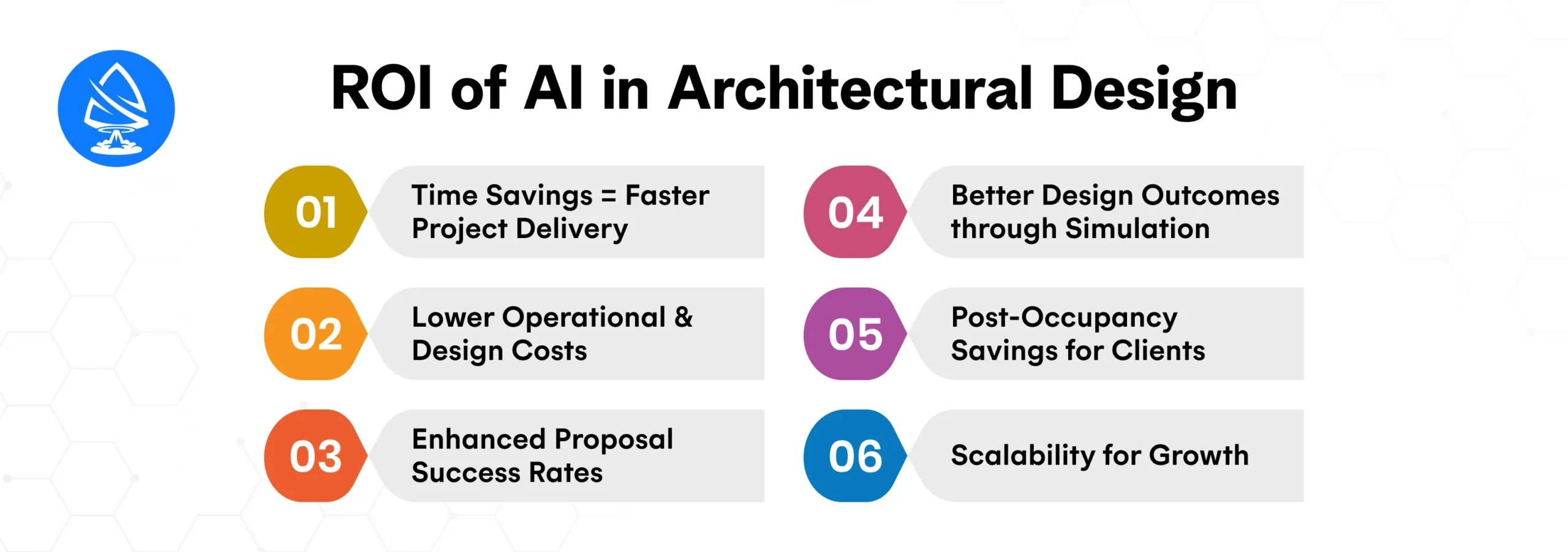
AI tools accelerate processes like space planning, rendering, and documentation by up to 40–60%. This allows firms to handle more projects simultaneously without increasing headcount.
AI automates labor-intensive tasks like compliance checks, clash detection, or quantity takeoffs. This reduces manual errors and rework.
AI-generated visualizations and walkthroughs improve client engagement during RFPs or pitches. Compelling 3D visuals created quickly give firms a competitive edge.
AI allows architects to optimize for daylighting, acoustics, and energy usage in early design phases. This ensures buildings are high-performing and future-ready, especially for clients pursuing LEED or WELL certifications.
Smart AI-integrated buildings reduce energy and maintenance costs over time. Firms offering AI-driven design as a value-add help clients achieve long-term cost efficiency.
AI-powered workflows scale efficiently. As project volume grows, the firm doesn’t need to scale headcount proportionally, preserving profit margins.
As AI adoption grows across U.S. architecture firms, so do implementation missteps. Many companies dive in with high expectations but without the proper foundation, leading to underwhelming results or wasted investments. Avoiding these common mistakes is critical to ensuring your AI initiatives actually drive value:
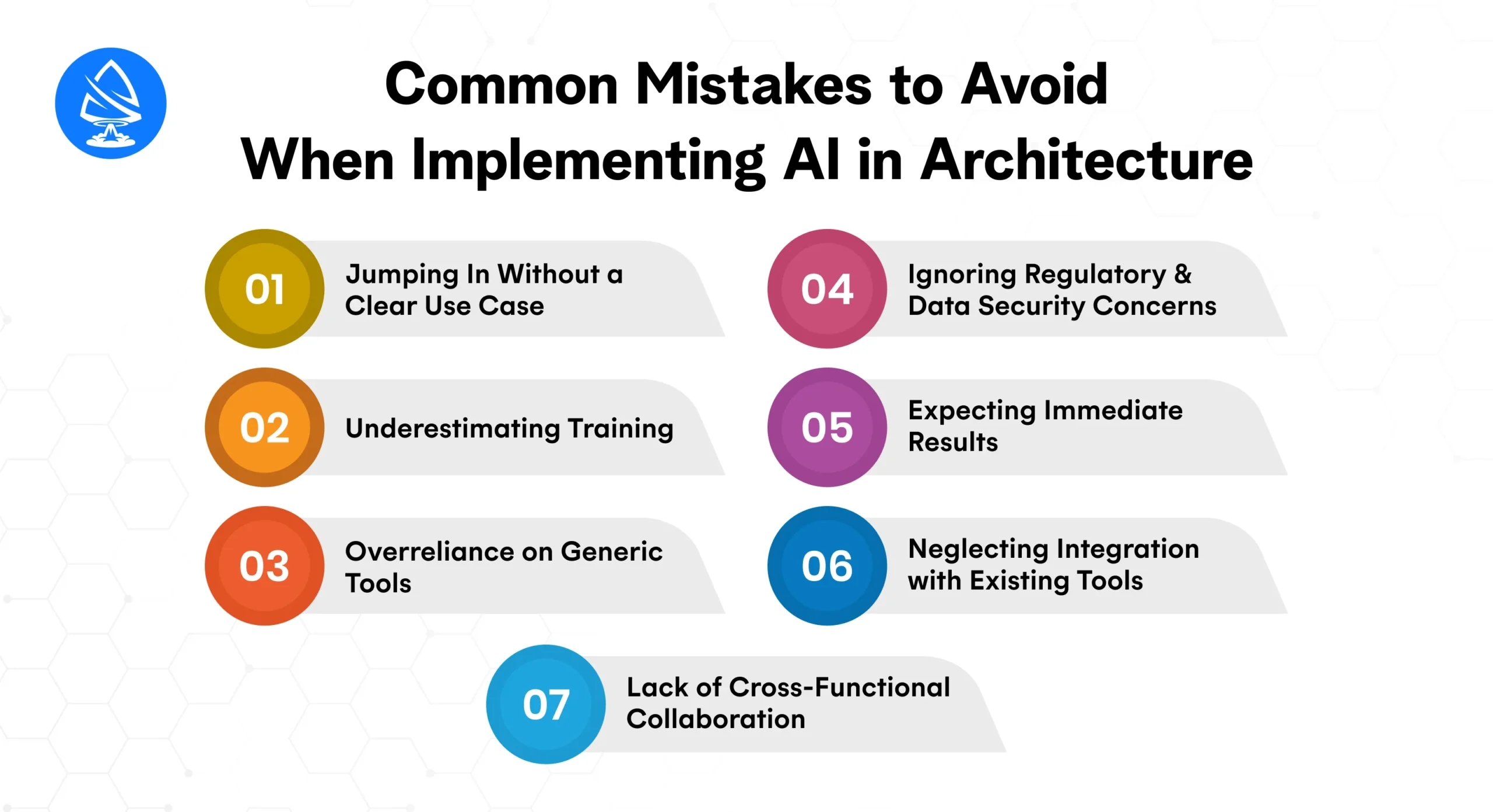
Too many firms invest in AI because it’s trendy, not because it aligns with a real business or design challenge. Implementing AI without a specific problem to solve leads to low ROI and frustration among staff.
Avoid this by: Identifying bottlenecks or inefficiencies first, then applying AI tools purposefully.
AI tools aren’t plug-and-play. Even the most intuitive systems require architects, designers, and engineers to change how they work. Skipping proper onboarding slows adoption and creates resistance.
Avoid this by: Investing in tailored training programs and involving teams early to build buy-in and confidence in the tools.
Using off-the-shelf AI platforms without customizing them for architectural workflows results in limited utility. Tools built for general industries often lack the nuance and compliance logic needed in U.S. architectural projects.
Avoid this by: Partnering with firms that offer domain-specific customization or build AI tools tailored for architectural tasks.
Architectural designs often involve sensitive client data, city planning requirements, and compliance with building codes. Ignoring data privacy laws or using AI tools that aren’t U.S.-compliant can lead to legal risks.
Avoid this by: Prioritizing AI partners who understand U.S. security standards, including HIPAA, ADA, and data sovereignty laws.
AI improves over time. Expecting instant gains without iterating models or refining workflows can lead to disappointment. It’s a process, not a switch.
Avoid this by: Setting realistic milestones and measuring improvements incrementally, e.g., time saved per phase, error reduction rates, or model accuracy over months.
Deploying AI tools that don’t integrate with your firm’s CAD/BIM software causes inefficiency and workflow breaks.
Avoid this by: Choosing AI platforms with strong APIs or prebuilt integrations for industry-standard software to enable seamless data flow.
Leaving AI implementation solely to the IT or design tech team creates disconnects between strategy and execution. Successful adoption requires alignment between partners, designers, project managers, and engineers.
Avoid this by: Involving cross-functional teams in planning and rollout to ensure the technology meets real-world project needs.
Choosing the right AI partner isn’t just about tech capability; it’s about finding a strategic collaborator who understands your industry, workflow challenges, and long-term goals. Artoon Solutions brings more than technical expertise; we deliver alignment, scalability, and value-driven innovation tailored for U.S. architecture firms.
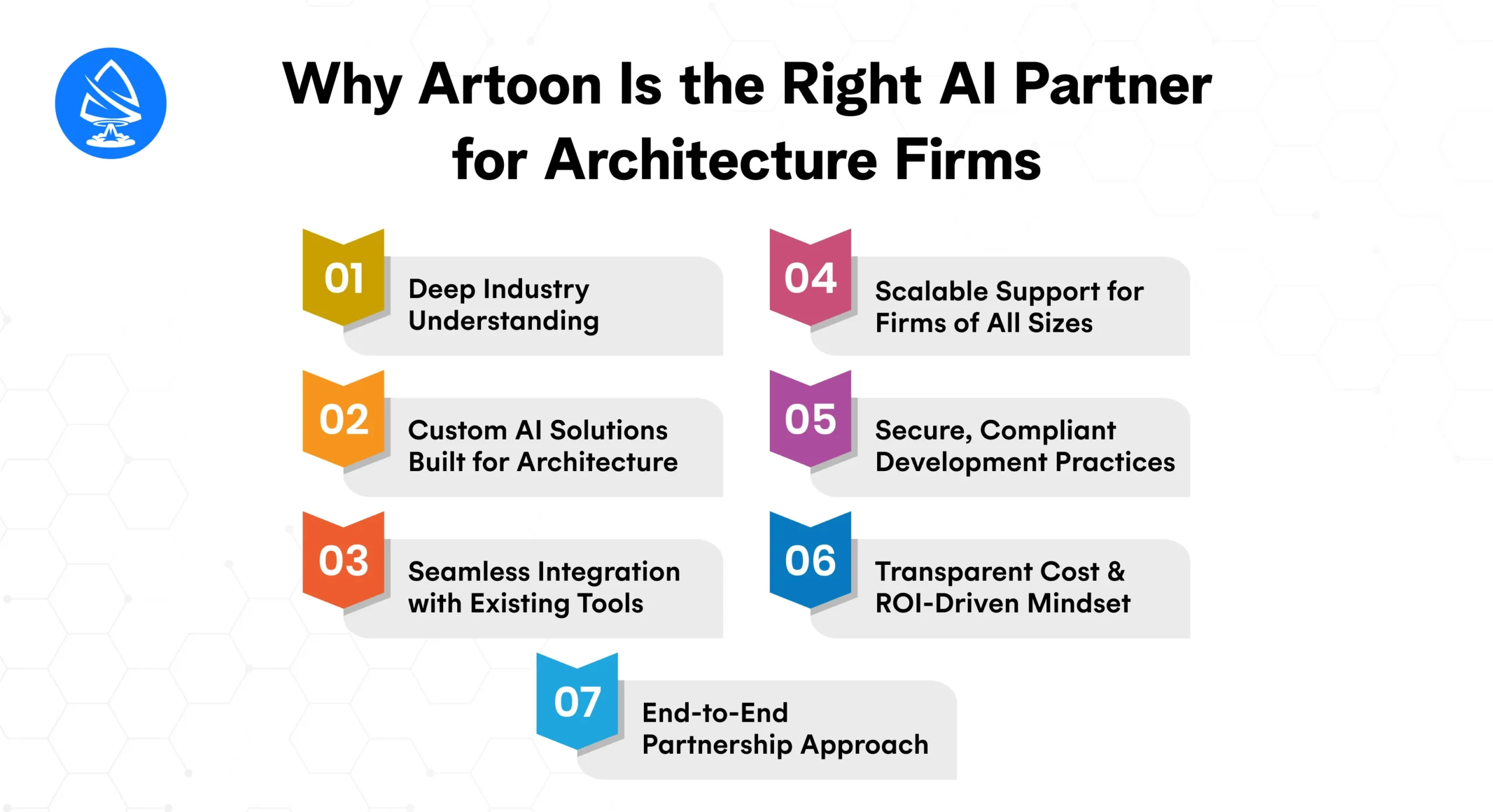
We don’t just build AI, we understand the architectural landscape in the U.S., including zoning regulations, compliance standards, and client-driven customization. Our team has helped architecture and construction firms digitize design flows, streamline rendering cycles, and automate documentation, delivering real, usable solutions.
Unlike generic AI vendors, Artoon Solutions develops domain-specific systems like AI rendering generators, automated zoning verifiers, and machine learning-based floor plan optimizers. Whether you’re seeking design ideation with generative models or predictive insights for sustainability planning, we tailor our approach to your architectural priorities.
We ensure our AI solutions integrate smoothly with popular architecture platforms like AutoCAD, Revit, Rhino, and SketchUp. This eliminates workflow disruptions and enhances productivity without steep learning curves.
Whether you’re a boutique design studio or a national architectural enterprise, we offer flexible engagement models from dedicated teams to outcome-based partnerships. As your AI needs evolve, we scale alongside you.
Data privacy and regulatory compliance are non-negotiables in today’s tech-driven architecture landscape. Artoon Solutions builds AI systems that comply with U.S. security standards, including secure cloud deployment, role-based access controls, and data protection frameworks suitable for projects involving healthcare, education, or public infrastructure.
We align each engagement with clear KPIs from faster permit approvals to reduced rendering times and offer tools like our AI Cost Calculator to help you project total investment and ROI from day one.
Our support doesn’t end with deployment. We offer continuous optimization, monitoring, and feature upgrades as your firm grows. With Artoon Solutions, you gain a proactive, long-term AI partner, not a transactional vendor.
Explore our artificial intelligence development services, or hire AI developers with proven success in architectural automation.
AI in architecture isn’t about replacing human creativity; it’s about supercharging it. With intelligent tools that reduce friction, generate bold new ideas, and bring designs to life faster than ever, U.S. firms that adopt AI today are setting the foundation for long-term growth.
Whether you’re running a boutique architecture studio or leading a national design-build firm, the time to explore AI-driven workflows is now.
Want to see what AI can do for your next building project? Try our interactive Free AI Project Cost Calculator or Book a Free Consultation with the Artoon Solutions team.
1. What is AI in architecture used for?
AI helps in generative design, 3D rendering, sustainability analysis, and real-time visualization during architectural planning and construction.
2. Can AI replace architects?
No. AI supports architects by automating repetitive tasks and offering data-driven insights. Creative direction remains human-led.
3. What are the best AI tools for architecture?
Popular tools include Spacemaker, Autodesk Revit with AI plugins, NVIDIA GauGAN, Midjourney, and Lumion AI.
4. How much does AI integration cost in architecture?
Depending on the depth, projects range from $10K for simple tools to $250K+ for full AI ecosystems.
5. Is AI rendering reliable for client presentations?
Yes. AI render tools can generate photorealistic outputs rapidly, helping secure faster stakeholder approvals.
6. How long does it take to build a custom AI architecture solution?
Timelines vary. MVPs take 4–8 weeks. Full-scale implementations take 3–6 months.
7. Is AI in architecture secure and compliant with US standards?
With the right development partner, AI solutions can be built with zoning, energy, and safety compliance in mind.
8. How can I get started with AI in my firm?
Start with a consultation from a trusted AI app development company like Artoon Solutions to assess your needs.

Artoon Solutions
Artoon Solutions is a technology company that specializes in providing a wide range of IT services, including web and mobile app development, game development, and web application development. They offer custom software solutions to clients across various industries and are known for their expertise in technologies such as React.js, Angular, Node.js, and others. The company focuses on delivering high-quality, innovative solutions tailored to meet the specific needs of their clients.
 For business inquiries only




