- HR:+91-879-9184-787
- Sales:+91-908-163-7774


Artificial Intelligence is no longer a futuristic concept; it’s a practical, everyday productivity booster reshaping how professionals, small business owners, and enterprises operate. Whether you want to automate repetitive tasks, write faster, organize projects, analyze data, or streamline communication, AI productivity tools can dramatically improve your workflow.
In 2025, AI has evolved into a must-have asset for anyone who wants to save time, work smarter, and achieve more with fewer resources. From AI meeting assistants and smart writing companions to automation platforms and virtual project managers, today’s AI tools deliver unmatched efficiency and accuracy.
This comprehensive guide explores the 17 best AI productivity tools, highlighting how each tool enhances workflows and transforms business operations. Whether you’re a tech professional in the USA, a small business owner, or a remote worker, these tools offer the power to optimize your tasks and scale your productivity like never before, especially as demand for advanced AI app development services continues to rise.
AI Productivity refers to the use of artificial intelligence tools, systems, and automation technologies that help individuals and businesses work faster, smarter, and more efficiently. Instead of spending hours on repetitive tasks, organizing information manually, or performing complex analysis, AI-powered tools can handle these actions instantly, freeing up time for strategic, creative, and high-value work.
In simple terms: AI Productivity = Using AI to increase efficiency, reduce manual effort, and boost performance.
AI productivity tools leverage machine learning, natural language processing (NLP), automation engines, deep learning models, and predictive analytics to supercharge daily workflows. Whether you’re drafting emails, analyzing data, managing meetings, writing content, or planning tasks, AI acts as a digital assistant that works 24/7 without fatigue or human error.
We live in a world of information overload, fast business cycles, and remote/hybrid workplaces. Professionals today must juggle:
This makes productivity tools essential. But traditional tools simply organize tasks; AI tools complete them.
AI isn’t just a tool; it’s a productivity multiplier.
You may also want to know the Best Character AI Alternatives
AI boosts productivity through several intelligent capabilities:
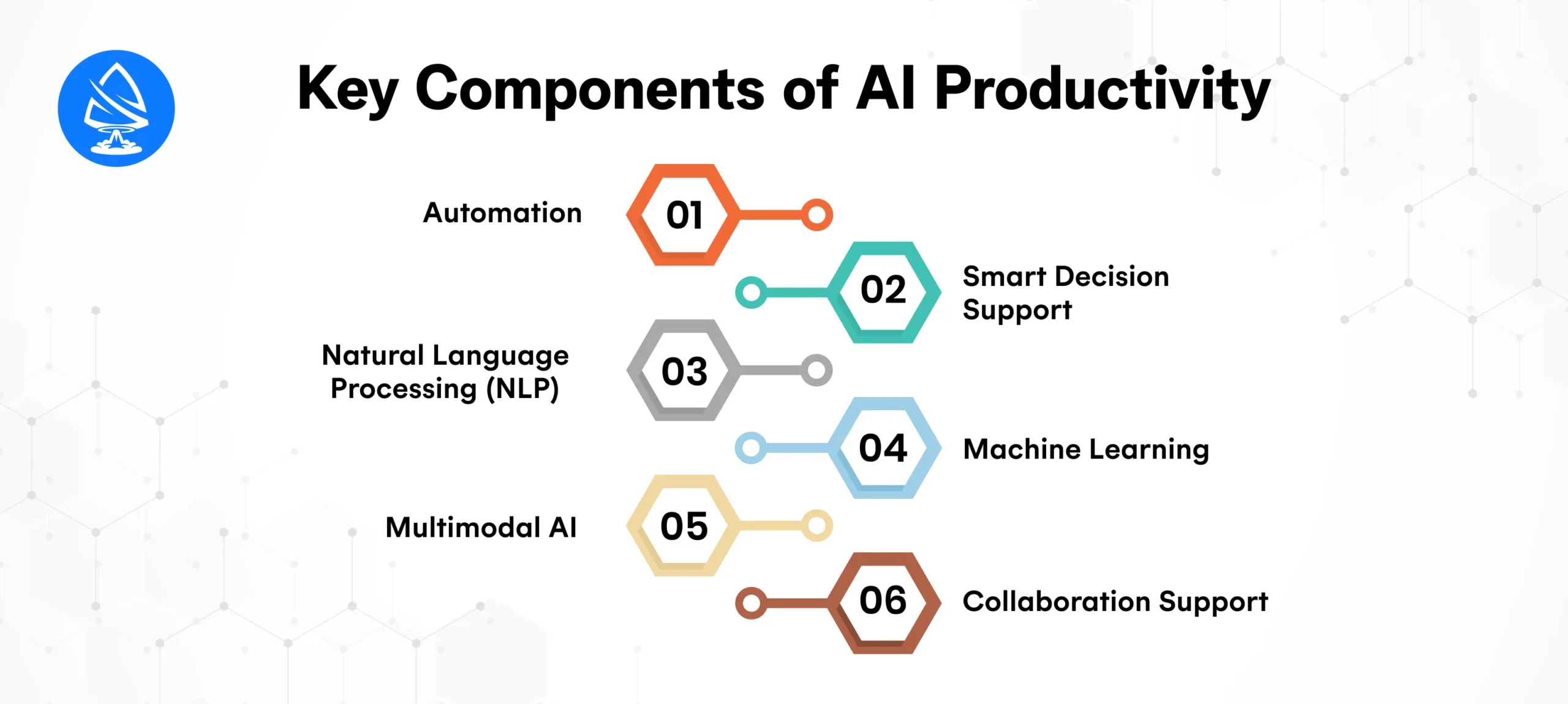
Automates repetitive tasks like scheduling, data entry, email sorting, and workflow routing.
Uses predictive analytics and pattern recognition to recommend the best actions.
Understands and generates human-like text for emails, reports, summaries, and documentation.
Learns user behavior and improves accuracy over time.
Recognizes and processes text, images, audio, and video, expanding productivity beyond typing.
Helps teams stay organized through shared workspaces, meeting summaries, and project insights.
In today’s digital-first world, businesses face increasing pressure to operate faster, smarter, and more efficiently. Workloads are growing, customer expectations are evolving, and competition is becoming more aggressive. Traditional productivity tools spreadsheets, manual workflow systems, and basic task managers, are no longer enough to meet the demands of the modern workplace.
This is where AI productivity tools become a game-changer. These tools help companies automate manual tasks, improve decision-making, enhance collaboration, and dramatically reduce operational inefficiencies. From startups to large enterprises, businesses across the USA and around the globe rely on AI to keep up with the pace of innovation and customer demand.
Below is a detailed look at why these tools are essential for businesses in 2025 and beyond.
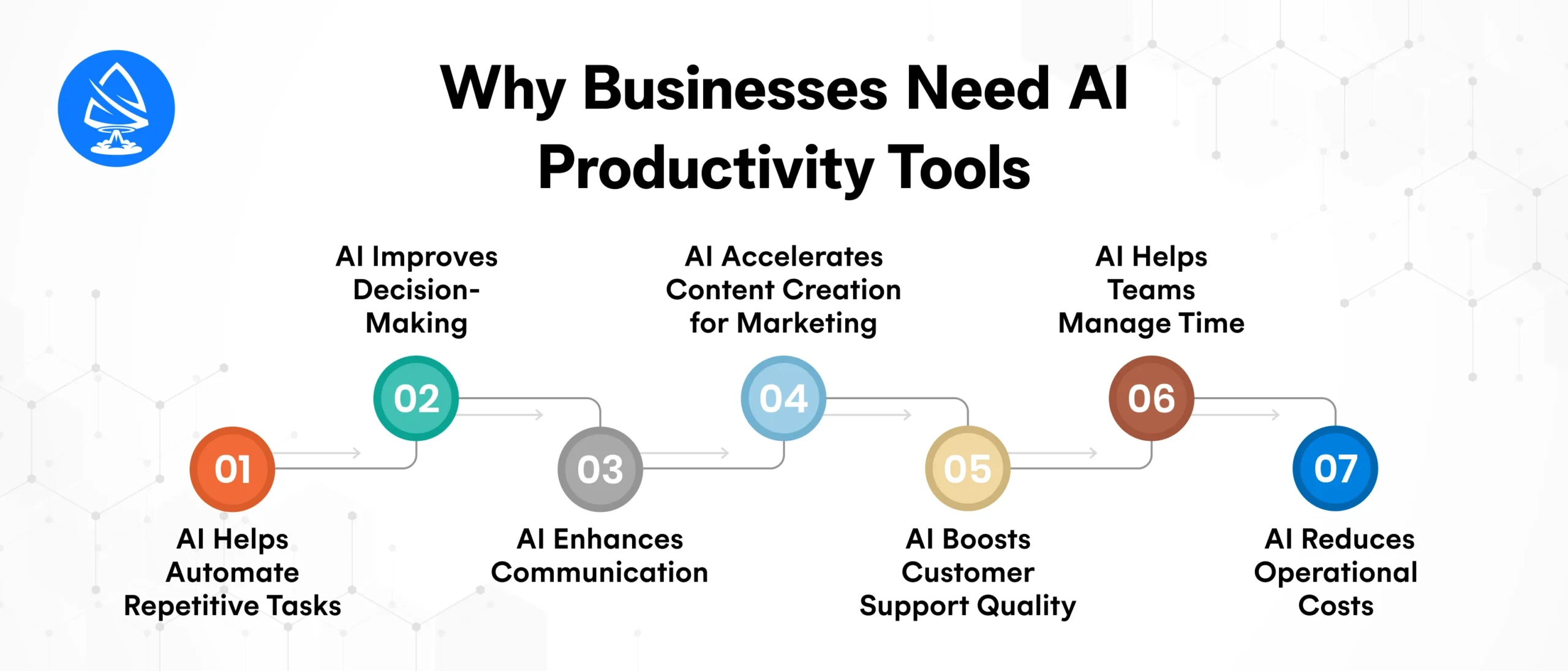
Every business has tasks that consume time but don’t create direct value. Examples include:
AI tools automate these repetitive activities, freeing employees to focus on strategic responsibilities such as sales, growth planning, and innovation.
Businesses today are generating massive amounts of data, but not all companies know how to use it effectively. AI transforms raw data into understandable insights.
These real-time insights help leaders make informed, data-driven decisions instead of relying on guesswork.
Communication gaps cost companies time and money. AI productivity tools improve collaboration by:
Tools like Slack AI, Notion AI, and Microsoft Copilot create smoother workflows across departments, marketing, sales, HR, IT, and operations.
Content drives growth, but creating it manually takes time. AI speeds up:
Platforms like Jasper AI, ChatGPT, and marketing automation tools allow businesses to create high-quality content in minutes.
Customers expect quick, accurate responses 24/7. AI tools help businesses provide seamless customer service by:
AI-powered support bots serve as the first line of defense, improving customer satisfaction while reducing the workload on human support agents.
Time management is one of the biggest business challenges. AI productivity tools like Motion, ClickUp AI, and Trello Smart Insights help professionals:
AI ensures teams focus on the right tasks at the right time.
By automating tasks and reducing the number of hours spent on manual work, AI helps businesses operate more cost-effectively.
For small businesses and startups, cost efficiency can determine long-term survival and scalability.
You may also want to know AI NFT Minting Platforms
Below are the top AI-powered tools transforming workflows worldwide.
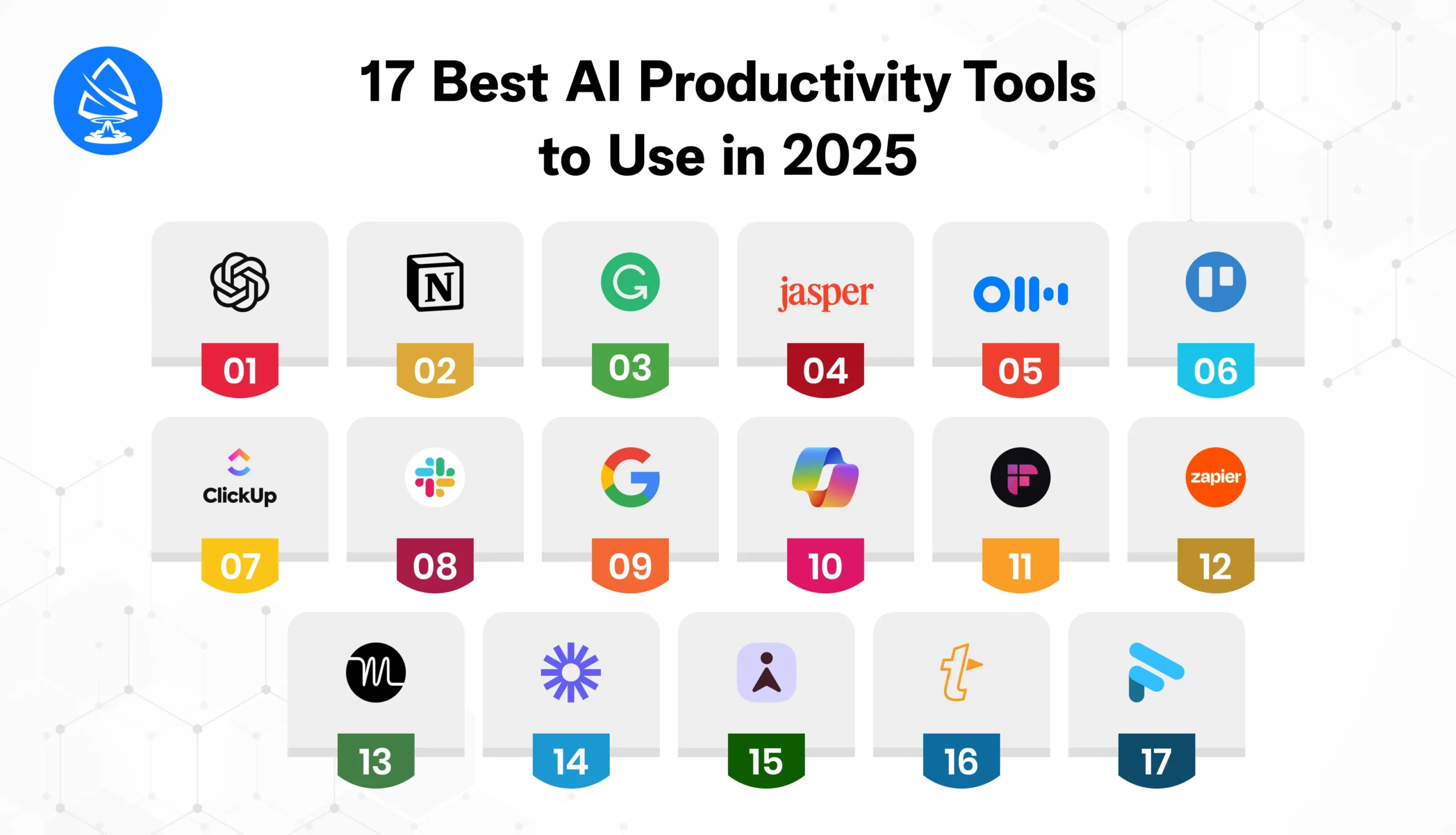
Best For: Writing, research, planning, automation, coding.
ChatGPT remains the most versatile AI productivity app in 2025.
It replaces multiple tools in one, saving time and simplifying workflows.
Best For: Workspace organization, documentation, and project planning.
Notion AI enhances your digital workspace with intelligent features.
Transform complex tasks into simple, structured workflows.
Best For: Writing clarity and speed.
GrammarlyGO accelerates writing by offering context-aware suggestions.
Great for professionals writing emails, reports, or presentations.
Best For: Marketing teams, copywriters, and small business owners.
Jasper uses AI to create high-converting content in minutes.
Automates marketing content creation at scale.
Best For: Meeting transcription and productivity.
Otter saves hours of manual note-taking.
Teams are attending frequent meetings.
Best For: Task management.
Trello’s AI features help automate workflows and predict project delays.
Keeps teams aligned without manual tracking.
Best For: Collaboration and project management.
ClickUp AI acts as a smart assistant built into your workspace.
Ideal for managing cross-functional teams.
Best For: Communication efficiency.
Slack AI filters important messages and generates summaries.
Reduces noise and improves communication clarity.
Best For: Email, spreadsheets, presentations.
Google’s AI tools enhance the entire workflow suite.
Businesses rely on Google tools daily.
Best For: Enterprise productivity.
Microsoft Copilot integrates AI directly into Office apps.
It dramatically reduces administrative workload.
Best For: Meeting notes automation.
Fireflies records and analyzes meetings.
Eliminates the need for manual documentation.
Best For: Workflow automation.
Zapier automates thousands of software integrations.
Automate marketing, sales, and operations.
Best For: AI scheduling and calendar optimization.
Motion automatically organizes your day.
Busy professionals need structured routines.
Best For: Screen recording and communication.
Loom now uses AI to summarize videos and highlight key points.
Best For: Email productivity.
Superhuman transforms email into a fast, efficient communication hub.
Best For: Reducing repetitive typing.
TextExpander uses AI to automate frequently used text.
Best For: Video conferencing productivity.
Fathom automatically records, transcribes, and summarizes calls.
With hundreds of AI tools available in 2025, choosing the right AI productivity solution can feel overwhelming. Every tool promises speed, efficiency, and automation, but not all are built for the same purpose. The ideal AI productivity tool depends heavily on your goals, work style, team size, budget, technical requirements, and long-term business strategy.
Below is a step-by-step, detailed framework to help you choose the right AI tool confidently and effectively.
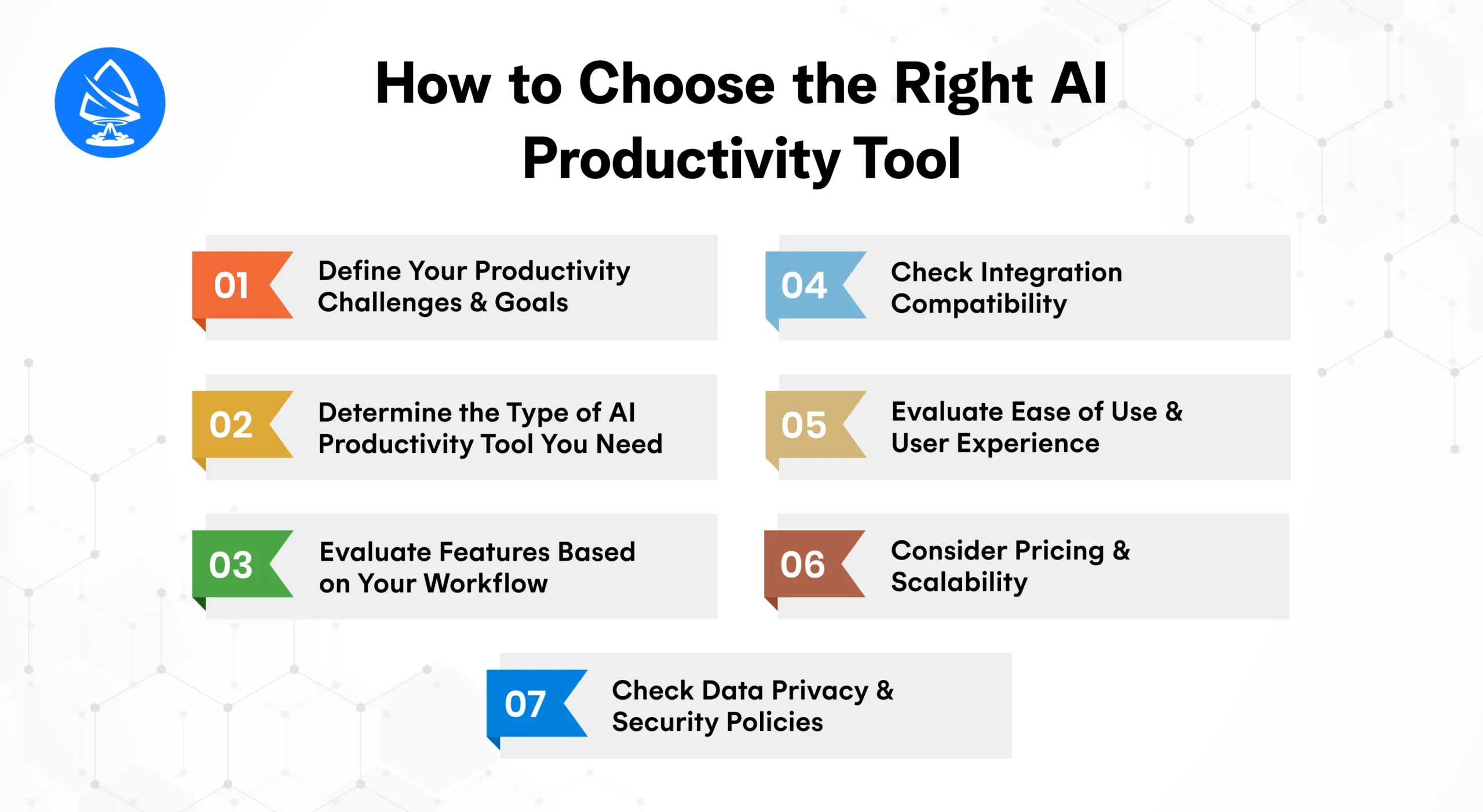
Before selecting any AI system, clearly identify the problems you want to solve.
Your goals determine which AI tool will actually benefit you.
AI productivity tools come in different categories. Understanding the type helps you narrow choices.
Choosing the right category prevents tool overload and expense.
Each AI tool offers different functionalities. Choose a tool that aligns with your daily or business workflow.
Choose tools that eliminate multiple apps, not ones that add more complexity.
The best AI tool fits seamlessly into your current tech stack.
If you’re integrating AI with custom software or enterprise applications, partnering with an Artificial Intelligence Developer or an artificial intelligence app development company in USA ensures smooth deployment.
A powerful AI tool is useless if it’s frustrating to operate.
Choose a tool your team will actually use daily. Simplicity wins.
AI tools come with various pricing structures:
Start with freemium versions to test value before upgrading.
This is critical, especially for businesses handling sensitive data.
For enterprise workflows, always verify the tool’s security certifications.
AI productivity tools have become essential for both individuals and businesses looking to streamline operations, eliminate repetitive tasks, and achieve peak efficiency. From writing assistants and meeting bots to project management platforms and automation engines, these tools allow you to do more in less time without sacrificing quality or accuracy. The 17 tools listed here offer powerful capabilities to help you stay organized, focused, and competitive in a fast-paced digital world.
Whether you’re a USA tech professional, small business owner, or enterprise leader, integrating AI into your workflow can dramatically elevate productivity and performance. And if you’re planning to build custom AI solutions tailored to your business needs, working with an experienced artificial intelligence development company in USA ensures secure, scalable, and future-ready results.
Want to estimate the cost of building an AI-powered productivity system? Use our AI Development Cost Calculator to get an instant quote and start your transformation today.
1. What are AI productivity tools?
Software that uses artificial intelligence to automate tasks, streamline workflows, and improve efficiency.
2. Which AI tool is best for productivity?
ChatGPT, Microsoft Copilot, Notion AI, and ClickUp AI are top choices depending on your needs.
3. Are AI productivity apps free?
Most tools offer free plans with optional paid upgrades.
4. How can AI boost business productivity?
AI automates repetitive tasks, improves accuracy, enhances decision-making, and streamlines communication.
5. Do AI tools replace employees?
No, they assist employees by reducing manual workload and enabling smarter work.
6. What industries benefit from AI productivity tools?
IT, marketing, finance, healthcare, education, real estate, retail, and consulting.
7. Can AI integrate with CRM or ERP systems?
Yes. Many tools support APIs or custom integration via an Artificial Intelligence Developer.
8. Is my data safe with AI tools?
Most reputable tools offer encryption, privacy controls, and enterprise-grade security.

Artoon Solutions
Artoon Solutions is a technology company that specializes in providing a wide range of IT services, including web and mobile app development, game development, and web application development. They offer custom software solutions to clients across various industries and are known for their expertise in technologies such as React.js, Angular, Node.js, and others. The company focuses on delivering high-quality, innovative solutions tailored to meet the specific needs of their clients.
 For business inquiries only




