- HR:+91-879-9184-787
- Sales:+91-908-163-7774



Are you looking to build your next website on Node.js? In this comprehensive guide, we’ll delve into the advantages and tips for leveraging Node.js in your website development projects. Did you know that Node.js is renowned for its lightning-fast speed and scalability, making it a top choice for dynamic web applications? According to recent studies, Node.js powers over 49% of developers’ web projects globally. Join us as we explore the unbeatable advantages of Node.js and get expert tips to make your website stand out in the digital world.
Using Node.js for website development has revolutionized web development by allowing developers to use JavaScript for frontend and backend development. Traditionally, JavaScript was primarily used for client-side scripting, but with Nodejs, it can now be used to build server-side applications as well. This shift has led to more efficient development workflows, as developers can work with a single language across the entire stack. Nodejs provides a runtime environment that is lightweight, scalable, and efficient,t which makes it an ideal choice for NodeJS for website building.
In modern web development, Nodejs plays a crucial role in enabling the development of fast, scalable, and real-time applications. Its event-driven nature and non-blocking I/O model allow for high concurrency and performance, which make it well-suited for handling a large number of simultaneous connections. Additionally, Nodejs has a vast ecosystem of libraries and frameworks, such as Express.js, that simplify the development process and provide developers with the tools they need to build sophisticated web applications. With its ability to handle both frontend and backend tasks, nodejs has become a popular choice for building modern websites that require high performance and responsiveness.
Also Read: A Comprehensive Guide to Nodejs Logging
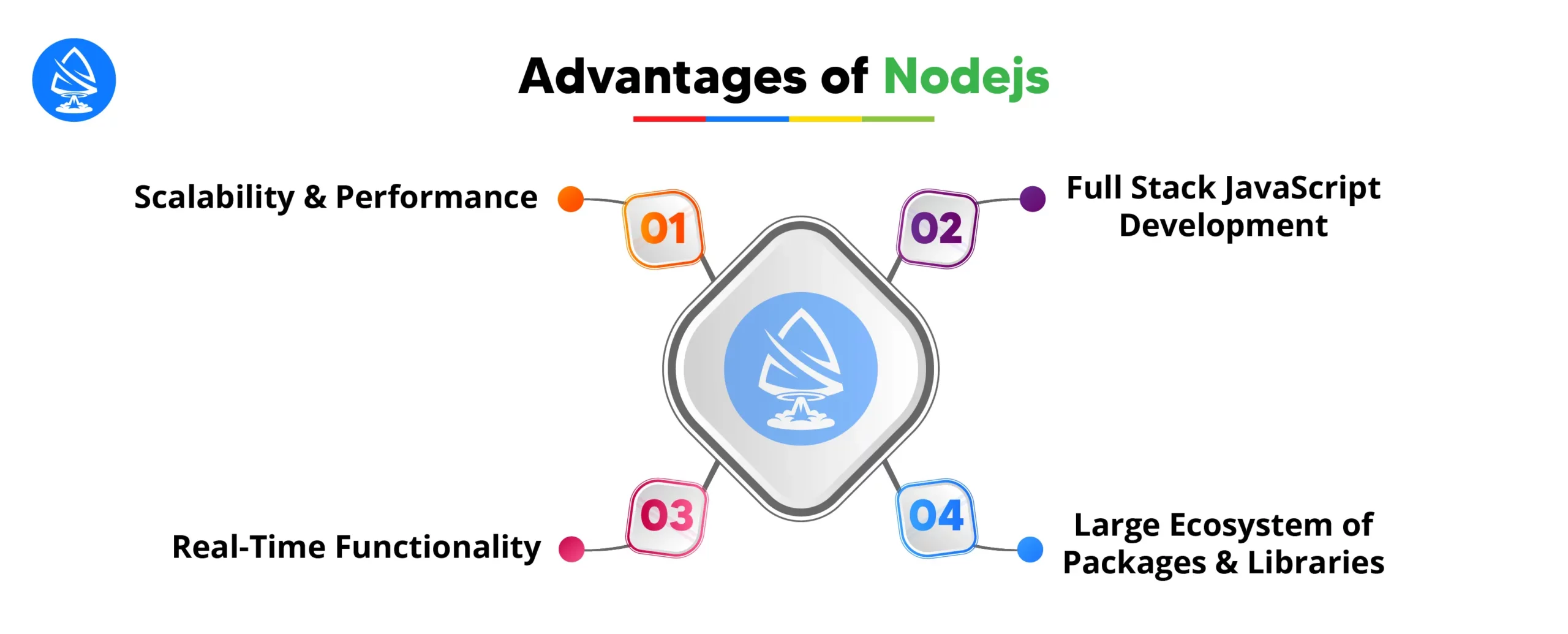
Node.js development is renowned for its scalability and performance. Its event-driven, non-blocking I/O model allows for handling multiple requests simultaneously without blocking the execution of other tasks. This makes Nodejs ideal for building highly scalable applications that can handle a large number of concurrent connections efficiently.
One of the most significant advantages of Node.js website development is its support for full-stack JavaScript development. With Nodejs, developers can use JavaScript for frontend and backend development, which eliminates the need to switch between different languages and frameworks. This streamlines the development process,s which reduces complexity and promotes code reusability.
Nodejs is well-suited for building real-time applications that require instantaneous data exchange between the client and the server, such as chat applications, online gaming platforms, ms and collaboration tools. Its event-driven architecture and support for WebSockets enable developers to implement real-time functionality seamlessly, sly whprovidesvide users with a dynamic and interactive experience.
Nodejs hvast vase ecosystem of packages and libraries available through npm (Node Package Manager), which is the largest package registry in the world. These packages and libraries cover a wide range of functionality,s which includes web frameworks, database drivers, authentication middleware, and utility modules. Leveraging existing packages and libraries allows developers to accelerate the development process, maintain code quality,y and focus on building innovative features on their websites.
Explore Further: Backend Technologies
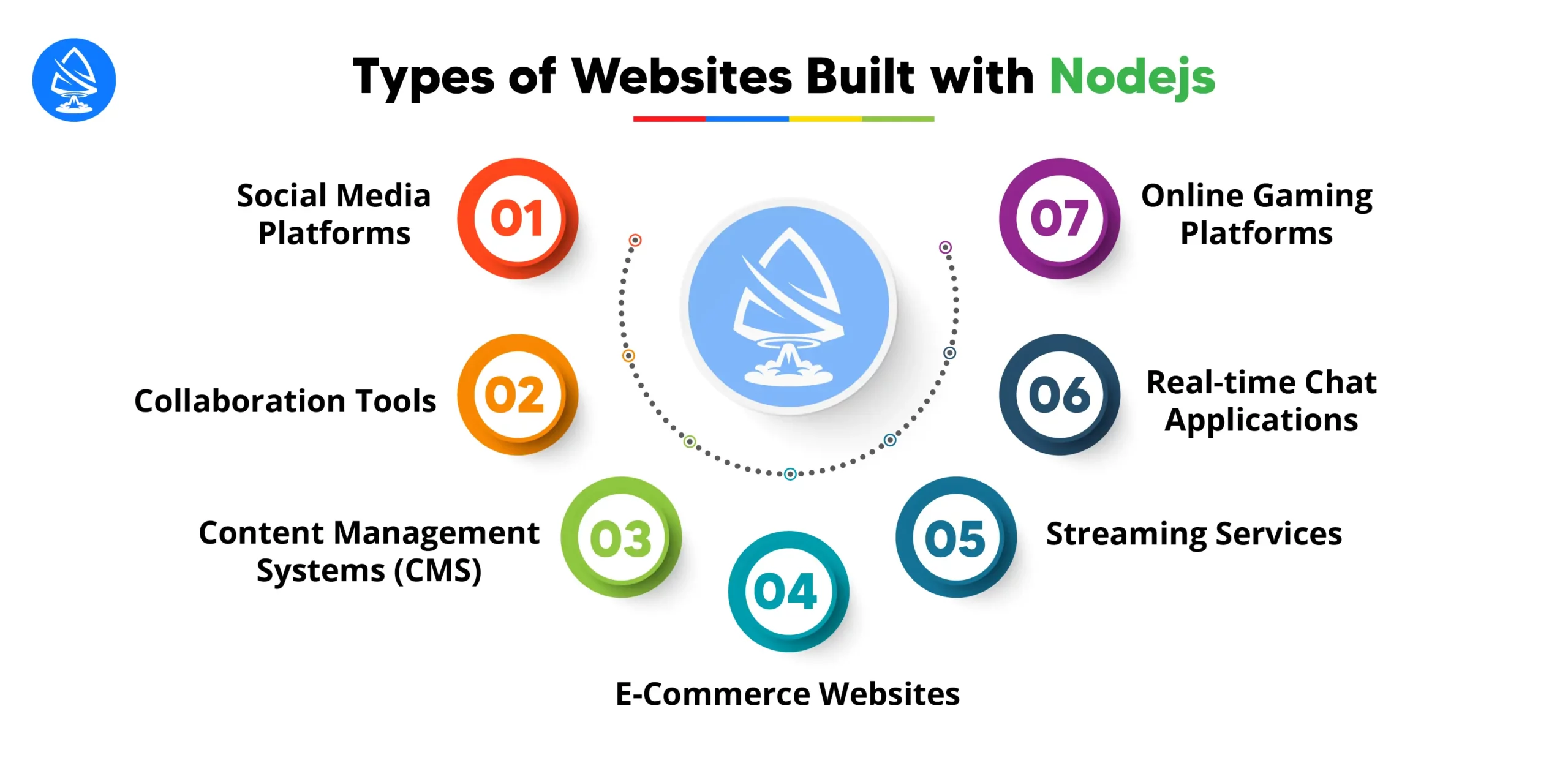
Let’s explore Node.js website example.Node.js is a versatile runtime environment that can be used to create various types of websites, ranging from simple blogs to complex web applications. Here are some Node.js example websites that can be created using Nodejs.
Nodejs is well-suited for building real-time and highly interactive social media platforms. Platforms like LinkedIn, Twitter,r and Pinterest have utilized Nodejs for their backend infrastructure to handle high traffic and real-time updates efficiently.
Nodejs is ideal for developing collaboration tools such as project management platforms, document editors, rs and team communication apps. Examples include Trello, Slack, ack, and Google Docs, which leverage Nodejs provides real-time collaboration features.
Nodejs can be used to create custom CMS platforms for managing website content. CMS systems like Ghost and KeystoneJS are built on Nodejs and offer features for content creation, publishing,shing and customization.
Node.js is well-suited for building e-commerce websites due to its ability to handle concurrent requests and real-time updates. Platforms like Walmart, eBay, and Etsy have adopted Nodejs for their backend infrastructure to provide a seamless shopping experience.
Node.js is used to develop streaming services for audio and video content delivery. Platforms like Netflix, Twitch,h and SoundCloud utilize Nodejs to handle streaming, user authentication, and content recommendation features efficiently.
Node.js is excellent at building real-time chat applications due to its event-driven architecture and WebSocket support. Examples incluWhatsAppapp, Discord, and Telegram, which leverage Nodejs for real-time messaging and chat features.
Node.js is suitable for developing online gaming platforms and multiplayer games. Platforms like Roblox, Minecraft,t and Agar.io use Node.js for backend game logic, real-time communication, and player interaction features.
Overall, Nodejs provides developers with the flexibility, scalability, and performance needed to create a wide range of websites and web applications across various industries and domains. Its event-driven architecture and non-blocking I/O make it particularly well-suited for handling concurrent connections, real-time updates, and high traffic volume,s which make it a popular choice for modern web development projects
Find Out More: Node.js Promises
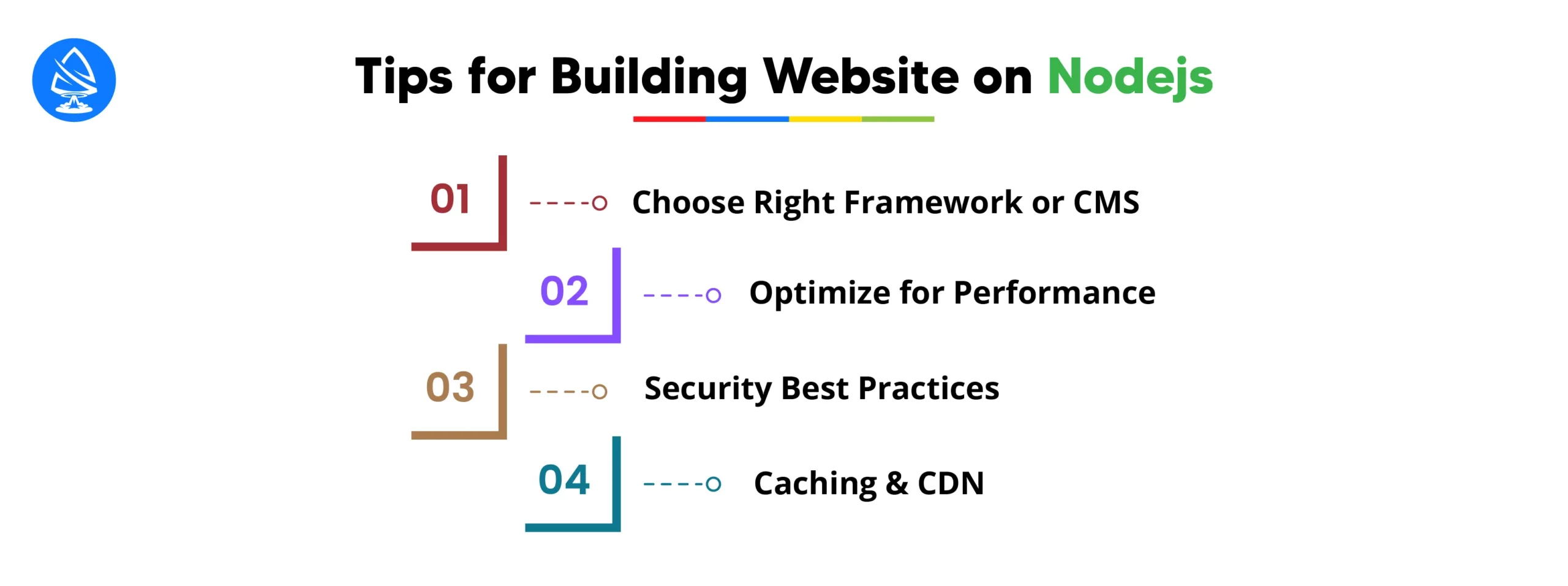
When building a website on Node.js, it’s essential to select the right framework or content management system (CMS) that aligns with your project requirements and development goals. Frameworks like Express.js provide flexibility and customization options for building lightweight, fast, and scalable web applications, while CMS platforms like Ghost or Keystone.js offer pre-built solutions for content-driven websites. You should evaluate your project’needsed,s such as s complexitycomplexityi, ty and content managcapabilitiesabilit,ies before choosing the appropriate framework or CMS.
To ensure optimal performance for built websitesNode.jse js, optimize your Node.js website by minimizing response times, reducing server load, and optimizing code for efficiency. Implement techniques like code bundliminificationatio,n and compression to reduce file size and improve page load times. Utilize performance monitoring tools to identify bottlenecks and optimize critical paths for better overall performance.
Security is paramount when building a website on Node.js. You have to implement security best practices such as input validation, authentication, authorization, and encryption to protect against common vulnerabilities like injection attacks, cross-site scripting(XSS) ,and cross-site request forgery (CSRF). You have to keep your dependencies updated to patch known vulnerabilities and regularly audit your codebase for security vulnerabilities.
Improve website performance and reduce server load by implementing caching mechanisms and leveraging content delivery networks (CDNs). Use caching strategies such as browser caching, server-side caching,ng, and in-memory caching to store frequently accessed data andassetss,ets whreducesduce the need for repeated requests to the server. Utilize CDNs to distribute static assets like images, CSS and JavaScript files across multiple edge s,erversdeliverelivers content to users from the nearest geographic location for faster load times.
Thoroughly test your Nodejs website across different browsers, devices, and network conditions to ensure compatibility and usability. Implement automated testing frameworks and tools to perform unit tests and end-to-end tests to identify and fix bugs early in the development process. Additionally, monitor website performance using monitoring tools and an alytics server respon,se times and user int, which enable you to optimize performance and user experience continuously.

Node.js powers a wide range of high-traffic websites and web applications across various industries. Some notable examples include:
Several case studies demonstrate the successful implementation of Node.js in building scalable, performant, and innovative web applications:
These examples demonstrate the versatility, scalability, and performance of Node.js in powering mission-critical web applications and services for some of the world’s leading organizations.
Artoon Solutions is widely recognized as a Top Node.js development company, known for its expertise, innovative solutions, and commitment to delivering high-quality applications. Artoon Solutions places a strong emphasis on building long-term relationships with clients. Our company’s commitment to client satisfaction is reflected in our numerous positive testimonials and a high rate of repeat business. We provide top-tierNode.JSS development service for your business.
Finally, when you build a website on Node js stands as a powerhouse that offers unmatched scalability, real-time functionality, and an extensive ecosystem of tools and libraries. As a business, keeping Nodejs as your foundation, you can build dynamic and impactful websites that leave a lasting impression on visitors to your website. If you want to build a strong website and web application, then build a website using nodejs. Hire Node.js programmers from Artoon Solutions today to transform your vision into a high-performance application.
1. What are the main advantages of using NodeJS?
Node.js offers speed, scalability, and a vast ecosystem of packages, making it ideal for building fast and scalable web applications.
2. How to build a website using NodeJS?
To build a website with Node.js, you can start by setting up a Node.js environment, choosing a framework like Express.js, and then developing your application logic and routes using JavaScript.
3. Why NodeJS is best for web development?
Node.js excels in web development due to its non-blocking I/O model, which allows for high concurrency and real-time applications, making it well-suited for modern web development needs.
4. Is nodejs frontend or a backend?
Many top companies across various industries use Node.js for their websites, including Netflix, LinkedIn, Uber, and PayPal.

Artoon Solutions
Artoon Solutions is a technology company that specializes in providing a wide range of IT services, including web and mobile app development, game development, and web application development. They offer custom software solutions to clients across various industries and are known for their expertise in technologies such as React.js, Angular, Node.js, and others. The company focuses on delivering high-quality, innovative solutions tailored to meet the specific needs of their clients.
 For business inquiries only