- HR:+91-879-9184-787
- Sales:+91-908-163-7774


In recent years, AI has revolutionized various industries, and creating an AI-powered app has become an accessible and exciting possibility for developers and business owners. OpenAI’s API, with its sophisticated natural language processing and machine learning capabilities, has made it easier than ever to integrate AI into applications. Whether you’re a seasoned developer or a tech entrepreneur looking to create the next big AI app, OpenAI’s API provides an intuitive way to bring AI-powered features to your app with minimal effort.
In this detailed guide, we will walk you through how to create an AI app using OpenAI’s API, step by step. From understanding the API to integrating it into your app, we’ll cover everything you need to get started. Whether you want to build a chatbot, an AI writing assistant, or a content recommendation system, this guide will give you the knowledge and tools to develop a cutting-edge AI app that meets your needs.
OpenAI’s API offers a wide range of capabilities powered by advanced machine learning models, such as GPT-3 and GPT-4, which can perform tasks like text generation, translation, summarization, and more. This API is designed to make it easier for developers to integrate these powerful AI models into their applications without requiring deep expertise in machine learning or AI.
OpenAI’s API has transformed the way we interact with AI, enabling developers to add advanced conversational and language capabilities to their apps. By using the API, developers can leverage the capabilities of OpenAI’s models to build AI applications that can process and generate human-like text, make decisions, and assist with a wide range of tasks.
You may also want to know about AI in Construction
Creating an AI app offers a multitude of benefits and the potential to revolutionize the way businesses, organizations, and individuals interact with technology. As artificial intelligence continues to advance, its applications have expanded across nearly every industry, making it more critical than ever for developers and entrepreneurs to leverage AI in app development. Below are some compelling reasons why creating an AI app can add significant value:
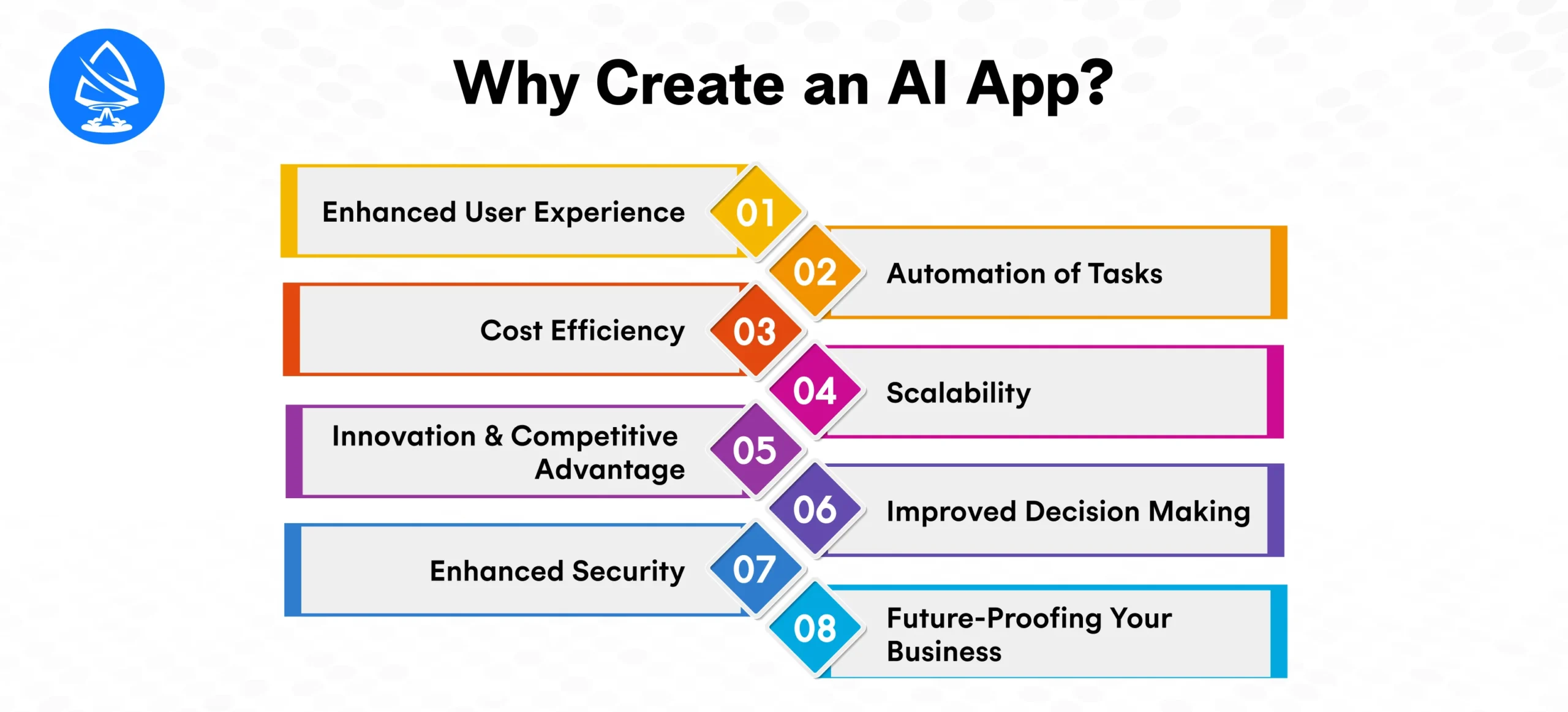
AI technology can drastically improve the user experience (UX) by making applications more responsive, intuitive, and personalized. Traditional apps may only offer a static experience, but AI apps can adapt in real-time, providing users with dynamic and personalized interactions.
For example, an AI-powered fitness app can analyze a user’s activity patterns and recommend personalized workouts, food plans, and health tips based on their individual goals and preferences.
AI is known for its ability to automate repetitive, time-consuming tasks, reducing the manual effort required from users. This automation can be particularly valuable in industries such as customer service, data analysis, content creation, and more.
The ability to automate these tasks not only saves time but also minimizes human errors and ensures a higher level of consistency across operations.
One of the most significant advantages of creating an AI app is the potential to reduce operational costs. By automating tasks, AI reduces the need for human labor in certain areas, lowering costs while improving efficiency.
For example, in industries like manufacturing, AI apps can optimize supply chains, manage inventories, and even predict machine failures, helping businesses save costs on repairs and maintenance.
AI apps can scale efficiently, allowing businesses to handle increasing amounts of data or traffic without compromising performance. Traditional apps may require significant updates and manual interventions as the user base grows, but AI-powered apps can manage increased complexity more smoothly.
For businesses looking to scale their operations while maintaining high efficiency, AI offers a solution that adapts to growing demands without major overhauls.
In today’s competitive market, businesses must stay ahead of trends to remain relevant. Creating an AI app provides a unique opportunity for innovation and differentiation in crowded markets. With AI, you can offer capabilities that traditional apps simply cannot match, such as deep learning, natural language understanding, and personalized user interactions.
For instance, an AI app in the health industry could use machine learning to predict health issues before they arise, offering a unique value proposition compared to non-AI competitors.
AI’s ability to analyze data and provide real-time insights leads to better decision-making. By utilizing machine learning algorithms and AI models, apps can process complex datasets, uncover trends, and make predictions that guide user or business decisions.
These data-driven capabilities are crucial for businesses looking to improve operational efficiency, customer satisfaction, and overall performance.
AI apps can improve the security of both the app and the data it handles. With AI’s advanced algorithms, security measures can be automated and strengthened, reducing the likelihood of breaches.
For example, an AI-driven security app can continuously monitor and analyze network traffic, flagging any suspicious activities or breaches before they cause harm.
AI is rapidly advancing, and businesses that fail to adopt AI risk falling behind. By creating an AI app, you are not just keeping up with the present but preparing your business for the future. As AI becomes more integrated into everyday applications, your app will be at the forefront of technological innovation.
Incorporating AI into your app now positions your business as a leader in innovation, ready to take on the future’s challenges and opportunities.
Now that you understand the potential of AI in app development, let’s dive into the process of creating your own AI-powered app using OpenAI’s API.
You may also want to know Fundamental AI Technologies
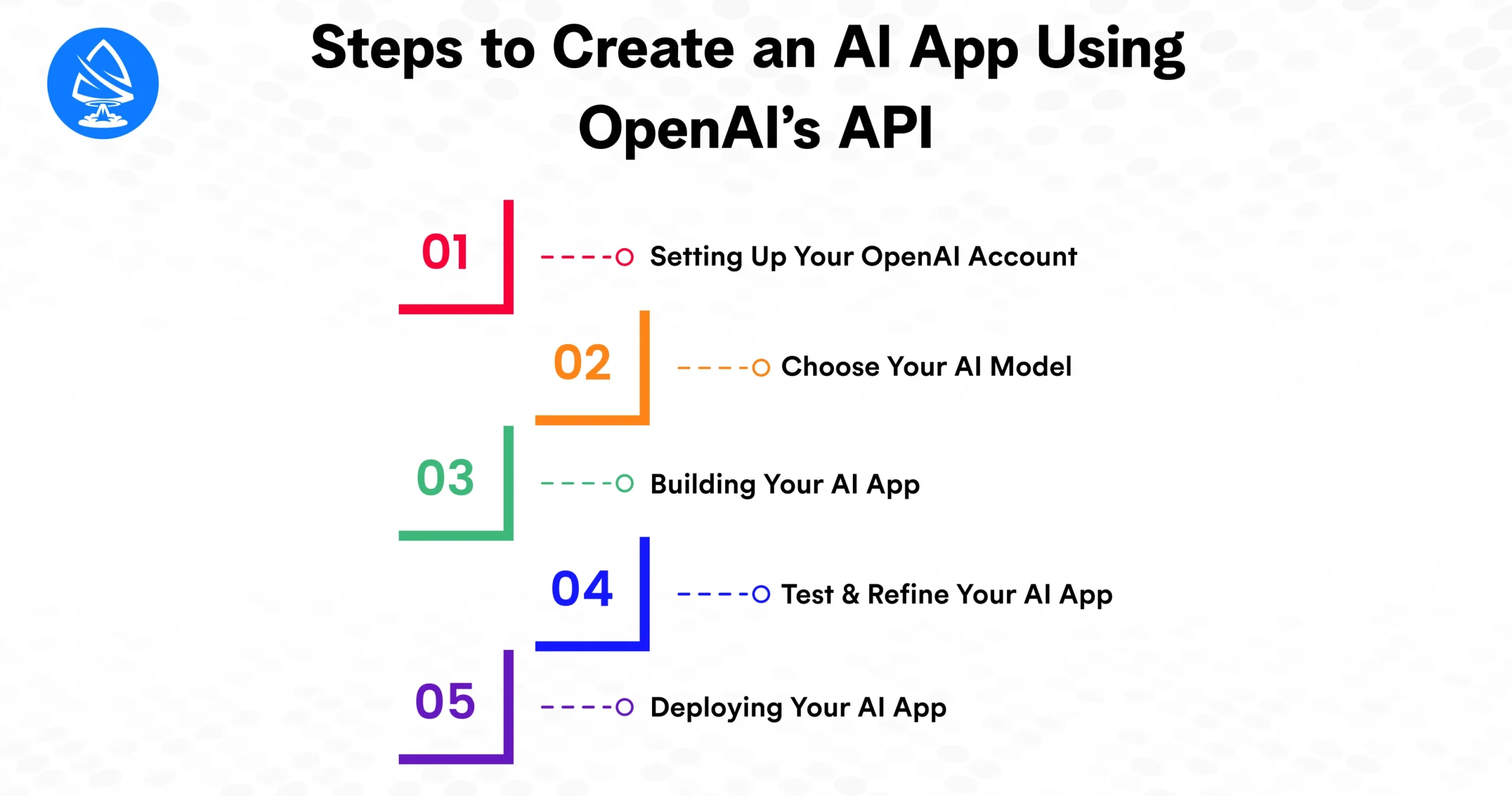
To get started, the first step is to create an account with OpenAI and gain access to the API.
The API key you generate will be used in your app to authenticate requests to OpenAI’s servers, allowing you to interact with the AI models.
OpenAI provides several different models for different use cases. The most popular ones are:
For most AI app use cases like chatbots, writing assistants, and text-based features, GPT-3 or GPT-4 will be your go-to models. Depending on the purpose of your app, choose the appropriate model to integrate.
Depending on your app type, you can build your AI app using a variety of development tools and languages. The most common programming languages for integrating OpenAI’s API are Python, Node.js, and Ruby.
For a Python-based app, you can install the OpenAI Python library:
pip install openai
For Node.js, you can install the OpenAI library using npm:
npm install openai
Once you have your environment set up, it’s time to write the code that will interact with the OpenAI API.
Here’s an example in Python for generating text using GPT-3:
import openai
openai.api_key = ‘your-api-key-here’
response = openai.Completion.create(
engine=”text-davinci-003″,
prompt=”Write a creative story about a robot learning to love.”,
max_tokens=150
)
print(response.choices[0].text.strip())
In this example, you’re using the Completion.create method to send a prompt to OpenAI’s API. The model generates text based on the input prompt, and you can control parameters such as max_tokens to limit the length of the output.
For JavaScript, the code will look like this:
const openai = require(‘openai’);
const response = await openai.Completion.create({
model: ‘text-davinci-003’,
prompt: ‘Write a creative story about a robot learning to love.’,
max_tokens: 150
});
console.log(response.choices[0].text.trim());
Based on the capabilities of OpenAI’s API, you can customize your AI app for various features, such as:
Customize these features by adjusting the parameters such as temperature for randomness, max_tokens for output length, and stop for defining the stopping point.
Once you’ve integrated the OpenAI API into your app, it’s essential to test the functionality thoroughly. This includes:
After testing, it’s time to deploy your app to the platform of your choice. Whether you’re creating a web app, mobile app, or desktop app, deploying to platforms like AWS, Heroku, or Google Cloud will allow you to make your AI app available to users.
For mobile apps, you can integrate the AI-powered backend with your frontend in Flutter, React Native, or native Android/iOS frameworks.
Creating an AI app using OpenAI’s API has never been easier. With the power of GPT-3 and GPT-4, developers can build sophisticated AI-powered applications with just a few lines of code. Whether you’re creating chatbots, content generators, or custom AI solutions, OpenAI’s API opens up a world of possibilities for your app development.
Start building your own AI-powered app today. Ready to estimate your project costs? Use our AI Cost Calculator to get a clear picture of what building your app could cost.
1. What is the best AI app I can build using OpenAI’s API?
You can build a variety of AI apps such as chatbots, virtual assistants, content generation tools, and text analysis applications.
2. Is OpenAI’s API free to use?
OpenAI offers a free tier with limited usage, but extensive API usage may require a paid subscription.
3. How much does it cost to use OpenAI’s API?
OpenAI’s API pricing depends on the model you use and the number of tokens processed. Pricing details can be found on OpenAI’s official pricing page.
4. Can I build an AI app without coding knowledge?
Yes, you can use no-code platforms or AI app builders that integrate OpenAI’s API to create apps without coding experience.
5. What types of AI models can I use with OpenAI’s API?
You can use models like GPT-3, GPT-4, Codex, and DALL·E, depending on your app’s purpose.
6. How do I integrate OpenAI’s API into my mobile app?
You can integrate OpenAI’s API into mobile apps using a backend service or directly with HTTP requests.
7. What is the maximum token limit for OpenAI’s API?
OpenAI’s GPT-3 model has a token limit of 4096, including both input and output tokens.
8. Can OpenAI’s API help with multilingual apps?
Yes, OpenAI’s models support multiple languages, making it ideal for building multilingual applications.

Artoon Solutions
Artoon Solutions is a technology company that specializes in providing a wide range of IT services, including web and mobile app development, game development, and web application development. They offer custom software solutions to clients across various industries and are known for their expertise in technologies such as React.js, Angular, Node.js, and others. The company focuses on delivering high-quality, innovative solutions tailored to meet the specific needs of their clients.
 For business inquiries only




