- HR:+91-879-9184-787
- Sales:+91-908-163-7774


Artificial Intelligence (AI) has redefined how developers write, optimize, and deploy code. In 2025, AI programming tools will be more sophisticated, accurate, and user-friendly than ever before. Whether you are a beginner learning how to make an AI program or a seasoned developer searching for the best AI programming language, this guide will help you understand and choose the top tools that streamline your development process.
AI programming tools refer to software platforms, plugins, or environments that use machine learning and natural language processing to assist developers in coding. These tools are designed to predict code snippets, suggest corrections, generate functions, and even debug software automatically.
AI programming has surged in popularity due to the rise of large language models and generative AI programs that understand code context and developer intent.
Artificial Intelligence is not just transforming industries — it’s revolutionizing how we code. From enhancing developer productivity to reducing human error, AI in programming is changing the way software is written, debugged, and maintained. Below are the core benefits:
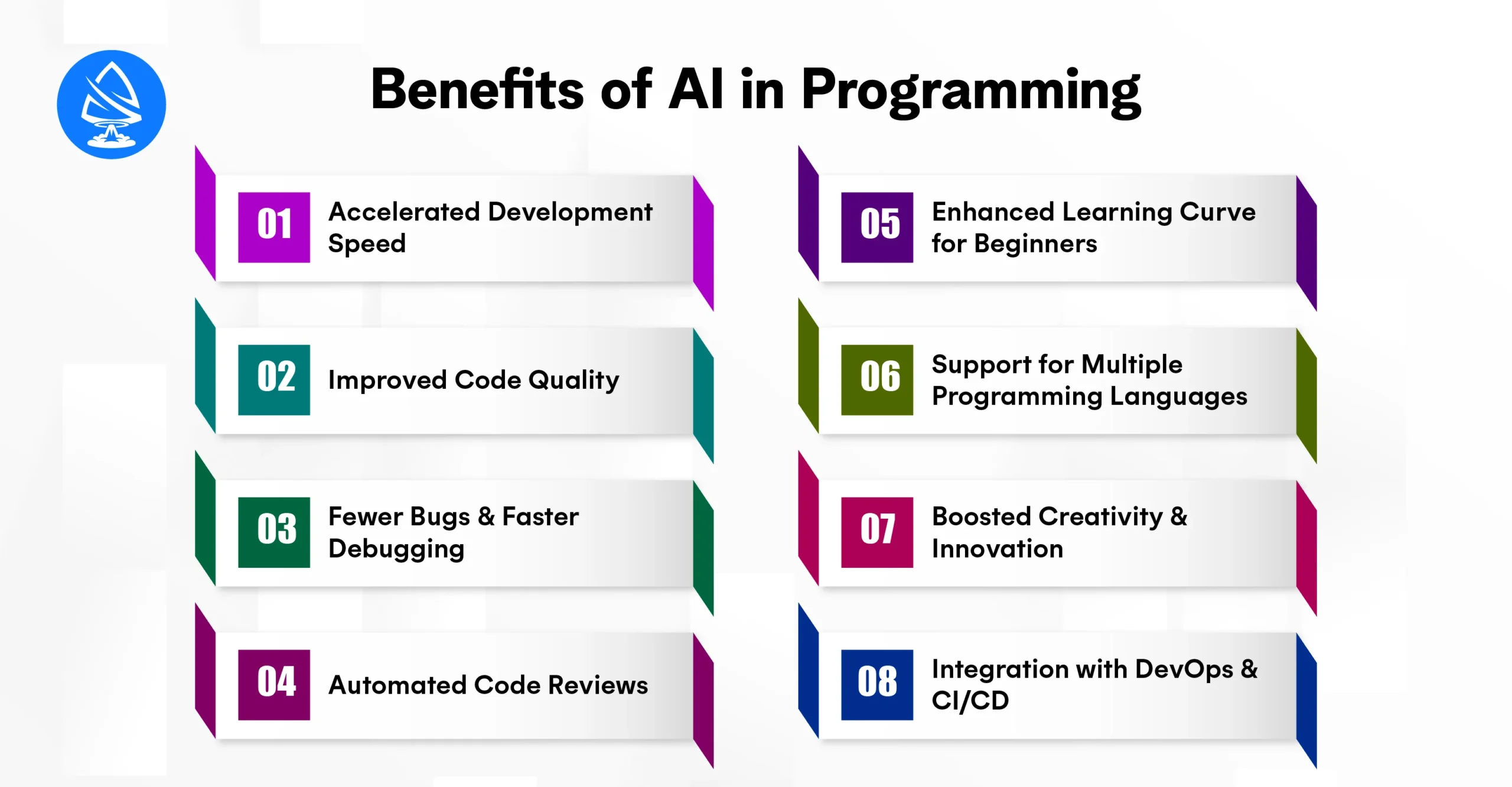
AI-powered code assistants like GitHub Copilot, Amazon CodeWhisperer, and Tabnine can auto-complete lines, suggest syntax, or even write full functions based on natural language inputs. This dramatically reduces the time spent writing boilerplate or repetitive code, allowing developers to focus on core logic and architecture.
AI tools continuously learn from millions of open-source repositories and best practices. When integrated into the IDE, they can identify suboptimal code patterns, suggest refactors, and ensure code adheres to industry standards, improving code readability and maintainability.
AI tools can automatically detect anomalies, highlight potential bugs, and even suggest fixes before the code runs. Tools like DeepCode or Snyk AI scan dependencies and logic to catch issues in real time, minimizing costly production errors.
Manual code reviews are time-consuming and prone to oversight. AI can automate the review process by flagging code smells, identifying security vulnerabilities, and even analyzing performance impacts, enabling continuous integration with cleaner commits.
For newcomers or those learning AI programming in Python, tools like ChatGPT or Replit AI provide real-time explanations, examples, and even step-by-step code generation. This lowers the barrier to entry and makes it easier to become an AI programmer with practical, guided learning.
Whether you’re working in Python, JavaScript, C++, or Rust, most AI programming tools offer language-agnostic support. This flexibility means developers aren’t tied to a specific language and can use the best AI programming language for their projects while still getting AI assistance.
Generative AI programs are now capable of creating unique UI designs, writing documentation, generating test cases, and even prototyping new features. Developers can offload ideation and prototyping to AI and focus on refining high-impact ideas.
AI isn’t just for writing code; it enhances the full software lifecycle. From predicting deployment risks to automating rollback strategies and optimizing resource usage in cloud environments, AI integration across DevOps pipelines ensures smoother, faster delivery.
You may also want to know that AI for Website Design
As artificial intelligence continues to evolve, so do the tools that empower developers to build smarter, faster, and more efficient code. In 2025, AI programming tools are no longer just productivity boosters; they’re essential companions in the software development lifecycle. Whether you’re writing your first AI program in Python or building enterprise-grade applications, the right tools can make all the difference.
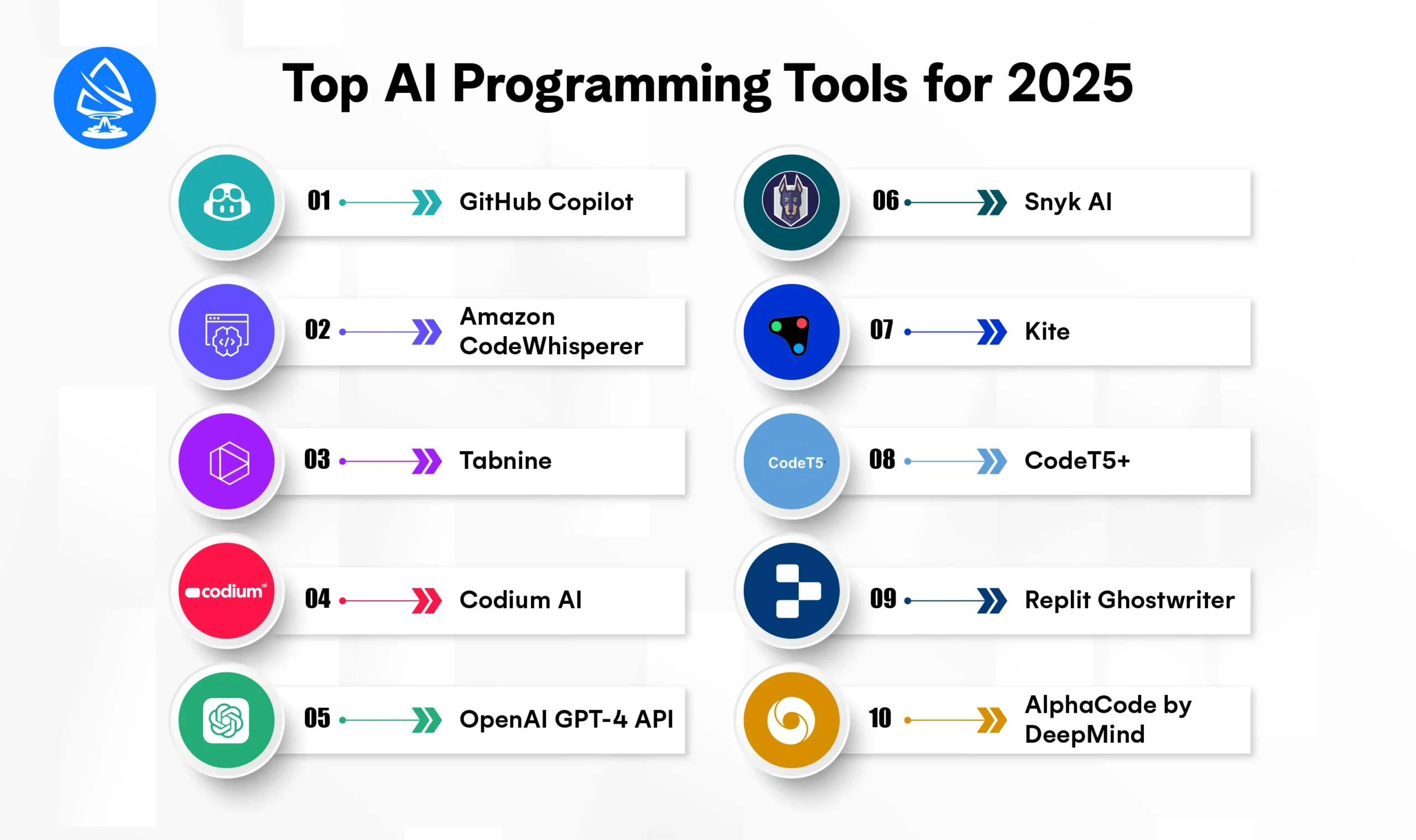
Below are the top AI programming tools for 2025 that are transforming how developers write, debug, and deploy code:
Best For: Auto-completion, code suggestions, and rapid prototyping
Powered By: OpenAI Codex
GitHub Copilot remains one of the most popular AI programming assistants, helping developers autocomplete entire functions based on natural language prompts. It supports multiple languages and integrates directly into VS Code, Neovim, and JetBrains IDEs.
Why in 2025?
Copilot X now supports chat-based coding help, documentation generation, and test case suggestions.
Best For: AWS developers and cloud-native applications
Powered by: Amazon’s proprietary foundation models
Amazon CodeWhisperer provides contextual suggestions and security scans, making it ideal for cloud and serverless development. It supports Python, Java, and JavaScript, among the best AI programming languages in 2025.
Bonus: Automatically flags security vulnerabilities and hard-coded secrets.
Best For: Lightweight, privacy-conscious code completion
Powered by: GPT-based models optimized for IDEs
Tabnine offers high-speed code suggestions with minimal latency. It’s especially preferred by enterprise teams due to its support for private models and on-premise deployment, making it an ideal fit for regulated industries.
Works with VS Code, IntelliJ, Eclipse, WebStorm, and more.
Best For: Test generation and test coverage
Use Case: Unit test suggestions, test case automation
Codium AI revolutionizes testing by automatically generating relevant test cases for your code. It analyzes intent, expected output, and edge cases, ensuring that your application is robust and well-tested.
Essential for TDD (Test-Driven Development) and agile teams.
Best For: Custom AI applications, code assistants, and developer tools
Language: Python, JavaScript, Node.js, Go, etc.
While not a code assistant by default, GPT-4’s API allows developers to build their own AI programs or integrate it into internal tools, making it perfect for startups and enterprises developing unique features like chatbots, documentation bots, or debugging agents.
Ideal for learning how to make an AI program from scratch with flexibility.
Best For: Security-focused development
Focus: Code vulnerabilities, open-source license issues
Snyk AI automatically analyzes dependencies and application logic to find and fix security vulnerabilities, a must-have for organizations that care about secure-by-design coding.
Works in CI/CD pipelines and integrates with GitHub, Bitbucket, and GitLab.
Best For: Python code completion
Status: No longer actively developed but still used by many
Kite was one of the original AI programs for Python programming. Though discontinued, many developers still use older versions for local code prediction and inline documentation, especially useful for educational projects.
Best For: Open-source AI code generation and understanding
Use Case: Transformer-based language modeling for code
CodeT5+ is an open-source generative model trained specifically for programming tasks. It supports code summarization, translation, generation, and defect detection. Developers can fine-tune it or use pre-trained models for AI-enhanced software development.
Great for developers who want free AI programs for research or experimentation.
Best For: Browser-based coding with AI help
Target: Beginners and solo developers
Ghostwriter is Replit’s embedded AI tool that helps developers learn how to become an AI programmer by providing inline code suggestions, bug explanations, and real-time feedback directly in the browser.
Perfect for students, hobbyists, and rapid prototyping.
Best For: Competitive programming and algorithm-heavy coding
Breakthrough: Solves complex coding problems using reinforcement learning
While still experimental, AlphaCode is expected to reach public release in 2025. It has already solved challenging problems in Codeforces competitions, showing immense promise in areas like generative AI programs for optimization-heavy applications.
Watch this space! AlphaCode could be the future of automated problem-solving.
You may also want to know hire Artificial Intelligence Developer
When it comes to building intelligent systems, Python is undeniably the most popular language. It is the first choice for professionals and beginners alike in the world of AI programming. Thanks to its simplicity, readability, and massive ecosystem of AI and machine learning libraries, AI programming in Python has become the industry standard.
Let’s explore what makes Python so essential for artificial intelligence development in 2025 and how you can make an AI program in Python step by step.
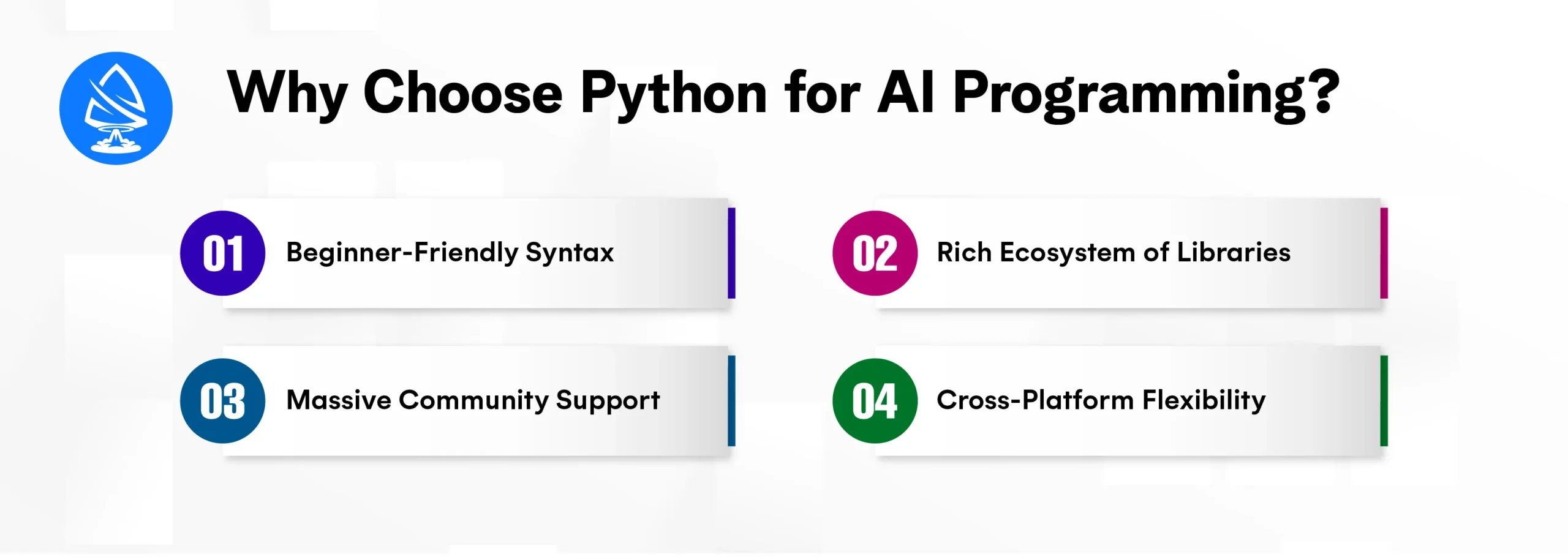
Python’s intuitive syntax makes it easier to focus on building complex AI logic rather than worrying about language semantics. If you’re wondering how to become an AI programmer, Python is the best place to start.
Python boasts an unmatched collection of libraries and frameworks specifically built for AI development:
These tools allow you to build everything from simple AI models to complex generative AI programs.
Python’s global developer community is active, constantly contributing tutorials, forums, and tools. Whether you’re debugging a model or learning how to make an AI program, you’ll find answers fast.
Python runs on Windows, macOS, and Linux. You can develop AI applications once and deploy them anywhere with minimal changes.
Here’s a quick outline to build your first AI program in Python:
Want to skip setup? Tools like Google Colab or Jupyter make Python AI development easy without local installation.
Whether you’re a:
Learning AI programming in Python opens up huge opportunities from freelancing to high-paying jobs to launching your AI-based startup.
Python proficiency in AI can help you become:
Want to work on production-level AI systems? Partnering with an AI development company or joining an artificial intelligence development company in USA can be your next big career move. You can also hire AI developers or become an Artificial Intelligence Developer yourself!
One of the most transformative shifts in modern coding is the rise of generative AI programs that don’t just assist but actively generate code, content, tests, or designs. For developers, these tools represent a giant leap toward automation, creativity, and productivity.
Whether you’re an aspiring Artificial Intelligence Developer, a startup founder, or part of an enterprise team, generative AI tools can drastically reduce development time and increase code quality. In 2025, these programs are shaping how developers write software, build applications, and even prototype products.
Generative AI refers to models that can create, whether it’s text, images, code, audio, or even video, by learning from vast datasets. For developers, generative AI programs focus on:
These aren’t just code assistants; they’re creative partners that bring ideas to life from just a few prompts or descriptions.
Here are the top AI programming tools with generative capabilities that developers are using today:
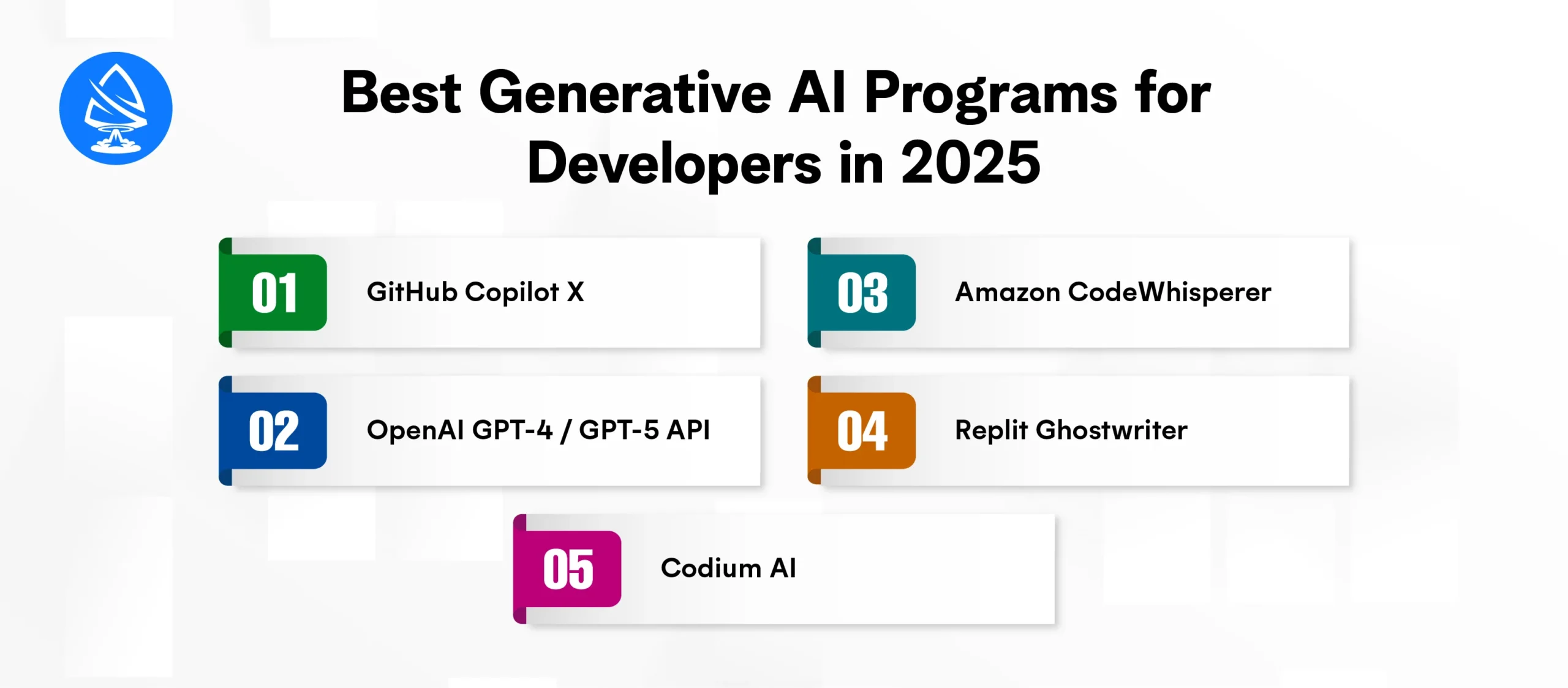
Built on OpenAI Codex, Copilot now includes chat support, inline documentation generation, and contextual test writing, making it one of the best AI programs available.
With fine-tuning and custom instructions, developers can create personalized AI tools that generate boilerplate code, SQL queries, or microservices from plain English.
Ideal for AWS-based development, it generates Python, Java, and JavaScript code optimized for cloud deployment.
Generates code, explains logic, and walks developers through programming problems all in the browser.
Generates smart test cases and enhances AI programming in Python by learning your intent and building relevant validations.
With the growing popularity of AI programming tools and platforms, many developers, from students to professionals, are eager to learn how to make an AI program in 2025. Fortunately, building your first AI application is no longer a task reserved for data scientists or PhDs. Thanks to open-source libraries, cloud platforms, and ready-made APIs, anyone with basic programming knowledge can get started.
Here’s a comprehensive guide on how to make an AI program, particularly using Python, the most beginner-friendly and widely used language for AI development.
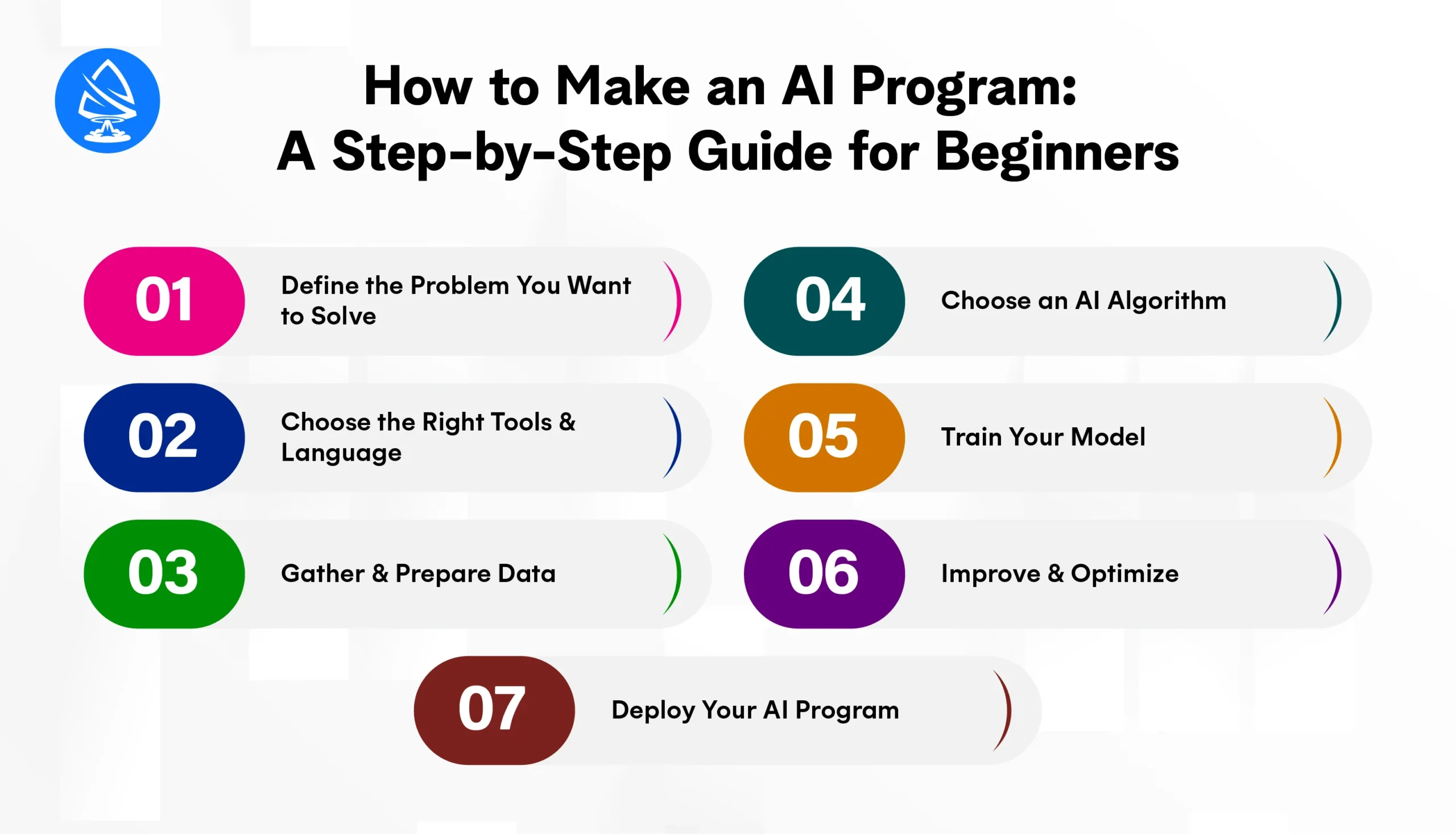
Start by identifying the kind of problem your AI should address. Common categories include:
Choosing a clear and narrow problem makes your learning more focused and your project more impactful.
The most recommended language for beginners is Python, due to its simplicity and vast ecosystem of AI programming libraries. Here’s what you’ll need:
Tip: IDEs like VS Code or platforms like Replit also come with AI-enhanced assistants and autocomplete tools that help you write faster.
AI thrives on data. Use CSV files, public datasets (like those on Kaggle), or APIs to collect relevant data.
Clean your data using:
Remember: Good data leads to good models. This is a critical phase of AI development.
Depending on your problem type, you can choose from:
If you’re using generative AI programs, you may explore transformer-based models like GPT or diffusion models for content generation.
Use your chosen algorithm to train your AI using your dataset.
Example using Scikit-learn:
from sklearn.linear_model import LinearRegression
model = LinearRegression()
model.fit(X_train, y_train)
predictions = model.predict(X_test)
Evaluate your model using metrics such as:
Tools like TensorBoard, matplotlib, or seaborn help you visualize performance.
Once your model is trained, you can improve it by:
Many AI programming assistants also provide optimization tips directly in your code editor.
Make your AI useful by integrating it into a real-world interface using:
This is where AI programming meets real business use — and opens up commercial opportunities.
For quick results or non-technical users, platforms like:
allow you to build free AI programs with drag-and-drop interfaces.
Whether you’re building for fun or creating the next best AI program, the process remains the same: plan, collect data, train, and deploy.
The AI landscape has evolved dramatically, but the question many developers, tech enthusiasts, and businesses still ask is: “What is the best AI program in 2025?”
The answer depends on your goal are you coding, generating content, analyzing data, or building enterprise solutions? In 2025, the best AI programs are not just about power; they’re about versatility, integration, ease of use, and real-world impact.
Let’s explore the leading contenders for the best AI program across various use cases:
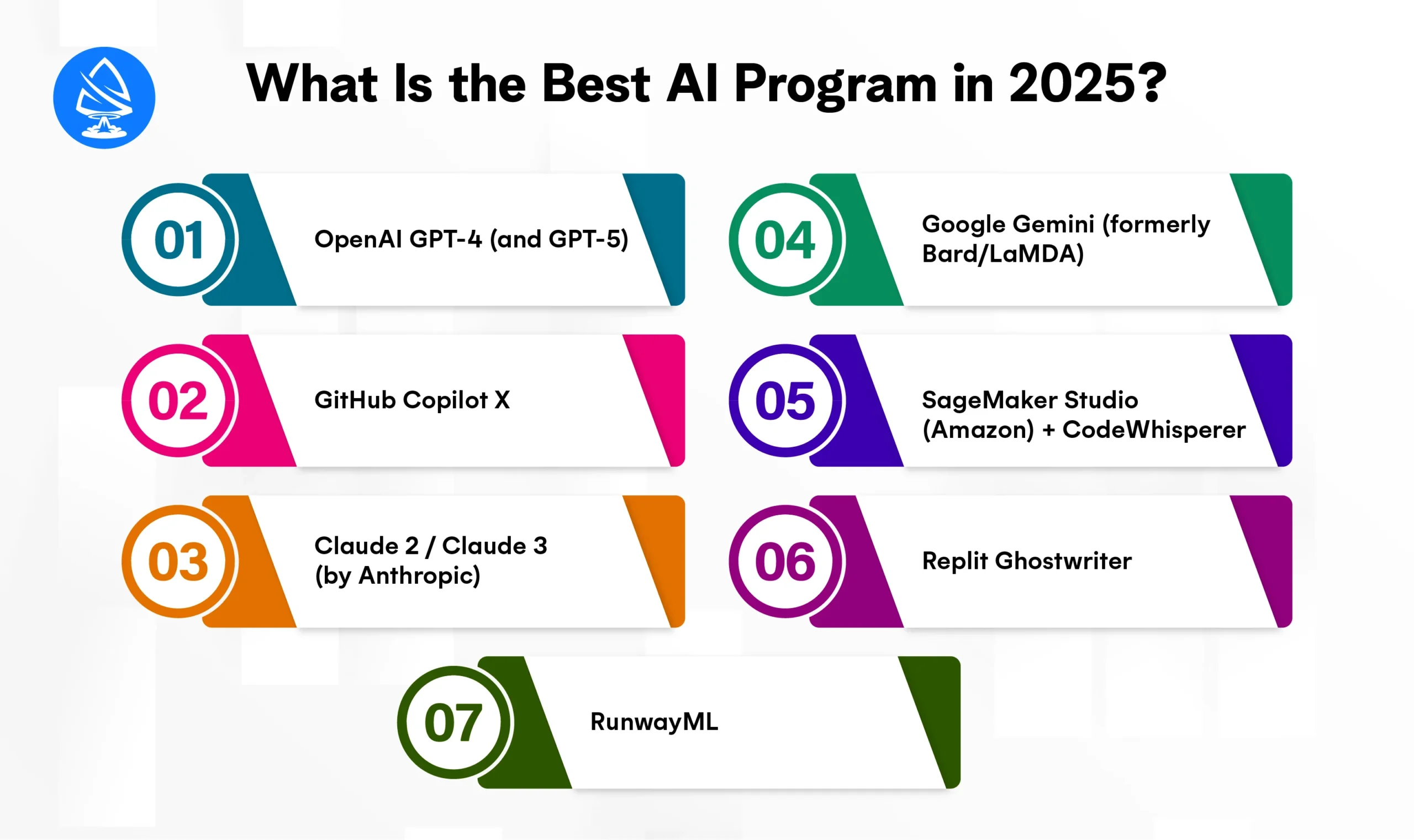
Best For: Natural language understanding, code generation, conversational agents, generative content
OpenAI’s GPT models are still unmatched when it comes to human-like text generation, context awareness, and AI programming assistance. With GPT-4 (and GPT-5 in early rollout), developers can generate code, build chatbots, translate languages, write documentation, and even simulate reasoning tasks.
Used in: GitHub Copilot, ChatGPT, Jasper, Notion AI
Why it’s best: Fine-tuning, APIs, plugins, coding support, and integration flexibility
Best For: Software developers, pair programming, auto-completion
Copilot X, powered by GPT-4, is widely recognized as the best AI program for coding. It helps developers write entire blocks of code, suggest test cases, and even comment code intelligently, all from simple natural language prompts.
Supports: Python, JavaScript, TypeScript, Go, Rust, and more
Ideal for: Beginners learning AI programming in Python and pros building full-stack apps
Best For: Conversational AI, safe and steerable chat agents
Anthropic’s Claude models focus on helpfulness, safety, and long-form understanding. Claude 3 has become a favorite among researchers and developers for writing secure AI systems that understand context better over longer sessions.
Why it matters: Claude is designed to be constitutional, offering explainability and ethical reasoning in AI.
Best For: Multimodal tasks (text, code, image, video), enterprise AI
Gemini 2 is Google DeepMind’s answer to GPT, offering deeper integration with the Google ecosystem (Docs, Sheets, Gmail) and powerful real-time web access. It can generate visual code mockups, write structured documents, or assist with spreadsheet automation.
Perfect for: Developers and businesses needing full-stack, multimodal generative AI
Best For: End-to-end machine learning development and deployment
For developers building serious AI pipelines, Amazon SageMaker Studio is one of the most powerful environments for training, fine-tuning, deploying, and monitoring models. Paired with CodeWhisperer, Amazon’s code generator, it becomes a powerhouse for AI programming tools in the cloud.
Best choice for: Cloud-native AI development and enterprise-grade ML workflows
Best For: Beginners, hobbyists, and full-stack web app prototyping
Ghostwriter combines AI-powered code completion with Replit’s collaborative, browser-based IDE. It’s ideal for those building apps, APIs, or bots quickly without needing a heavy local setup.
Great for experimenting with: Free AI programs, side projects, and learning.
Best For: AI-generated media (video, image, audio)
While not a programming tool in the traditional sense, RunwayML is the best AI program for developers and creatives working on generative AI programs in multimedia. It offers tools for text-to-video, style transfer, object removal, and generative animation.
Used by: Designers, filmmakers, web creators, and creative coders
In 2025, you don’t need a big budget to get started with artificial intelligence. Thanks to the growing open-source ecosystem and freemium tools, developers, students, and businesses can now access free AI programs to build, test, and deploy intelligent applications. Whether you’re learning AI programming in Python, experimenting with generative AI programs, or launching a personal project, there’s a powerful free tool available for every stage of development.
Here’s a curated list of top free AI programs you can use today with no license fees, no premium barriers (at least to get started):
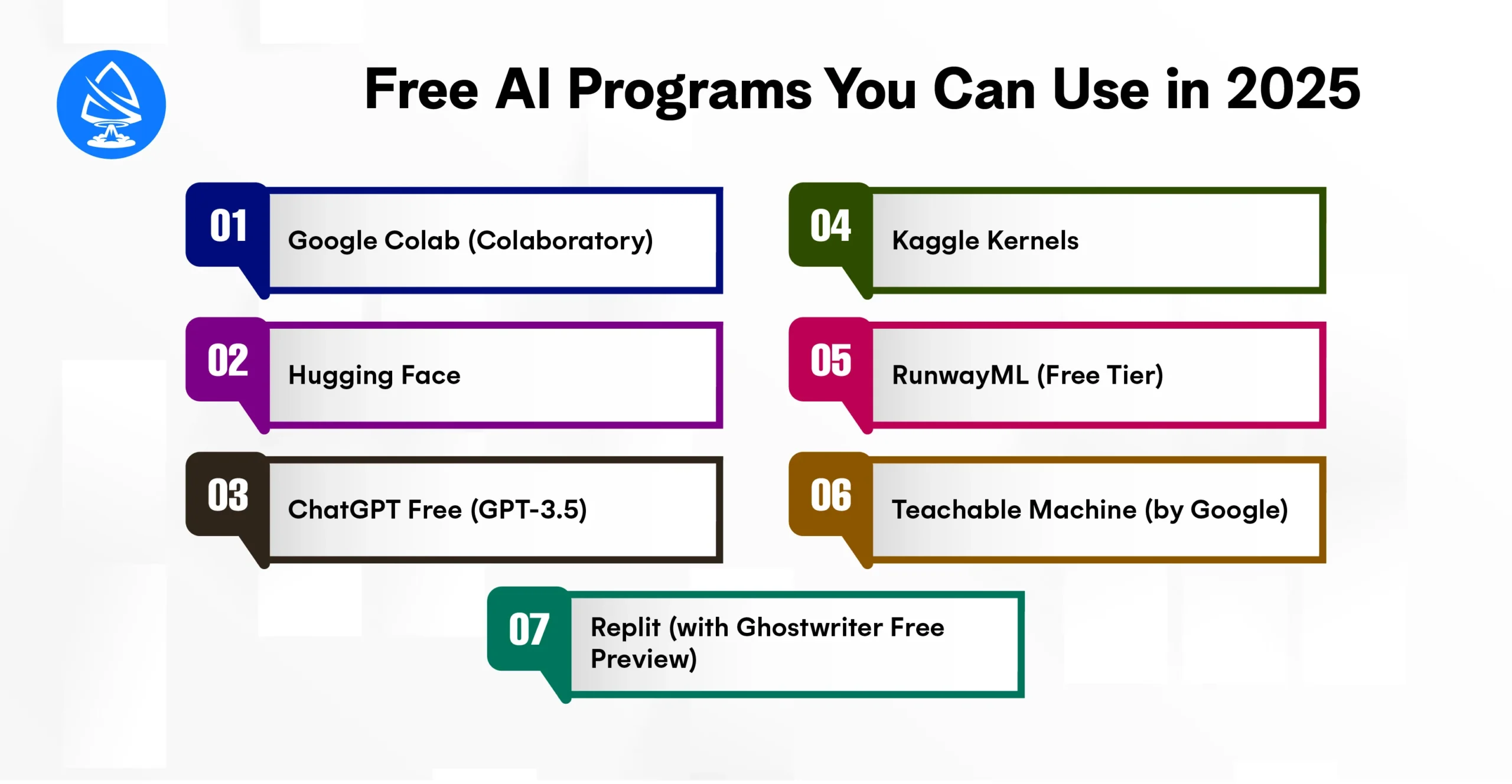
Best For: AI experimentation and Python programming
Google Colab is a free cloud-based notebook environment that allows you to write and execute Python code in your browser with zero setup. It’s ideal for running AI models using libraries like TensorFlow, Keras, PyTorch, and Scikit-learn.
Best For: Natural Language Processing and Transformer-based models
Hugging Face hosts thousands of open-source AI models, datasets, and APIs. You can use models like BERT, GPT-2, Stable Diffusion, and Whisper directly via their free inference API or in your Python scripts.
Best For: General-purpose AI interactions and code assistance
OpenAI’s ChatGPT offers a free-tier experience powered by GPT-3.5, allowing you to ask questions, generate code, debug logic, and brainstorm ideas. It’s widely used as a coding assistant and project helper.
Best For: AI competitions, public datasets, and shared notebooks
Kaggle, a Google platform, offers a free Jupyter-like coding environment with access to powerful GPUs, public datasets, and model templates. It’s widely used for real-world AI and ML experimentation.
Best For: Creative developers using generative AI in multimedia
RunwayML enables developers to use pre-trained AI models for video, image, and audio generation with drag-and-drop functionality and an API. The free tier lets you generate content using tools like Stable Diffusion and Gen-2.
Best For: Creating AI models without code
Teachable Machine allows you to create AI models (e.g., pose recognition, sound detection, image classification) using your webcam or files, all without writing code.
Best For: Cloud IDE + AI-powered code completion
Replit offers a full online coding IDE with a free preview of its Ghostwriter AI assistant. It helps you write, fix, and explain code, making it ideal for people just getting into AI programming tools.
Best For: Deep learning education and practical model building
Fast.ai is both a free course and a powerful Python library built on PyTorch. It helps you build deep learning models quickly, with less math and more real-world focus.
With artificial intelligence shaping the future of every industry — from healthcare and finance to robotics and gaming the demand for skilled AI programmers has never been higher. If you’re wondering how to become an AI programmer in 2025, you’re entering one of the most rewarding and high-growth fields in tech.
Here’s a detailed roadmap that outlines the essential skills, tools, and learning paths to kickstart your journey.
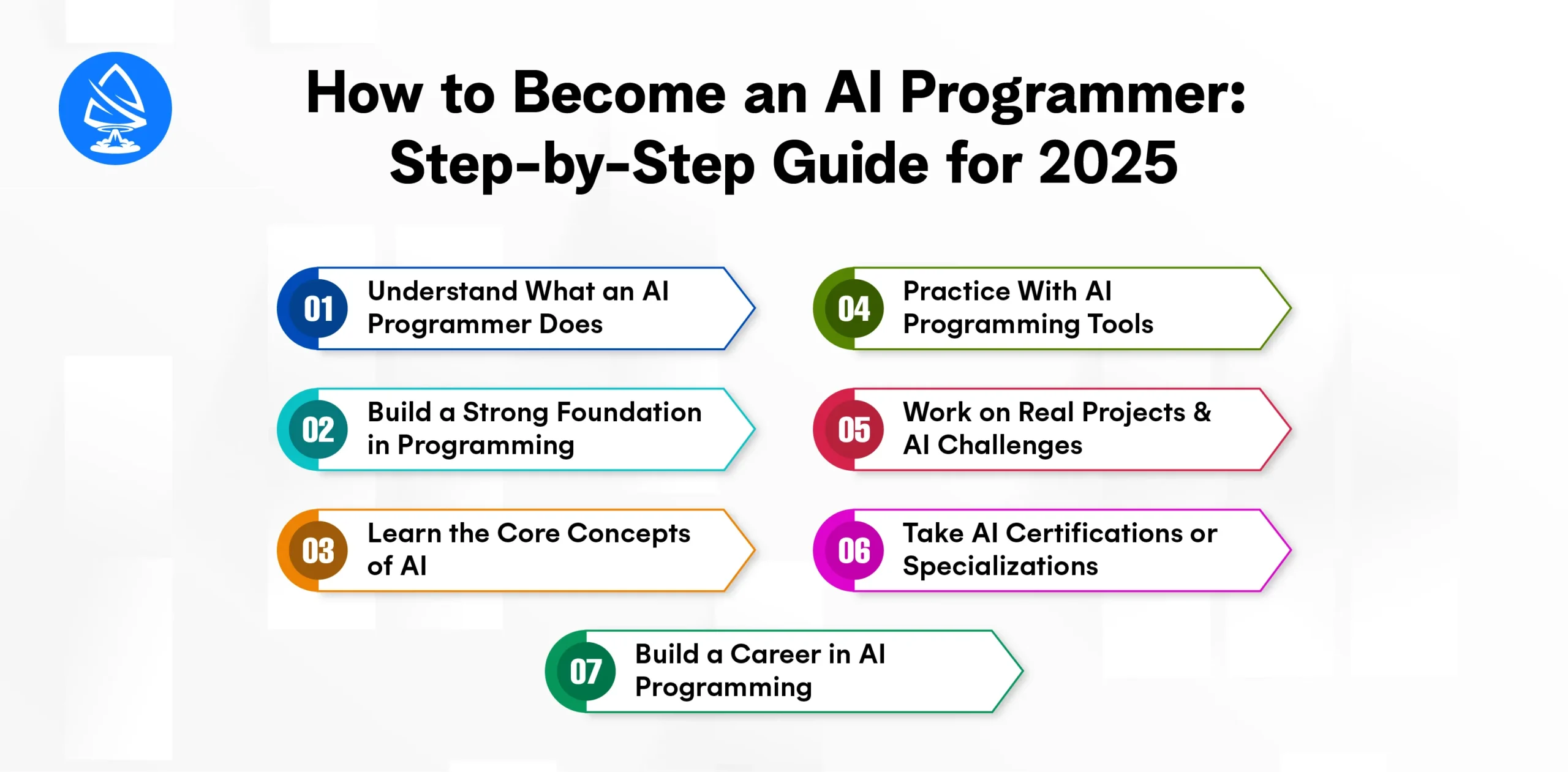
An AI programmer builds intelligent systems that can learn, reason, and adapt, often using algorithms, neural networks, and data-driven logic. This may involve:
AI programmers work with data, algorithms, and code to bring machines closer to human-like intelligence.
You can’t write intelligent systems without knowing how to code.
Tip: Use AI-enhanced IDEs like GitHub Copilot, Replit Ghostwriter, or CodeWhisperer to accelerate your learning.
Before diving into frameworks, you need to understand the theory.
Tools like ChatGPT, Coursera, and Fast.ai can help you learn these topics in a hands-on way.
Practical experience is key to mastery. Work with the most in-demand AI programming tools, such as:
| Tool | Purpose |
| TensorFlow | Deep learning and neural networks |
| PyTorch | Flexible, research-friendly framework |
| Scikit-learn | Traditional ML models (SVM, Random Forest) |
| OpenCV | Computer vision tasks |
| Keras | High-level API for fast prototyping |
Start by building simple projects like:
Apply your knowledge by building and publishing projects.
Join platforms like:
Real-world exposure will help you understand model evaluation, data preprocessing, and deployment challenges.
While not always required, certifications can boost your resume and build credibility.
Popular options:
These are especially helpful if you aim to join an AI development company or a major tech firm.
Once confident, here are career roles you can pursue:
Salaries range from ₹8 LPA (India entry-level) to over USD 120K annually for experienced developers in the U.S.
With the rapid expansion of artificial intelligence, developers today are spoiled for choice when it comes to selecting a language for building intelligent applications. But not all languages are created equal. Choosing the best AI programming language depends on your goals, experience level, project type, and the tools you plan to integrate.
Let’s break down the key factors and top contenders in 2025.
Choosing the right language affects:
Some languages are great for rapid prototyping, while others shine in performance-critical AI systems. Let’s explore them.
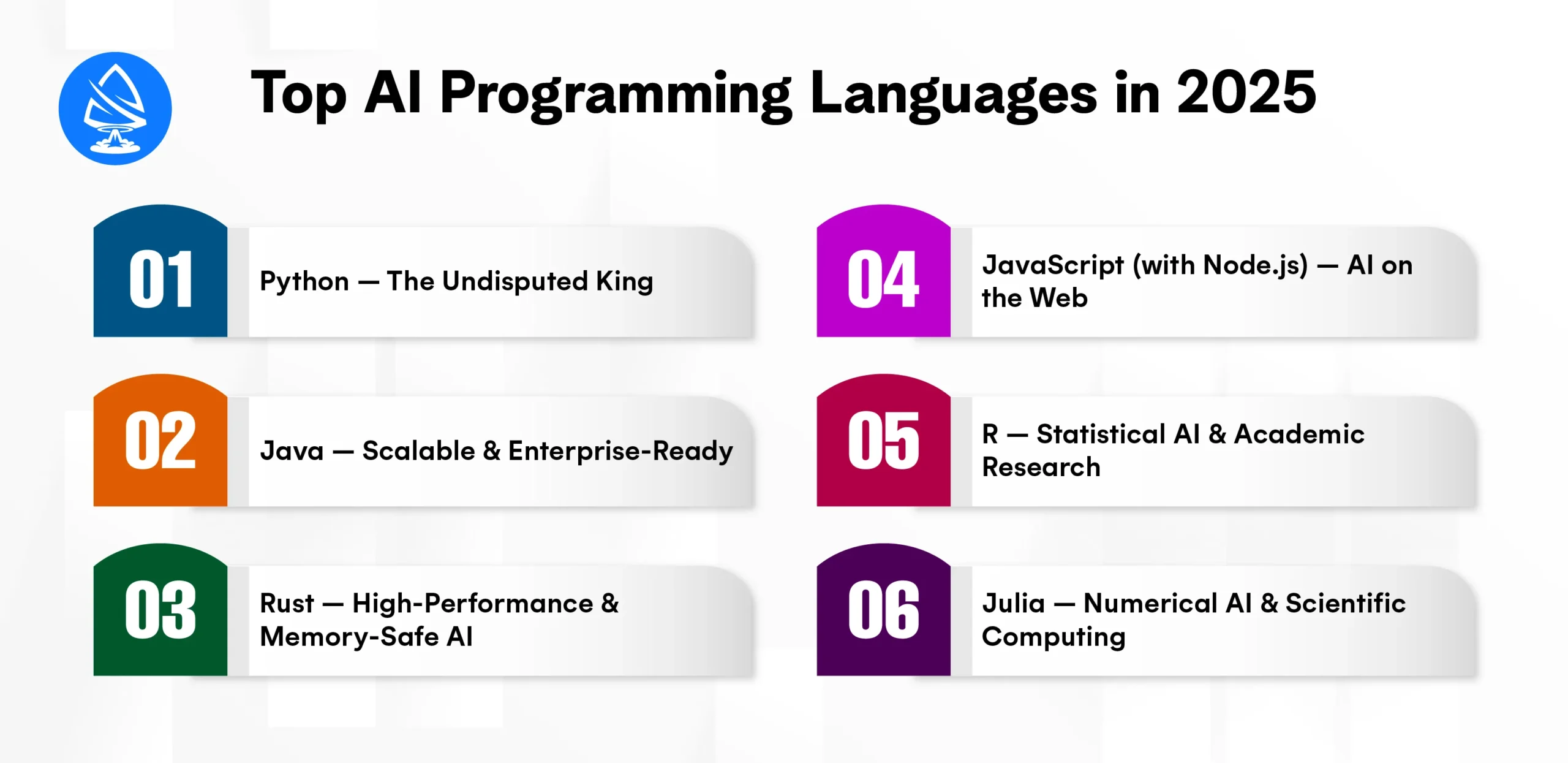
Best For: Beginners, researchers, startups, prototyping, production
Python dominates AI and ML development due to its clean syntax, extensive libraries, and deep community support. Whether you’re writing an AI program in Python, experimenting with generative AI programs, or deploying models in production, Python delivers.
Why it’s the best AI programming language:
Ideal for: Beginners, data scientists, and full-stack AI developers
Best For: Enterprise applications, big data integration, backend AI
Java is still widely used in companies that build large-scale, production-grade AI systems. With tools like Deeplearning4j and Weka, Java integrates well into existing enterprise stacks.
Ideal for: Backend developers transitioning into AI
Best For: Performance-critical applications like robotics, edge AI, and real-time systems
Rust is gaining traction as a modern alternative to C++ with safer memory management. It’s increasingly used in AI programming where low latency and hardware control are vital.
Ideal for: Advanced developers and systems programmers
Best For: Web apps, browser-based AI, and real-time UI integration
JavaScript is essential for integrating AI into front-end and full-stack apps. Libraries like TensorFlow.js and Brain.js allow model training and inference right in the browser.
Ideal for: Web developers adding AI functionality
Best For: Data-heavy research, statistical modeling, bioinformatics
While not as versatile as Python, R is widely used in academia and research for its powerful data visualization and statistical packages.
Ideal for: Data analysts and researchers in quantitative domains
Best For: High-performance AI, numerical simulation, scientific computation
Julia is designed for speed and mathematical clarity. It’s gaining popularity in fields like physics-based AI, mathematical modeling, and finance.
Why use it:
Ideal for: Engineers and mathematicians doing heavy numerical work
| Criteria | Recommended Language |
| Beginner learning AI | Python |
| Full-stack AI web apps | JavaScript + Python |
| Enterprise-grade AI backend | Java or Python |
| Low-latency edge AI | Rust or C++ |
| Scientific modeling | Julia or R |
| Cross-platform prototyping | Python |
| Browser-based AI | JavaScript (TensorFlow.js) |
AI programming tools in 2025 have redefined how developers interact with code. Whether you’re writing an AI program in Python or testing a new generative AI program, there’s an assistant ready to boost your productivity. With tools like GitHub Copilot X, CodeWhisperer, and Tabnine leading the way, developers no longer need to code alone.
Moreover, with increasing demand, companies are rapidly looking to hire AI developers and partner with a reliable AI development company. Whether you’re seeking to build in-house capabilities or outsource to an artificial intelligence development company in USA, the right talent can make a significant impact.
If you’re an aspiring Artificial Intelligence Developer, now is the best time to explore these tools, build projects, and stay updated with evolving trends in AI programming.
1. What are the best AI programming tools in 2025?
GitHub Copilot X, Tabnine, CodeWhisperer, and Replit Ghostwriter.
2. What is AI programming?
AI programming involves writing code that enables machines to simulate intelligent behavior.
3. Which language is best for AI programming?
Python is the most widely used and versatile language for AI programming.
4. Can I make my own AI program?
Yes, by learning Python and using libraries like TensorFlow, you can build your own AI models.
5. Are there free AI programs?
Yes, tools like Kite, IntelliCode, and Replit offer free access to AI programming assistance.
6. How do I become an AI programmer?
Learn programming, math, and ML, and build real-world projects or join AI boot camps.
7. What is a generative AI program?
It’s an AI tool that creates new content (like code, images, or text) using learned patterns.
8. Are AI programming tools safe?
Most tools are secure, especially those focusing on data privacy, like Amazon CodeWhisperer.

Artoon Solutions
Artoon Solutions is a technology company that specializes in providing a wide range of IT services, including web and mobile app development, game development, and web application development. They offer custom software solutions to clients across various industries and are known for their expertise in technologies such as React.js, Angular, Node.js, and others. The company focuses on delivering high-quality, innovative solutions tailored to meet the specific needs of their clients.
 For business inquiries only




