- HR:+91-879-9184-787
- Sales:+91-908-163-7774


In today’s fast-paced digital landscape, full stack developers need a robust toolkit to build, deploy, and maintain scalable web applications. From frontend frameworks and backend technologies to containerization and collaboration tools, full stack developer tools empower professionals to manage the entire software development lifecycle.
This article covers essential full stack web development tools, categorized by functionality, ensuring you have a well-rounded set of resources. Whether you’re an aspiring developer or a business looking to hire full stack developers, understanding these tools is critical.
In the domain of full stack web development tools, the frontend stack defines the user experience. Frontend tools govern everything the user sees, interacts with, and experiences directly in the browser, from layouts and forms to animations and UI responsiveness. A well-structured frontend enhances accessibility, engagement, and conversion rates.
Whether you’re building static landing pages, progressive web apps (PWAs), or highly interactive single-page applications (SPAs), the following tools are essential in any full stack developer toolkit.
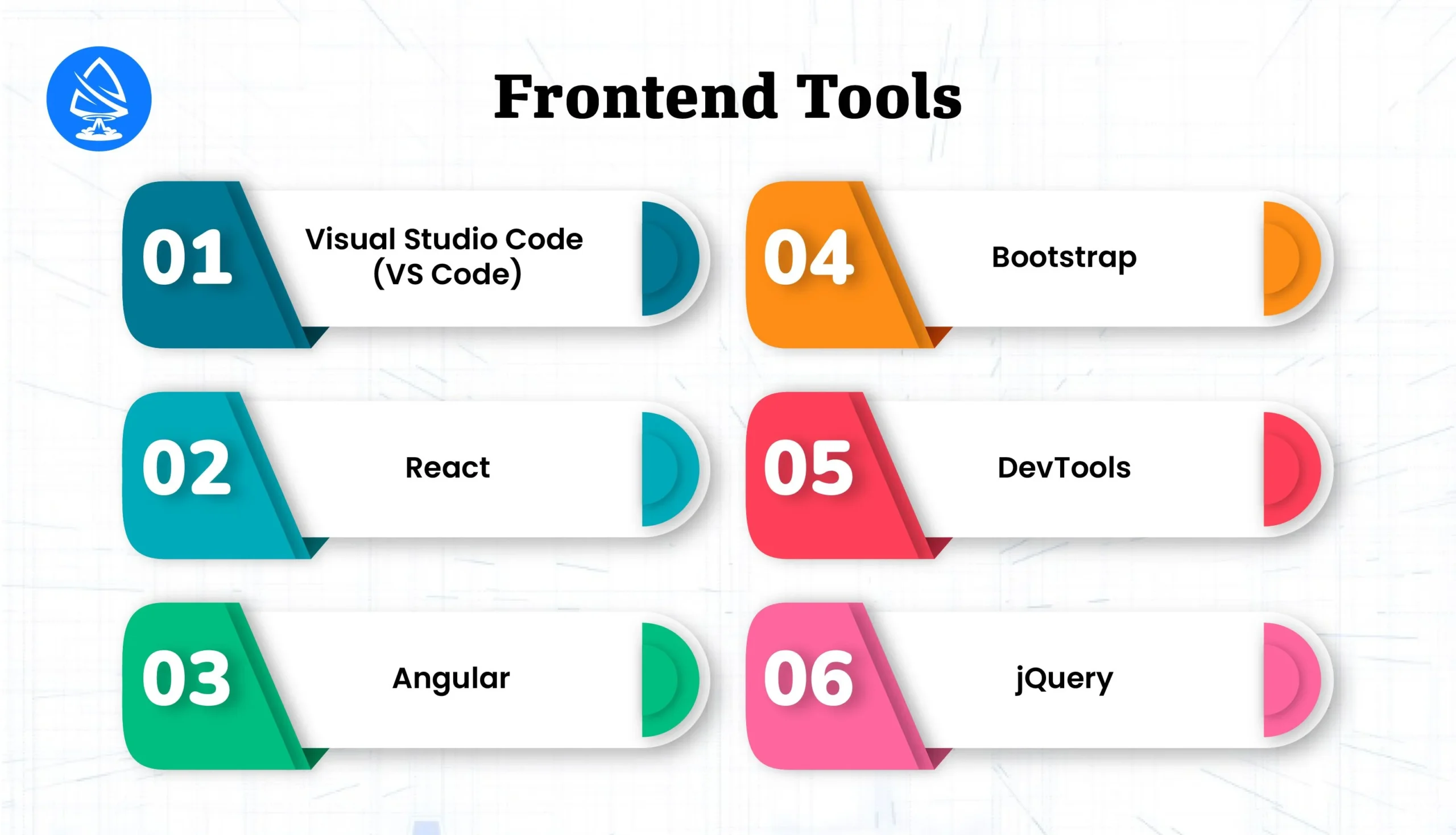
Visual Studio Code is the most popular code editor among modern developers and stands at the intersection of simplicity and power. Built by Microsoft, VS Code supports nearly every frontend and backend language, making it an indispensable tool in a full stack platform environment.
Use VS Code with the Tailwind CSS IntelliSense plugin and React Developer Tools extension to streamline modern UI component development.
React.js, maintained by Meta (Facebook), is not just a library, it’s an ecosystem. With a virtual DOM that minimizes page re-renders and a component-based architecture, React remains the top choice for scalable and dynamic web interfaces.
React is fundamental in the MERN full stack platform, widely used by startups and enterprises alike for rapid prototyping and long-term scalability. With the rise of server-side rendering and static site generation, many teams are also turning to Next js developers to extend React’s capabilities, enabling faster load times, better SEO, and enhanced performance for production-grade applications.
Angular, powered by Google, is a comprehensive framework for developing scalable web applications. Unlike React, which is a library, Angular is an all-in-one frontend framework that includes everything from routing to state management and form handling.
Angular is a go-to for enterprises looking to build large-scale, data-intensive applications that require high security and maintainability. It’s frequently used by firms offering full stack mobile app development and web solutions.
Bootstrap is a CSS framework developed by Twitter that revolutionized responsive web design. Despite newer competitors like Tailwind CSS, Bootstrap remains widely used in both professional and educational settings.
Many developers pair Bootstrap with React using libraries like React-Bootstrap or reactstrap to maintain Bootstrap’s visual language in component-based architecture.
Perfect for MVPs and prototypes, Bootstrap accelerates time-to-market while ensuring cross-device compatibility.
Browser DevTools are built into all modern browsers (Chrome, Firefox, Safari, Edge) and are essential for debugging, profiling, and optimization of web applications.
DevTools play a pivotal role in optimizing Core Web Vitals, fixing layout shifts, and ensuring fast load times, essential for SEO-driven projects.
jQuery may be legacy, but it’s still relevant. It powers many WordPress themes, plugins, and older enterprise systems that haven’t yet migrated to modern frameworks.
In the context of maintaining older full stack platforms, understanding jQuery is still valuable.
Backend tools are the backbone of web applications, powering everything from server logic, business rules, data storage, and API endpoints to user authentication and authorization. These tools allow developers to handle requests, connect to databases, manage APIs, and ensure scalable and secure application behavior.
For any full stack web developer, mastering these backend frameworks and environments is crucial for building a reliable and performant server-side architecture. Below are the most essential backend tools every modern developer should consider.
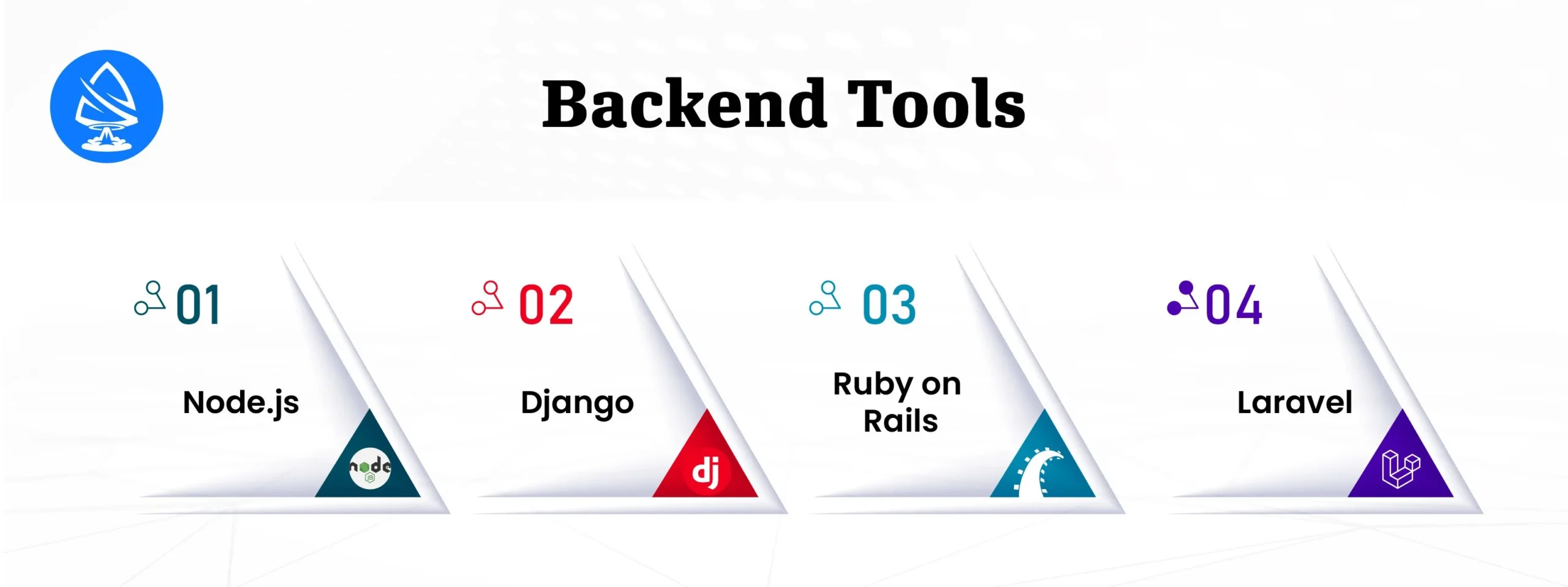
Node.js is a powerful, open-source, server-side runtime environment that allows developers to execute JavaScript outside the browser. Built on Google Chrome’s V8 JavaScript engine, Node.js is asynchronous and event-driven, making it ideal for data-intensive real-time applications.
Node.js continues to dominate the api development tools space and is a favorite among companies looking to hire full stack developer for fast, scalable solutions.
Django is a high-level Python web framework that promotes rapid development and clean, pragmatic design. Built by developers for developers, Django follows the “batteries-included” philosophy, providing almost every component out of the box for building secure, scalable applications.
As one of the most mature Python frameworks, Django is a key component in full stack web development tools, especially for teams leveraging AI/ML or data science.
Ruby on Rails (RoR) is a server-side framework written in Ruby that emphasizes convention over configuration. This approach dramatically reduces development time and is perfect for fast-paced product development cycles.
Rails is popular among developer-first teams and bootstrapped startups, and continues to be a solid choice in any list of best tools for full stack development.
Laravel is the most popular PHP web framework, designed for elegant syntax, developer happiness, and robust functionality. Laravel modernizes PHP development and adds layers of abstraction to reduce boilerplate code.
Laravel is ideal for teams already invested in PHP and is commonly used by agencies offering full stack development company in USA.
APIs (Application Programming Interfaces) are the glue of modern software architecture, connecting frontend interfaces with backend services, third-party tools, mobile apps, and databases. For full stack developer, working with APIs is a core responsibility, whether they’re building RESTful services, GraphQL layers, or internal microservices.
In microservices-driven and modular architectures, robust API development tools are critical for designing, testing, securing, and monitoring APIs effectively. Below are the top tools every full stack developer should master in 2025.
Postman is the industry-leading platform for API development, collaboration, testing, and documentation. It is used by over 20 million developers worldwide, from individual freelancers to large enterprise teams.
Postman is also a favorite among teams practicing Test-Driven Development (TDD) for APIs or developing headless architectures for SPAs and mobile apps.
Swagger (now part of the OpenAPI Initiative) is an API development ecosystem that helps developers define, visualize, and document RESTful APIs using the OpenAPI Specification (OAS).
With OpenAPI becoming the industry standard, Swagger tools are a must-have for any professional dealing with API development tools in full stack platforms.
Databases are the heart of any full stack application, responsible for storing and retrieving critical business data, from user credentials and product catalogs to analytics and logs. In a full stack workflow, choosing the right database management tools is essential for ensuring performance, consistency, scalability, and developer efficiency.
Depending on the nature of the application, real-time chat, eCommerce, analytics dashboard, or CMS, developers may choose from SQL or NoSQL databases, relational or document-based, in-memory or distributed. Here’s a breakdown of the top tools used by full stack developer across various platforms.
MongoDB is a leading NoSQL database known for its flexibility, scalability, and ease of use. Instead of rows and tables, it uses a document-oriented data model, storing data in BSON (Binary JSON) format. This makes it highly intuitive for developers working with JSON-based JavaScript frontends like React or Angular.
Why Full Stack Developer Use It:
MongoDB complements JavaScript-heavy stacks and is a top choice for developers building API-first, real-time, or cloud-native applications.
MySQL and PostgreSQL are the most widely adopted relational database management systems (RDBMS). Unlike MongoDB, these databases require structured schemas and are ideal for use cases where data integrity and complex relationships are critical.
Why Full Stack Developer Use It:
RDBMS like MySQL/PostgreSQL are indispensable for apps that require structured, consistent data and strong relational logic, common in full stack web development tools for enterprise applications.
Firebase, backed by Google, is a Backend-as-a-Service (BaaS) platform offering a suite of tools including Realtime Database and Cloud Firestore. It allows developers to build serverless, scalable apps with real-time syncing, offline persistence, and cross-platform data access.
Why Full Stack Developer Use It:
Firebase enables fast development and deployment of apps without needing to manage traditional servers, making it a go-to solution for solo developers, startups, and hybrid mobile platforms.
|
Use Case |
Recommended Database |
Reason |
|
Real-time apps (chat, feeds) |
Firebase Realtime DB, MongoDB | Fast syncing, schema-less |
|
Enterprise & financial systems |
PostgreSQL | Advanced features & integrity |
|
Blog, CMS, small business apps |
MySQL |
Simplicity and performance |
|
Serverless & mobile-first apps |
Firestore |
Scalability & multi-device support |
| Analytics & search-heavy apps | MongoDB + Elasticsearch |
Flexible data model & indexing |
In today’s DevOps-driven development environment, containerization has revolutionized how applications are built, shipped, and deployed. For full stack developer, understanding containerization is no longer optional, it’s essential for creating portable, consistent, and scalable environments across local machines, CI/CD pipelines, cloud platforms, and production servers.
Two leading containerization tools that dominate the modern development stack are Docker and Kubernetes. Together, they enable developers to build applications with microservices architecture, automate scaling, and minimize environment-related bugs.

Docker is a platform that allows developers to package applications, libraries, system tools, and configuration files into standardized units called containers. These containers can run consistently across any environment, whether it’s a developer’s laptop, a staging server, or a production cluster.
version: '3'

services:

  frontend:

    build: ./frontend

    ports:

      - "3000:3000"

  backend:

    build: ./backend

    ports:

      - "5000:5000"

  db:

    image: mongo

    ports:

      - "27017:27017"
This simple Docker Compose file orchestrates a full stack app with three services, making Docker an indispensable part of modern full stack web development tools.
Kubernetes, often abbreviated as K8s, is a powerful container orchestration platform originally developed by Google and now maintained by the Cloud Native Computing Foundation (CNCF). While Docker handles containerization, Kubernetes manages how and where those containers run in production.
A team building a multi-tenant SaaS platform uses Docker to containerize each service (auth, billing, frontend, admin panel) and Kubernetes to deploy, monitor, and scale them in production. They use Helm charts to manage complex configurations and Kubernetes Secrets to store environment variables securely.
|
Benefit |
Docker |
Kubernetes |
| Simplifies Dev Setup |
✅ |
🚫 |
|
Ideal for Local Development |
✅ |
🚫 |
| Scales Production Workloads |
🚫 |
✅ |
| Automates Deployment & Recovery |
🚫 |
✅ |
|
Supports Microservices Architecture |
✅ |
✅ |
Modern software development is a team sport. As applications grow in size and complexity, effective code collaboration tools are critical for maintaining productivity, code quality, and alignment across distributed teams. These tools enable version control, code reviews, real-time communication, CI/CD pipelines, and issue tracking, all of which are foundational for any successful full stack development workflow.
Whether you’re working in a startup or a large enterprise, collaboration platforms such as Git, GitHub, GitLab, and Slack form the connective tissue of modern full stack platforms.
Git is a distributed version control system created by Linus Torvalds. It enables developers to manage source code history, collaborate in parallel, and track changes across branches and time. It is the bedrock of modern development workflows.
A team working on a React + Node.js application may use Git to manage changes across both the frontend and backend. One developer can update the UI while another updates API endpoints, all while maintaining version integrity and traceability.
Git is essential in full stack web development tools as it underpins collaboration in any team setup, be it local or remote.
While Git is the core engine of version control, platforms like GitHub and GitLab provide user-friendly web interfaces, enhanced collaboration features, and robust DevOps capabilities on top of Git.
Owned by Microsoft, GitHub is the world’s largest code hosting platform, known for its developer-centric features and open-source ecosystem.
Use Case:
In a full stack mobile app development team, GitHub Actions can automatically build and test both the iOS and Android versions of the app, run backend integration tests, and deploy changes to Firebase hosting.
GitLab is a self-hosted or cloud-based DevOps platform that goes beyond GitHub by providing a complete software lifecycle solution, from planning to deployment.
Use Case:
An enterprise full stack development company in USA might use GitLab’s self-hosted version for compliance reasons while leveraging its DevOps automation to deploy Django-based APIs and Angular frontends to Kubernetes clusters.
Slack is a powerful team communication tool that goes beyond messaging, acting as a real-time collaboration and DevOps notification center when integrated with other development tools.
Use Case:
Imagine a bug is reported in the production environment of a React + Django app. Slack instantly notifies the #bug-tracker channel via Sentry. A developer shares the related GitHub pull request. Another team member jumps in to run tests, all while leadership is updated via thread summaries. This seamless interaction highlights Slack as an irreplaceable part of full stack tools for agile teams.
Testing and debugging are critical components of a robust full stack development workflow. They ensure that applications are not only functional but also performant, accessible, and secure. Without automated tests and effective debugging practices, even the best-written code can suffer from runtime errors, poor UX, and hard-to-diagnose bugs.
Whether you’re working with a monolithic app or a microservices architecture, these tools help full stack developer verify business logic, simulate real-world usage, and catch issues early in the development cycle.
Cypress is a next-generation end-to-end testing framework designed for modern web applications. Built specifically for JavaScript-based apps like React, Angular, and Vue, Cypress operates directly in the browser, giving developers unparalleled control over test execution.
Why Full Stack Developer Love Cypress:
Unlike Selenium, Cypress runs inside the browser context, which means faster execution, better debugging tools, and native access to the DOM, making it perfect for frontend-heavy full stack web applications.
Selenium is a long-established automation testing framework that allows developers to simulate user behavior across different browsers and devices. While it’s more complex than Cypress, it offers flexibility that Cypress doesn’t, especially around cross-browser compatibility.
Why Use Both:
Use Cypress for fast, component-level and user interaction testing during development, and Selenium for broader QA, especially when you need to validate browser diversity.
Chrome DevTools is a set of web authoring and debugging tools built directly into Google Chrome. It allows full-stack developers, especially frontend engineers, to inspect, debug, and optimize applications in real time.
Pro Tip:
Use DevTools’ Local Overrides feature to test CSS or JS changes without modifying actual source files, great for debugging on live or staging environments.
|
Layer |
Tool |
Test Type |
|
Frontend |
Cypress, Jest, DevTools |
Unit, E2E, Accessibility |
|
Backend |
Mocha, Chai, Postman |
API Testing, Integration |
|
Cross-Browser |
Selenium, BrowserStack |
Compatibility Testing |
|
Production |
Sentry, New Relic | Error Monitoring & APM |
Frameworks are the architectural backbone of full stack development. They provide pre-written libraries, design patterns, and structured project scaffolding to eliminate repetitive coding and accelerate deployment. A full stack framework typically combines a frontend library/framework, a backend environment, a database system, and often, middleware and routing layers.
By integrating both frontend and backend tools, these frameworks empower developers to build scalable, maintainable, and production-ready applications quickly, without needing to reinvent the wheel for every project.
Let’s dive deep into the most powerful and widely used full stack web development frameworks in 2025.
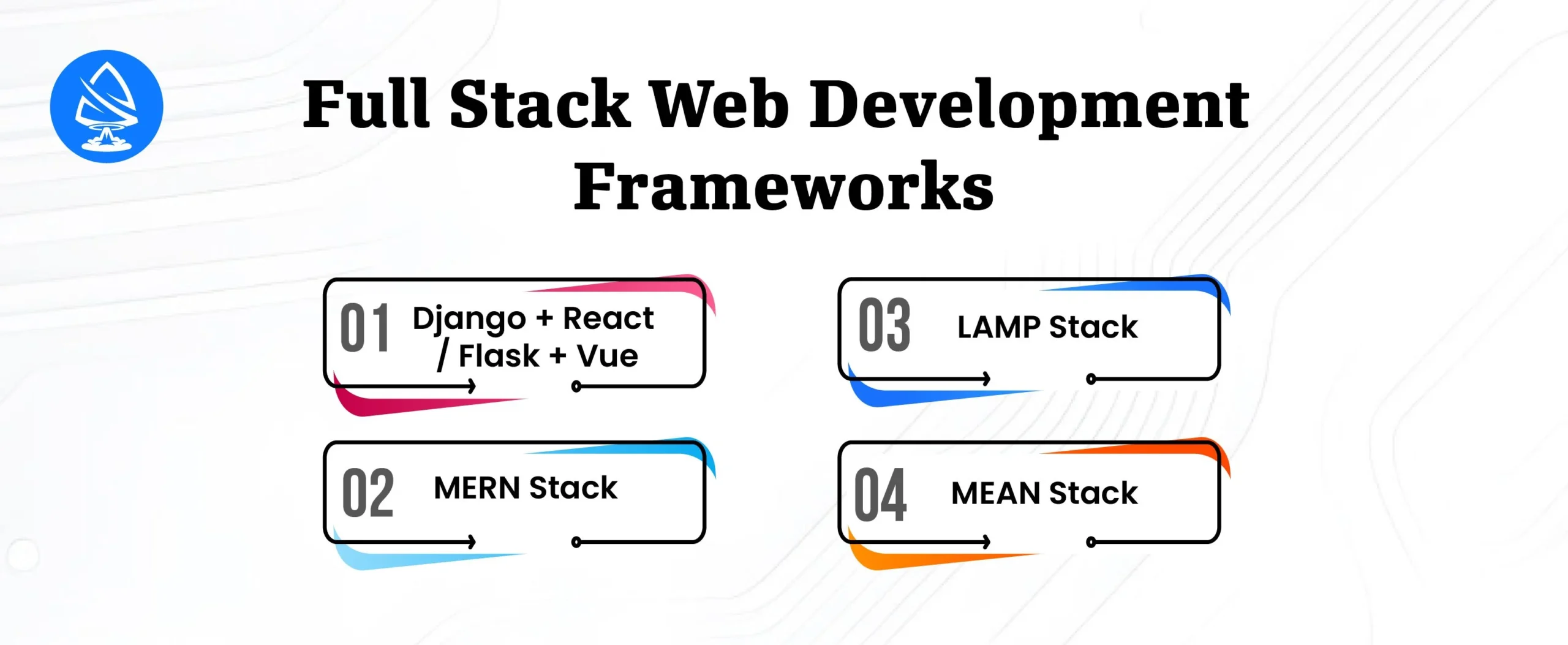
MongoDB – Express.js – Angular – Node.js
The MEAN stack is a JavaScript-based framework that allows developers to use a single language (JavaScript) across the entire stack, from client to server to database.
SEO Tie-in: The MEAN stack is widely adopted by tech-focused startups and mid-sized businesses. Many a full stack development company in USA relies on MEAN for scalable and maintainable solutions.
MongoDB – Express.js – React – Node.js
The MERN stack is a variation of MEAN, replacing Angular with React for the frontend layer. It’s favored for its component-based architecture, performance, and flexibility.
Developer Insight: MERN is a favorite among full-stack web developer tools because of its simplicity, performance, and ease of learning, ideal for both solo developers and teams.
Linux – Apache – MySQL – PHP
The LAMP stack is one of the oldest and most time-tested full stack frameworks. Despite newer stacks gaining popularity, LAMP still powers millions of websites, especially in the small business and CMS ecosystems.
SEO Tie-in: For clients who prefer tried-and-true technologies, LAMP offers reliability. PHP-based frameworks like Laravel extend LAMP’s relevance in today’s full stack tools landscape.
Python-based full stack frameworks have gained popularity, especially among startups in data-heavy or AI-driven fields. Django and Flask, when combined with modern frontend frameworks, offer rapid development, strong security, and seamless integration.
SEO Tie-in: Many AI-focused startups and product teams that hire full stack developer specifically look for Python + JS hybrid frameworks for their speed, readability, and seamless data integrations. This combination is especially popular among companies looking to build intelligent systems, often requiring the expertise of a skilled Artificial Intelligence Developer to implement machine learning models, data pipelines, and AI-driven features alongside scalable web architectures.
|
Stack |
Best Use Case | Tech Proficiency | Performance |
|
MEAN |
Real-time SPAs, dashboards | JavaScript-centric |
High |
|
MERN |
Interactive UIs, SaaS apps | JavaScript/React |
Very High |
|
LAMP |
CMS, eCommerce, legacy apps | PHP/MySQL |
Moderate |
| Django + React | Data-heavy secure apps | Python + JS |
Very High |
|
Flask + Vue |
Microservices, MVPs | Python + Vue |
High |
In the fast-paced world of software engineering, DevOps and deployment tools bridge the gap between development and operations. They automate workflows, improve code reliability, streamline testing, and accelerate release cycles. For full stack developer, understanding CI/CD, version control integrations, and production-ready deployment strategies is critical for building scalable, maintainable applications.
Let’s explore the top tools in this category, Jenkins, WebStorm, and npm, and how they elevate full stack web and mobile development.
Jenkins is an open-source CI/CD (Continuous Integration / Continuous Deployment) tool written in Java. It’s one of the most widely adopted automation servers used to build, test, and deploy code in real time, integrating seamlessly with the majority of full stack platforms and DevOps ecosystems.
groovy
CopyEdit
pipeline {
agent any
stages {
stage(‘Install’) {
steps {
sh ‘npm install’
}
}
stage(‘Build’) {
steps {
sh ‘npm run build’
}
}
stage(‘Test’) {
steps {
sh ‘npm test’
}
}
stage(‘Deploy’) {
steps {
sh ‘./deploy-to-s3.sh’
} } } }
Pro Tip: Use Jenkins with GitHub Actions or GitLab CI as a fallback runner or hybrid deployment orchestrator.
WebStorm by JetBrains is a professional IDE tailored specifically for JavaScript, TypeScript, and modern web frameworks. While many developers use VS Code as a lightweight editor, WebStorm is preferred for large-scale projects requiring advanced static analysis, refactoring, and debugging tools.
WebStorm boosts productivity with refactor-safe code editing, real-time linting, and instant insights into function usage and imports. It is particularly valuable in full stack web development tools where both frontend (React/Angular/Vue) and backend (Node.js) logic coexist.
npm is the world’s largest software registry and the default package manager for Node.js. It plays a foundational role in every full stack JavaScript application, from managing dependencies to running build scripts and managing private/public packages.
json
CopyEdit
{
“name”: “fullstack-app”,
“scripts”: {
“start”: “node server.js”,
“build”: “webpack”,
“test”: “jest”,
“dev”: “nodemon server.js”
},
“dependencies”: {
“express”: “^4.18.2”,
“react”: “^18.2.0”
},
“devDependencies”: {
“eslint”: “^8.0.0”,
“webpack”: “^5.0.0”
}
}
Bonus: npm also powers the npx utility for one-time executions like npx create-react-app.
|
Tool |
Purpose |
Use Case |
|
Docker |
Containerization |
Isolate and ship apps with all dependencies |
|
GitHub Actions |
CI/CD |
Lightweight automation for tests and deployments |
|
Vercel / Netlify |
Frontend Hosting |
Deploy static or JAMstack sites with ease |
|
Heroku / Railway |
PaaS |
Zero-config deployment for full stack apps |
|
Ansible / Terraform |
Infrastructure-as-Code |
Automate server provisioning and cloud infrastructure |
Beyond your core frontend and backend stack, there are additional tools that significantly enhance a developer’s workflow. These include tools for building desktop apps, improving code robustness, ensuring accessibility compliance, and testing UI concepts in real-time. While often overlooked, these utilities play a vital role in modern full stack web development tools ecosystems.
Electron is an open-source framework developed by GitHub for building cross-platform desktop applications using web technologies such as JavaScript, HTML, and CSS.
Electron combines Chromium and Node.js into a single runtime. This enables developers to build desktop apps that look and behave like native software but are powered by web technologies.
A team can use React for the frontend, Node.js for local logic or data access, and package it with Electron to deliver a full-featured desktop tool, like a cross-platform internal dashboard or admin panel.
Why It’s Essential:
Electron extends your full stack platform beyond web and mobile, making it ideal for businesses needing desktop clients that share logic and UI with web apps.
Accessibility (a11y) is no longer optional. Compliance with WCAG (Web Content Accessibility Guidelines) and laws like ADA or Section 508 ensures your apps are usable by people with disabilities, including visual, auditory, cognitive, and motor impairments.
Why It’s Essential:
Accessibility improves UX for everyone, boosts SEO, and is legally required for many public-facing platforms. It also demonstrates social responsibility and inclusivity, a core value in ethical software development.
CodePen is a social development environment and online code editor for HTML, CSS, and JavaScript. It allows developers to write code in a sandboxed environment and instantly preview results.
Why It’s a Must-Have:
CodePen fosters experimentation and creativity, allowing full stack developer, especially frontend engineers, to test UI components without setting up a full dev environment. It’s also a valuable tool when working with designers or clients who want to preview visual changes quickly.
TypeScript is a statically typed superset of JavaScript that compiles down to plain JavaScript. Developed by Microsoft, it’s become the go-to language for medium to large-scale applications, especially in full stack environments.
typescript
CopyEdit
interface User {
id: number;
name: string;
email?: string;
}
function greet(user: User): string {
return `Hello, ${user.name}!`;
}
Why It’s Essential:
TypeScript significantly improves code maintainability, especially in large teams or long-lived projects. It’s a cornerstone in full stack developer tools where reliability, readability, and tooling support matter.
|
Tool |
Primary Role |
Full Stack Impact |
|
Electron |
Desktop app development | Extend web tech to desktop apps |
|
Accessibility Tools |
Inclusive design & testing | Compliance, SEO, and better UX |
|
CodePen |
Frontend prototyping & sharing | Fast iteration, UI communication |
|
TypeScript |
Type safety & tooling for JavaScript | Reduced bugs, scalable architecture |
In today’s fast-evolving software landscape, mastering the right set of full stack developer tools is more than just a technical advantage, it’s a strategic necessity. As applications become increasingly complex, the demand for seamless integration across frontend, backend, databases, DevOps, and cloud services grows exponentially. From powerful code editors like VS Code and intelligent IDEs like WebStorm, to robust frameworks like React, Django, and Node.js, and essential containerization and deployment tools such as Docker, Kubernetes, and Jenkins, the modern developer’s toolkit is both deep and diverse.
Choosing the optimal combination of these tools depends on your project’s architecture, scalability goals, and development methodology, whether you’re building a real-time data dashboard, a mobile-first web platform, or a cloud-native SaaS application. For enterprises and startups alike, collaborating with a trusted full stack development company in USA, opting to hire full stack developer, or engaging in custom Next.js development can significantly accelerate delivery timelines, enhance performance, and improve code quality.
As the industry continues its shift toward microservices, serverless architectures, and cross-platform compatibility, keeping your tech stack up-to-date is critical. Developers who continuously explore and master these tools position themselves at the forefront of innovation, capable of building scalable, secure, and maintainable software that drives business success in a hyper-digital world.
Also Read: Next.js Web Development Services: A Comprehensive Guide
1. What are full stack developer tools?
These are software tools used by developers to build both the frontend and backend parts of web applications.
2. Which is the best full stack platform in 2025?
Platforms like MERN, MEAN, and Django + React remain highly popular due to flexibility and strong community support.
3. What tools are essential for frontend development?
Visual Studio Code, React, Angular, Bootstrap, and Chrome DevTools are must-haves.
4. What are the best backend frameworks?
Node.js, Django, Ruby on Rails, and Laravel are among the top backend frameworks.
5. Which tools help in API development?
Postman and Swagger are industry standards for designing and testing APIs.
6. How important is Docker in full stack development?
Docker simplifies development, testing, and deployment by containerizing applications with their dependencies.
7. What are popular code collaboration tools?
Git, GitHub, GitLab, and Slack are the most used collaboration tools in full-stack development.
8. Can I use these tools for mobile app development?
Yes, many tools like React (React Native), Electron, and Firebase are suitable for full stack mobile app development.

Artoon Solutions
Artoon Solutions is a technology company that specializes in providing a wide range of IT services, including web and mobile app development, game development, and web application development. They offer custom software solutions to clients across various industries and are known for their expertise in technologies such as React.js, Angular, Node.js, and others. The company focuses on delivering high-quality, innovative solutions tailored to meet the specific needs of their clients.
 For business inquiries only