- HR:+91-879-9184-787
- Sales:+91-908-163-7774


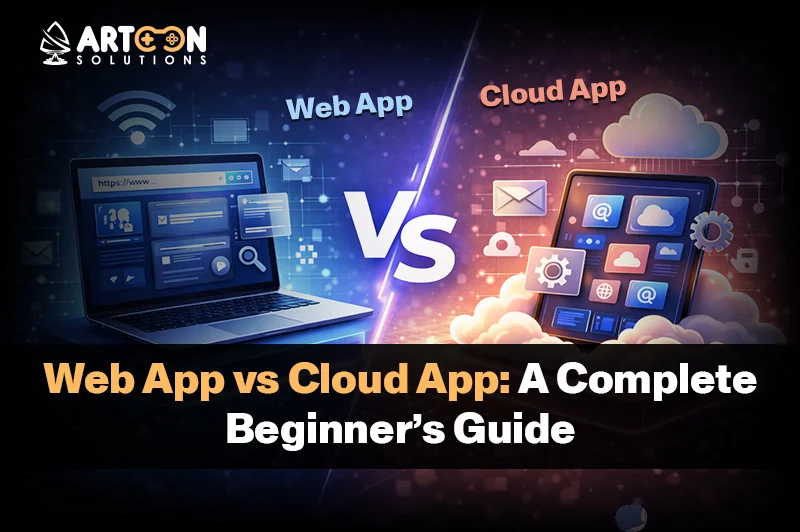
Gmail, Netflix, and online shopping portals are some of the applications that people rely on daily without batting an eye about the technology behind them. Most of the time, the applications that you are working with are cloud-based applications or web applications, and you may not even know it. Cloud applications may run effortlessly between your phone, computer, and tablet, allowing you to shift without any hassles. They can be limited to an individual device, and that’s where the mystery begins. This difference is exactly why the topic of Web App vs Cloud App often feels tricky to understand.
Things get even more confusing if you’re new to technology or running a business. You might wonder: Is Gmail a web app or a cloud application? What actually makes an app “cloud-based”? And in daily use, how do web applications really differ from cloud computing applications? These questions are common, and the truth is that they do make sense.
The challenge here is that the terms “web app” and “cloud application” are usually used synonymously. Although both terms are related to each other in a proximity sense, they are not the same. When it comes to a novice individual understanding where each begins and which to use in a given situation is quite confusing.
This guide is designed to make things simpler. Using clear language and real-life examples, it explains what a web application is, how cloud-based applications work in practice, and the basic idea behind cloud computing applications. It also distinguishes the crucial differences present in web and cloud solutions in a manner that can be easily understood.
Additionally, it provides you with valuable information, as well as some important pointers, to help you decide on the best solution to use depending on the requirement, whether it is for personal use, such as personal interests, or perhaps designing a tech product, or looking into web application development services.
I suppose the first thing that one must clear up is the difference between a web application and a cloud application. This is due to the confusion that exists between the two. They are both online applications that require very little installation, if any. That makes them seem the same at first. But really, they do different things under the hood.
A web app feels more like going into a store for something quick. You show up and do what you need, and that is all there is to it. At the same time, a cloud app is kind of like a helper that keeps working for you all the time, saving stuff and syncing in the background. Both have their places, but picking one depends on what you want to do, whether it’s for yourself or some business thing. I think understanding that helps a ton.
Thus, beginning with web apps, these are pretty much software residing on a server that you access using your browser. No downloading required on your cell phone or computer. Like if you pull up something in Chrome or Firefox, that’s probably a web app. Simple enough, it’s just a program on the server that you interact with online.
To picture it, imagine a restaurant menu. You pick what you want, order it, and get the food without running the kitchen yourself. That sort of captures how web apps work; they handle the heavy stuff elsewhere.

You are using web applications daily and probably without realizing it, because the number of examples is so large. Examples of web applications are online banking portals, shopping on Amazon or Flipkart, filling contacts on a webpage, calculator tools on a webpage, checking emails on a browser, or handling content on a WordPress dashboard.
What they have in common is simple: they operate right within the browser you use, require internet connectivity, and do not have to be installed on the computer you use. This seamlessly integrates web applications into the life you already live, as they help you get the job done rapidly.
You may also want to know AI in Audio-Visual
Try to remember when you last checked your order status online, applied for a job online, logged into your bank account online, or used a simple calculator online. In all those cases, you were using a web application.
Web apps are designed to be simple and rapid, typically built to perform a specific task. This is exactly why many enterprises start with web apps initially before engaging in more sophisticated cloud computing applications. This is accomplished by partnering with reliable web application development companies USA.
But what happens in the background is quite simple. You open a browser and enter a URL, which stands for Uniform Resource Locator. Your browser requests a server. Your server delivers your request response back to your computer. Everything happens on the internet, of course, in mere seconds. The most important thing to remember is that your device does very little work. The little work that your device does is compared to the work done on the servers. The design of web apps in such a manner helps a web app be faster and less expensive.
When it comes to analyzing Web App vs Cloud App, taking into consideration the pros and cons of a web app will make things rather elucidative.
The benefits of a web app are pretty straightforward: access anywhere with a browser, no need to download anything or install it; web apps are typically cheaper to make and maintain, and they function on a laptop, tablet, and smartphone.
This is perhaps the reason why web apps are the immediate recourse to startups and small businesses. They are a rather simple and affordable way to get online before moving on to develop more advanced solutions, such as cloud application development.
However, there are limitations to web applications as well. They don’t scale well when the number of users increases. Also, they rely on a stable internet connection for their proper functioning. There may be differences in performance based on the browser that one uses for the applications. Web applications will be less powerful compared to a cloud application.
Such are also some of the reasons that may make companies consider cloud applications once they have a need for increased space, speed, or want to engage in collaboration through cloud computing applications. What are cloud-based apps and cloud computing applications?
As business needs expand, it becomes important to comprehend what a cloud computing application means to help in supporting long-term growth, data, and collaboration.
Let’s go on to discuss the second half of Web App vs Cloud App, which involves the cloud application.
A cloud application refers to an application made up of software that executes operations in a cloud computing infrastructure rather than using an individual computer or server. The cloud has power used to handle data, process information, and offer services via an internet connection.
As a standard web application is intended for parallel processing on just one server, a cloud application is built for parallel processing on multiple servers. Thus, it is capable of handling a large number of traffic requirements while maintaining a login connection for millions of users.
In other words, a cloud application uses cloud technology for faster, smarter, and more reliable internet services.
It is at this point that the true divergence in Web App vs Cloud App comes to light. A web application is concerned with browser access, whereas the concern of a cloud application lies in power, flexibility, and scalability.
Cloud-based applications allow your data to be stored in cloud servers away from your mobile or computer, meaning all data will not be saved within your mobile or computer. The actual work, however, might be done in the cloud or even within your browser.
This implies:
Here is a practical example to understand what I mean. Cloud-based app examples: online banking. Your money is not in your wallet; it is in a much safer place: a bank, where you can go anytime to withdraw it from any corner of the world. That is how cloud-based apps handle your data.
When people ask what cloud-based apps are, one can say that these are tools that enable one to do work, store, and access different pieces of information without using one gadget.
You may also hear these concepts referred to as cloud computing applications, and it sounds complicated, but it’s not.
Cloud computing applications make use of cloud resources such as cloud servers, cloud storage, cloud databases, cloud networking, and cloud analytics services in order for them to run effectively. The applications rely on multiple cloud servers to do various tasks.
This ensures that cloud computing applications are:
Well, if you are wondering what cloud computing applications are all about, just this: they utilize cloud resources to provide strong functionality without slowing down.
That is exactly why cloud application development is so in vogue nowadays. Organizations like to develop cloud apps because of their scalability and reduced long-term cost of ownership.
You probably use cloud technology every day without realizing it. Many popular applications are cloud-based apps built to support millions of people at once.

These platforms sync data across devices, work seamlessly at a massive scale, and stay available just about all the time. They are far different from simple web app tools or basic web application examples running on a single server.
A comparison of both concepts side by side will help create a better understanding of the difference that lies between a web app and a cloud app.
A web application normally runs on one server and can be accessed by a browser. A cloud application runs on cloud infrastructure and may rely on many servers simultaneously. That explains why cloud computing applications are even better than web applications.
| Feature | Web App | Cloud Application |
| Access | Web-based | Web browser using a cloud infrastructure
|
| Internet Required | Yes | Yes |
| Data Storage | Central Server | Multiple Cloud Servers |
| Scalability | Limited | High, and automatic |
| Offline Access | Abstract or very limited | Generally Available
|
| Performance | Moderate | High and consistent
|
| Maintenance | Simple | Advanced (Managed and updated through cloud platforms) |
| Cost | Lower upfront | Flexible, pay-as-you-use
|
| Best For | Small tasks or simple tools | Large, scalable systems |
Below is a table pointing out the major difference in Web App vs Cloud App. If your requirements are very basic, the web app would suffice.
You may also want to know AI-Driven UI Design
Let’s keep the decision between Web App and Cloud App practical and simple.
There’s no one-right answer here. It all depends on what you are building today and where you aim to go tomorrow.

A web app is suitable in instances where speed, simplicity, and low prices appeal to you. Many startups and small teams begin here because it gets them up and running quickly with no complexity.
Cloud applications are developed for scalability. Cloud computing applications for performance, security, reliability, or scalability, in general, have more to offer to someone like you. It has been developed to adapt to an ever-increasing base of users, to perform large workloads, and to enable sophisticated functionalities without slowing down.
In simple terms, Web apps make it easy. Cloud apps go further, faster, safer, and smarter.
For businesses, the choice between a Web App and a Cloud App has several implications, mainly regarding cost, scalability, and end-users.
Small businesses often start with web applications that enable them to validate their concepts while keeping costs low. As businesses expand, the need for cloud application development becomes essential due to the increasing traffic.
This adaptability is what makes cloud computing apps the spine of future digital enterprises.
Knowing Web App versus Cloud App is important to help you make smart online choices. After learning about both options, it is not difficult to decide which is best for you.
Web apps are great if you just want something simple and easy on your budget. If you have long-term plans of expansion or require better performance capabilities, cloud apps are a better choice. Its use depends on what you want now and where you may want to be in the future.
Before you begin, it is advisable to budget your finances wisely with the help of a web app cost calculator. In case you need some help from an expert, Artoon Solutions would be happy to help you with Web App vs Cloud App.
1. What’s the main difference between a Web App vs Cloud App?
The main difference in Web App vs Cloud App is how they are built and scaled.
2. What, in a simple mechanic’s term, is a web application?
Web applications are software programs that you access via an online browser.
3. Are all cloud applications also web apps?
Not necessarily, for many cloud applications have web interfaces, but they might also have a mobile or desktop version.
4. What are cloud-based apps?
Cloud-based applications are those in which the data and processing are done on cloud servers rather than on your device. This allows you to access your information anywhere and keeps your data synced among devices.
5. What do you understand by the term ‘cloud computing applications’?
Cloud computing applications can help in doing those tasks that involve high performance, large data storage, and scalability. Examples are file storage, video streaming, CRM, and online collaboration tools.
6. What is cloud application development?
Cloud application development involves the process of developing applications running on cloud platforms such as AWS, Azure, and Google Cloud.
7. Is it possible to convert any web application into a cloud application?
Yes, many businesses start with a web app and later upgrade it into a cloud application. This will enable them to enhance the performance, scale up more users, and leverage applications built in the cloud.

Artoon Solutions
Artoon Solutions is a technology company that specializes in providing a wide range of IT services, including web and mobile app development, game development, and web application development. They offer custom software solutions to clients across various industries and are known for their expertise in technologies such as React.js, Angular, Node.js, and others. The company focuses on delivering high-quality, innovative solutions tailored to meet the specific needs of their clients.
 For business inquiries only